

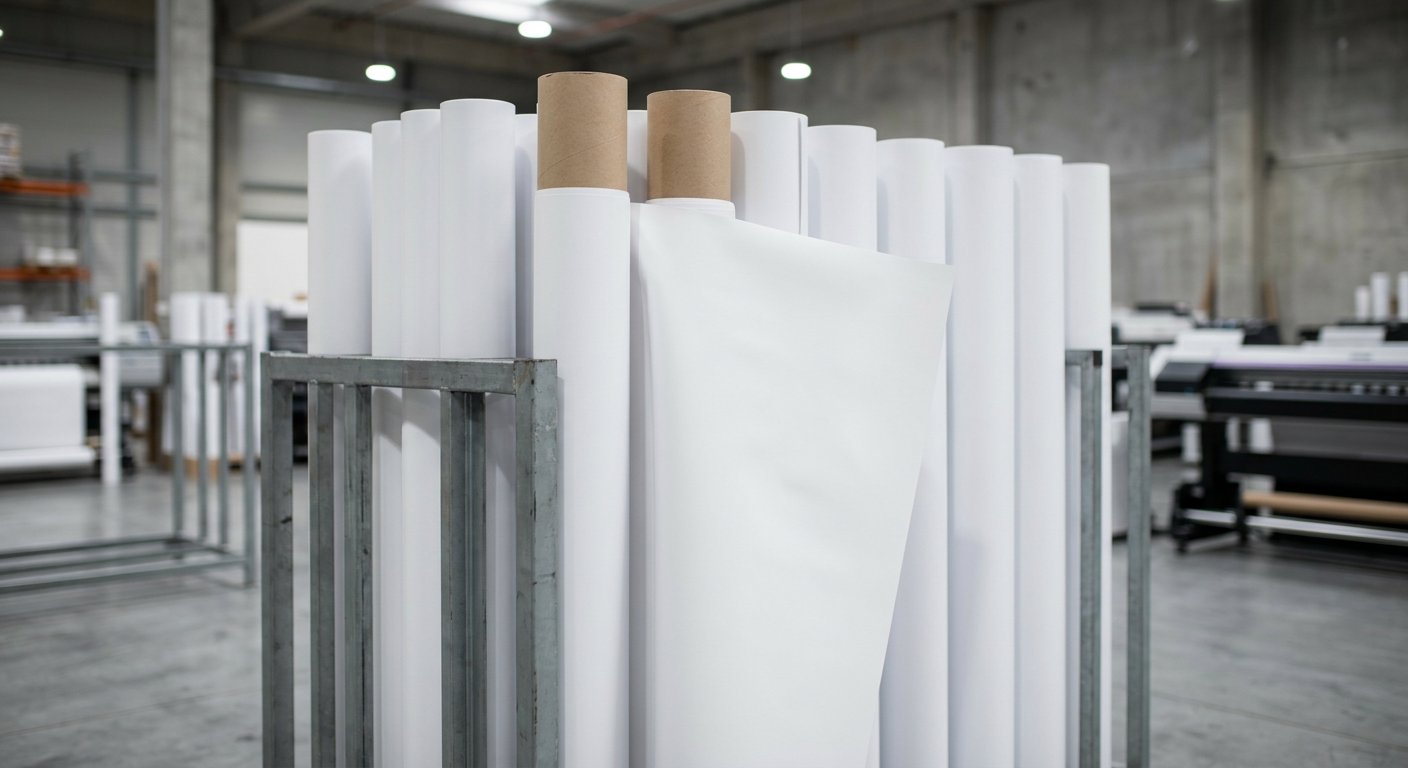
Choosing flex media for eco-solvent printing is not the same as choosing for solvent machines. Eco-solvent inks are milder — they bite less aggressively into PVC coatings — so media must have good surface absorption, flat winding, and compatible drying behaviour, or you’ll see smearing, weak adhesion, and banding. This guide explains exactly which flex media works best on eco-solvent printers, which grades and finishes to stock, the machine settings that matter, and the mistakes that waste expensive eco-solvent ink.
How Eco-Solvent Ink Interacts With Flex
Solvent inks chemically etch into PVC coatings; eco-solvent inks use milder carriers that sit more on the surface and rely on coating porosity to anchor. Practical consequences:
- Coating quality matters more: unbranded rough-coated flex absorbs eco-solvent ink unevenly → patchy colour and slow drying.
- Drying takes longer: lower solvent aggression means heaters and airflow do more of the work.
- Surface smoothness pays: eco-solvent’s fine droplets show their advantage on smooth, coated media — Star Flex and quality 280+ GSM rolls.
- Abrasion resistance is lower: outdoor eco-solvent prints benefit from lamination for long-duration jobs.
Best Flex Media Types for Eco-Solvent Printers
| Media | Eco-Solvent Suitability | Best Jobs |
|---|---|---|
| Star Flex 280–340 GSM | Excellent — coated surface matches fine ink dots | Shop boards, exhibition graphics, photo backdrops |
| Standard flex 280 GSM (branded) | Very good | Everyday banners, events |
| Standard flex 240 GSM | Good — watch drying | Short-term indoor/semi-outdoor work |
| Backlit flex 510 GSM | Good with +20% ink profile | Indoor light boxes, mall signage |
| Frontlit 440 GSM | Good with higher heat | Mid-size signage |
| Rough/unbranded flex | Poor — uneven absorption, banding | Avoid on eco-solvent |
GSM Selection for Eco-Solvent Work
- 240–280 GSM: fine for banners and indoor signage; keep heaters balanced so thin media doesn’t cockle.
- 340 GSM: the sweet spot for board work — stiffness, coating quality, and drying behaviour all cooperate.
- 440–510 GSM: printable if your machine has strong mid/post heaters (45–55°C); smaller eco-solvent machines may struggle to dry fully at speed.
Need the full GSM decision framework? See our flex media types comparison.
Machine Settings That Make or Break Eco-Solvent Flex
- Heater zones: pre-heat 35–40°C, mid 40–48°C, post 45–55°C. Cold printing = smearing on the take-up roll.
- Pass count: 6–8 pass quality mode is eco-solvent’s strength — use it; draft mode wastes the machine’s resolution advantage.
- Feed calibration: eco-solvent printers are precision machines; recheck step compensation per media to prevent banding.
- Dry time before finishing: let prints rest 15–30 minutes before laminating or winding tight.
- Ink limits: +20% for backlit; standard for frontlit; slightly reduced on thin 240 GSM to avoid saturation cockling.
Which Roll Widths & Sizes?
- Most eco-solvent machines print 3.2 ft (1.07 m) or 5 ft (1.6 m) widths — buy rolls accordingly.
- 5 ft rolls cover most board and banner jobs up to 5 ft in one dimension; larger jobs panel-and-join.
- Standard roll lengths: 50–100 m. Bulk rolls cut media cost 10–20%.
- Width logic and banner sizing: our flex banner sizes guide.
Branded Media: Non-Negotiable for Eco-Solvent
Because eco-solvent ink anchors by coating quality, brand consistency is everything:
- Recommended rolls: Star Flex, Flexit, Uniflex, Winsome, Galaxy, and Korean imports (Seungil, Hiflex) — all coat evenly batch-to-batch.
- Unbranded risks: patchy absorption, colour drift between rolls, and head strikes from thickness variation.
- Cost reality: branded rolls cost ₹1–3/sq ft more — trivial against eco-solvent ink at ₹800–1,800/litre. A ruined 300 sq ft run costs more than a year of brand premium.
Eco-Solvent vs Solvent: Should the Media Differ?
If your shop runs both technologies:
- Reserve your best-coated rolls (Star Flex, premium 280–340) for the eco-solvent machine — that’s where coating quality pays.
- Rougher economy rolls can still serve the solvent machine for political/volume work.
- Same media can run on both, but you’ll get visibly better eco-solvent results by matching media quality to the technology. Full tech comparison in our solvent vs eco-solvent vs UV guide.
Common Eco-Solvent Flex Mistakes
- Running rough unbranded flex — patchy colour and slow drying; customers see the difference immediately.
- Cold printing to save power — smearing and adhesion failures that cost reprints.
- Draft mode on board work — eco-solvent’s selling point is quality; draft mode throws it away.
- Skipping lamination on outdoor jobs — eco-solvent prints last well but gain 6–12 months with laminate.
- Wrong ink pairing — budget eco-solvent inks fade fast; quality ink economics are covered in our eco-solvent ink price guide.
Business Angle: What Eco-Solvent Flex Work Pays
- Production cost on flex: ₹8–14/sq ft (media + ink + power).
- Retail rates: ₹18–40/sq ft for quality signage work.
- Sweet-spot jobs: shop boards, exhibition graphics, indoor signage, photo-quality backdrops — 50–65% gross margins.
- Pair with vinyl for vehicle and glass work to fill the machine’s day — most eco-solvent shops run both.
Frequently Asked Questions (FAQs)
Q1. Which flex is best for eco-solvent printing?
Star Flex 280–340 GSM for boards and quality graphics; branded standard flex 280 GSM for everyday banners. Avoid rough unbranded rolls entirely.
Q2. Can eco-solvent printers print normal flex?
Yes — any flex prints, but results depend on coating quality. Branded, smoothly coated flex gives the clean, sharp output eco-solvent is bought for.
Q3. Does eco-solvent need different flex than solvent?
The media family is the same, but eco-solvent rewards better-coated rolls. Rough economy flex that works acceptably on solvent looks patchy on eco-solvent.
Q4. What heater settings for eco-solvent flex?
Pre 35–40°C, mid 40–48°C, post 45–55°C, adjusted per GSM. Heavier media needs the higher end to dry fully.
Q5. How long do eco-solvent flex prints last outdoors?
1–2 years with quality inks; add lamination for 18+ month jobs. Indoor pieces last 3+ years easily.
Q6. Can eco-solvent print backlit flex?
Yes, with a +20% ink profile and adequate heat — it’s a popular indoor glow-board combination.
Q7. Is eco-solvent flex printing more expensive?
Ink costs more (₹800–1,800/litre vs solvent ₹300–700), production lands ₹8–14/sq ft — but retail rates for quality work justify it comfortably.
Q8. Which roll widths should I stock?
Match your machine: 3.2 ft for compact models, 5 ft for 1.6 m machines; 50–100 m lengths for best pricing.
Q9. Do I need lamination for outdoor eco-solvent flex?
For jobs over 12 months or high-touch locations, yes — it adds UV and scratch protection worth the ₹5–10/sq ft.
Q10. Which machine should I buy for eco-solvent flex work?
A 3.2–5 ft eco-solvent printer with Epson i3200 heads is the standard entry point — compare options in our eco-solvent printer price guide.
Get Eco-Solvent Quality Right From the First Print
UED supplies eco-solvent and solvent printers with correct heater zones, genuine inks, spare parts, and free RIP + media training — so your flex quality sells itself.
Explore Printers → | Genuine Eco-Solvent Inks → | Get a Quote →
Final Word
Eco-solvent printing pays you back in quality — if you feed it properly: branded, well-coated flex; correct heat; quality pass counts; and lamination where life matters. Treat the media as carefully as the machine, and every board you deliver becomes a walking advertisement for your shop.
