



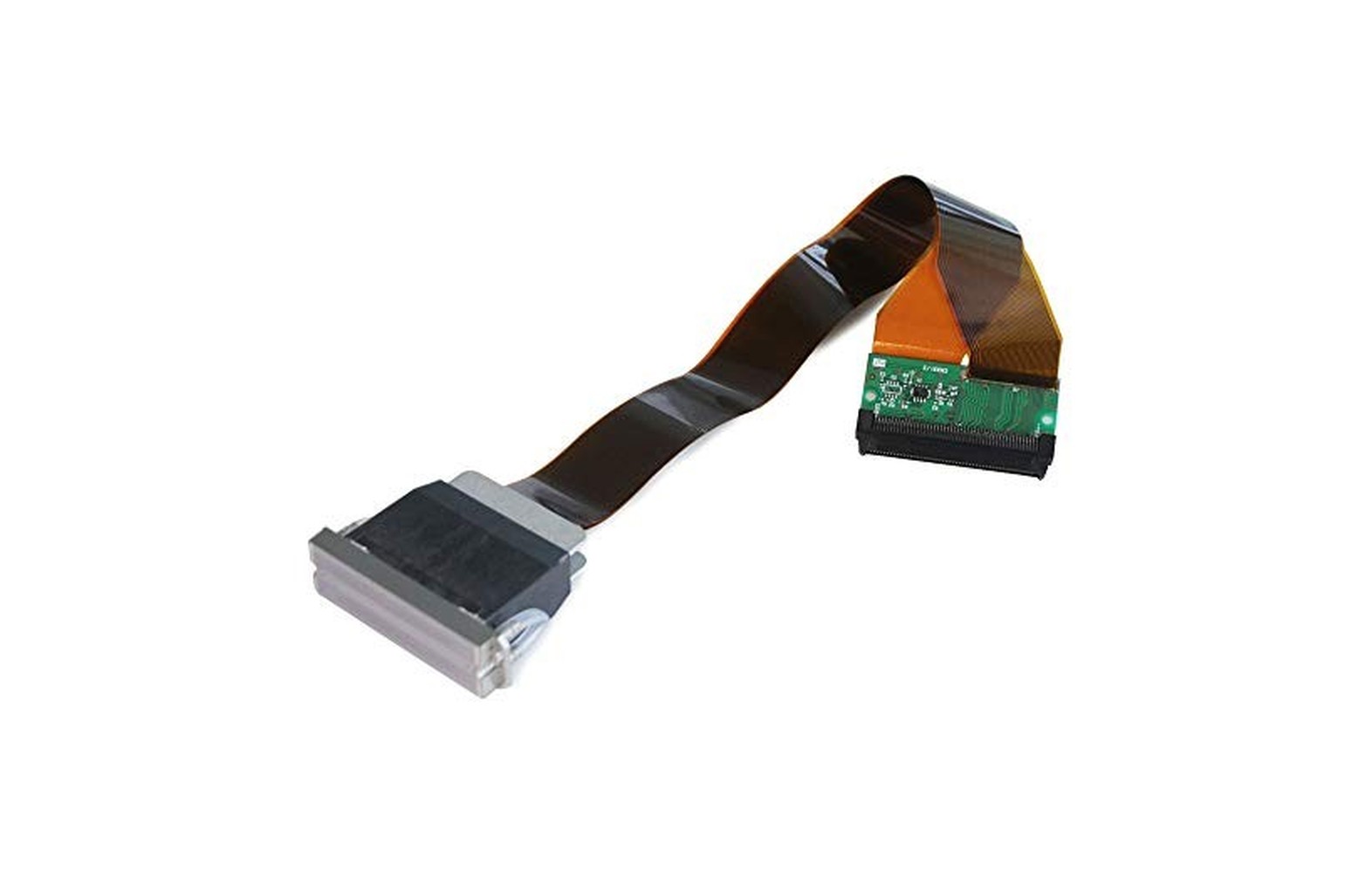
Quick answer: Supplier listings associate DX4, DX5, DX6 and DX7 labels with a range of Roland, Mimaki, Mutoh and other wide-format printers. However, a printer model or DX label alone is not enough to order a replacement. The printer manufacturer or an authorised service provider must confirm the exact machine serial, installed head assembly, approved part number and ink configuration.
The most important complication is DX6 versus DX7: some sellers use those labels differently for the same Roland part number. This guide therefore names real printer models and the evidence behind each association, while clearly separating seller-listed examples from confirmed compatibility.
Before ordering: Treat the model lists below as a research starting point—not an OEM-approved compatibility chart. A used, modified or converted machine may differ from its original specification.
Quick printer-model lookup
| Printer model examples | Market label used in the cited listing | Part number associated with that listing | Important limitation |
|---|---|---|---|
| Roland VersaCAMM SP-300 / SP-300V | DX4 | Roland 6000005213 is one number used by a seller | Verify the precise printer variant, ink and approved assembly with Roland or an authorised provider. |
| Mimaki JV3-130S / JV3-160S | DX4 | M004905 appears in a seller’s cross-reference | Confirm the exact machine and ink configuration; a seller’s list is not universal OEM approval. |
| Mimaki JV33-130 / JV33-160 | DX5 | M007947 is named in a Mimaki JV33/JV5 assembly listing | Confirm whether the quoted assembly includes the required memory board and that it matches the machine. |
| Mimaki CJV30-130 / CJV30-160 | DX5 | M007947 is listed by a supplier | Do not assume every CJV model uses the same part. Verify the exact model and serial. |
| Mutoh ValueJet VJ-1204 / VJ-1604 | DX5 | DF-49684 is listed for certain ValueJet models | Confirm the exact revision and approved replacement with Mutoh or its authorised provider. |
| Roland VS-640 | DX6 or DX7, depending on the seller | 6701409010 appears under both labels | The label is disputed in market listings. Confirm the actual Roland part for the machine; do not order by “DX6” or “DX7” alone. |
| Roland BN-20 | DX7 in one seller listing; the same part number is also discussed under DX6 | 6701409010 appears in seller material | Confirm the exact BN-20 configuration and manufacturer-approved assembly. |
Why the caution? Supplier pages are useful leads, but they may contain broad model lists, inconsistent descriptions or different assembly scopes. For example, one DX4 listing associates DF-49684 with a DX4 offer, while a Mutoh ValueJet listing identifies DF-49684 with a VJ-1604 head commonly described as DX5. That conflict is a reason to obtain manufacturer confirmation—not to assume the numbers or heads are interchangeable.
DX4: Which printer models are commonly mentioned?
DX4-labelled heads appear in supplier material for a number of older wide-format machines. The following are examples named by sellers, not a complete compatibility list:
- Roland VersaCAMM SP-300 and SP-300V.
- Certain Roland SP-540 and VP configurations.
- Mimaki JV3-130S and JV3-160S.
- Other older Roland, Mimaki or Mutoh machines listed by individual parts suppliers.
A Roland DX4/XC-540 listing names Roland part 6000005213 and lists several Roland models. A separate DX4 supplier listing names the Mimaki JV3-130S and certain Roland SP/VP machines.
What the owner must verify
A model family may contain several versions or ink configurations. Before buying for an SP-300, JV3 or another legacy machine, confirm:
- The exact suffix and serial of the printer.
- The current ink type and whether the machine was converted.
- The manufacturer-approved head assembly and part number.
- How many heads the machine uses and which position needs service.
- Whether related fittings, dampers or cables are included.
- Whether the supplier’s offer is new, compatible, refurbished or used.
Do not assume that every head described as DX4 supports every solvent, eco-solvent, UV or water-based ink. The approved ink and component depend on the actual printer and part.
DX5: Mimaki JV33, JV5 and CJV30 examples
DX5-labelled assemblies are commonly discussed for certain Mimaki wide-format and print-and-cut machines. Supplier examples include:
- Mimaki JV33-130 and JV33-160.
- Certain Mimaki JV5 models.
- Mimaki CJV30-130 and CJV30-160, among other listed CJV30 sizes.
A Mimaki JV33/JV5 listing from DigiPrint Supplies identifies M007947 and lists specific JV33, JV5 and CJV models. Another supplier listing uses MP-M007947 and provides a detailed model list.
Check the assembly scope, not just the number
Ask whether the offered head includes the required head identification, memory board or related assembly. Supplier descriptions do not always present those inclusions consistently. The authorised service provider should identify what the printer actually requires and whether existing components can be reused.
Also confirm the printer’s ink and electronics. A seller may list a head for a family containing different ink configurations. That does not establish that any formulation can be used in your particular machine.
DX5: Mutoh ValueJet examples
Certain Mutoh ValueJet machines are also associated with DX5-labelled replacement heads in supplier listings. Examples include:
- Mutoh ValueJet VJ-1204.
- Mutoh ValueJet VJ-1304.
- Mutoh ValueJet VJ-1604 and VJ-1604W.
- Certain VJ-1614 configurations listed by suppliers.
The DigiPrint Supplies VJ-1604 assembly listing identifies DF-49684 and lists several ValueJet models. A separate ValueJet parts listing also uses the DX5 label for DF-49684.
Because other seller material uses DF-49684 in a conflicting DX4 cross-reference, do not use that number by itself as proof of equivalence between a Mimaki, Roland or Mutoh assembly. Ask Mutoh or the authorised service provider to confirm the approved part for the exact machine and serial.
DX6: Which printer models are associated with the name?
Some suppliers use DX6 for a Roland VS-series printhead. For example, one Roland VS-640 listing describes part 6701409010 as DX6.
However, the same part number is described as DX7 by other sellers. A technical discussion also shows owners and technicians using the labels differently for VS-640 and BN-20 machines.
The useful answer is therefore not “all Roland VS printers take DX6.” It is:
For a VS-640 or another specific printer, obtain the manufacturer-approved Roland assembly number for that machine. Treat DX6 as an inconsistent market label until the actual part is confirmed.
Do not assume that a head advertised as DX6 is a cheaper substitute for a head advertised as DX7, or vice versa. Ask the manufacturer or authorised service provider to check the complete configuration.
DX7: Roland VS-640 and BN-20 examples
A supplier listing for Roland part 6701409010 uses the DX7 label and names the VS-640 and BN-20 among other Roland models. Other listings use DX6 for that same part number.
For a Roland owner, the practical steps are:
- Record the exact printer model and serial.
- Ask Roland or an authorised provider for the approved head assembly number.
- Confirm the ink, head board, cable and maintenance-system requirements.
- Ask the seller to state the part number and condition in writing.
- Do not rely on the DX6/DX7 label as a universal compatibility decision.
The fact that two sellers use different labels does not prove which label is technically correct or that two differently numbered heads can be exchanged. The manufacturer’s current parts documentation is the stronger source for a purchase.
Why model suffixes and machine history matter
Names such as SP-300, SP-300V, JV33-130 and JV33-160 are not interchangeable as identification records. A suffix, production revision, ink configuration or authorised conversion may affect the part required.
A used machine can be especially difficult to identify if its head, electronics or ink system has been changed. Ask for prior invoices and service reports. If the history is incomplete, have an authorised technician inspect the current configuration using the manufacturer’s safe procedure.
Do not open electrical panels, disconnect an ink path or move a carriage by force just to identify a head. The manufacturer may be able to help using the printer serial and service records.
Why a part number is stronger than a DX label—but still needs context
A manufacturer part number is more useful than a broad market name because it identifies a particular offered assembly. However, even a part number needs context:
- Is it the printer manufacturer’s number or a reseller’s internal stock code?
- Does the listing include a complete assembly, memory board or only a component?
- Is the number current or superseded for the printer’s serial?
- Was the machine converted or modified?
- Which ink and maintenance system are approved?
- Who will install and test the part?
Conflicting reseller cross-references are a warning to verify, not an invitation to combine two compatibility lists. Obtain the approved replacement in writing before payment.
Ink compatibility: Do not assume one head fits every ink
The printhead is part of a system that includes ink, dampers or other delivery components, lines, seals and maintenance fluids. A seller may list a part for several applications, but that does not prove your printer can safely use every ink named on the page.
Confirm the exact approved ink with the printer manufacturer. Do not mix inks or perform an improvised conversion or flush based on a generic listing. A change can affect the head, fluid path, electronics, warranty and workplace controls.
Obtain current safety data sheets for the actual products. Qualified professionals should assess ventilation, fire precautions, storage, spills, protective equipment and waste handling for the site and applicable local rules.
A practical example: Buying for a Mimaki JV33-160
Suppose a shop has a Mimaki JV33-160 and a supplier offers a DX5-labelled M007947 head. A supplier listing naming that model is a useful starting point—not the final approval.
A sensible process is to:
- Record the printer serial and current ink.
- Check service records for any head or electronics modifications.
- Ask the authorised provider to diagnose whether the head is actually the cause of the fault.
- Confirm the correct assembly and whether a memory board or other related item is required.
- Request a written quote covering the exact part, labour, testing and warranty.
- Agree a representative acceptance print after authorised installation.
The same approach applies to a Roland SP-300V, Mutoh VJ-1604 or Roland VS-640: start with the exact machine, not a broad DX label.
Do not replace a head from one symptom alone
Missing lines, weak colour, banding or a failed print can involve the ink supply, maintenance station, head, electronics, media feed, artwork or settings. A nozzle check can provide useful evidence at the time of testing, but it does not by itself establish a complete diagnosis.
Record the last accepted print, exact error, job, ink, media, profile, operating stage and recent service. Use only operator checks approved for that machine. If the issue persists, ask an authorised technician to assess the complete system.
Avoid repeated aggressive cleaning, generic flushing or unapproved firmware workarounds. Electrical and ink-system service can create equipment and workplace hazards and should follow the manufacturer’s instructions.
Buying and acceptance checklist
Before payment, ask the supplier and technician:
- What exact printer model, serial and current configuration does the quote cover?
- What manufacturer part number is being supplied, and is it the approved replacement?
- Is the part new, genuine, compatible, refurbished or used?
- What ink, electronics and maintenance components are supported?
- What diagnosis shows that the head needs replacement?
- Are related components, freight, labour and testing included?
- Who installs it, and what does the warranty cover?
- What happens if the original fault remains?
After authorised work, restore the printer’s protective systems and run the manufacturer’s approved checks. Use representative artwork and the intended media at the customer-quality mode. Retain the technician’s report, settings and accepted print. A short successful sample is evidence for those conditions, not a guarantee of future head life.
Related printhead guides
For history and head differences, read DX4 vs DX5 vs DX6 vs DX7: A Practical Buyer’s Guide. For engineering checks, see printhead and ink compatibility.
Frequently Asked Questions
Which Roland printers are associated with DX4 in supplier listings?
Seller listings name models including the VersaCAMM SP-300 and SP-300V. Verify the exact model, serial, ink and approved Roland part before ordering.
Which Mimaki printers are commonly associated with DX5?
Supplier listings associate certain JV33, JV5 and CJV30 models with DX5-labelled assemblies, including listings using M007947. Confirm the exact assembly and machine configuration with an authorised provider.
Is Mutoh VJ-1604 associated with a DX5 head?
Some supplier listings describe the VJ-1604 assembly DF-49684 as DX5. Because reseller cross-references can conflict, verify the approved part for the actual printer with Mutoh or its authorised provider.
Does Roland VS-640 use DX6 or DX7?
Different sellers use both labels for part number 6701409010. Ask Roland or an authorised service provider for the correct assembly for the specific machine rather than relying on the label.
Does Roland BN-20 use the same head as VS-640?
Some seller material associates both models with 6701409010, but confirm the exact BN-20 and VS-640 configurations and current approved parts with Roland or an authorised provider before ordering.
Can I replace a DX5 with a DX7 as an upgrade?
Do not assume so. Any conversion must be documented for the complete printer, including mounting, ink, electronics and software, by the responsible manufacturer or authorised service provider.
Can a missing nozzle prove which replacement head I need?
No. It is one diagnostic observation. The correct replacement is determined from the machine and part documentation after a qualified assessment of the complete system.
How to compare two supplier answers
Send each provider the same details: printer manufacturer, full model and suffix, serial, current ink, installed head part number if safely available, and any known conversion. Ask them to identify the proposed assembly and state whether it includes the memory board, head identification or other model-specific items. Do not share passwords or customer files that are not needed for a parts quotation.
Put the replies side by side. If one lists a part as DX6 and another calls it DX7, compare the actual manufacturer number and assembly scope first. If they propose different numbers, ask the printer manufacturer whether either is an approved replacement for the specific serial. Do not interpret a seller’s cross-reference as proof that two different assemblies are interchangeable.
Compare the complete written offer: diagnosis, part condition, related components, freight, tax, authorised installation, acceptance testing, warranty exclusions and return procedure. A head-only quote and a full service quote are not equivalent. If the provider cannot explain the diagnosis or identify the machine precisely, pause before payment.
For an urgent job, consider a pre-qualified backup printer or subcontractor while the part is confirmed. Agree the media, colour, finishing and delivery requirements with the customer. A deadline is not a reason to install an unverified head, change ink without approval or bypass a safety control.
After the authorised technician completes the work, retain the service report with the printer serial and the replacement part number. Compare a representative print with the approved reference using the intended ink, media and settings. Record any remaining limitation and ask who will handle a warranty claim if the original symptom returns. A short successful print is evidence for those conditions, not a guarantee of future head life.
Final takeaway
For legacy printers, a seller’s model list can help you locate the right discussion. It cannot replace the machine manufacturer’s exact part confirmation. Start with the printer serial, current ink and installed configuration; use DX4, DX5, DX6 and DX7 as search terms, not as universal part numbers.
