



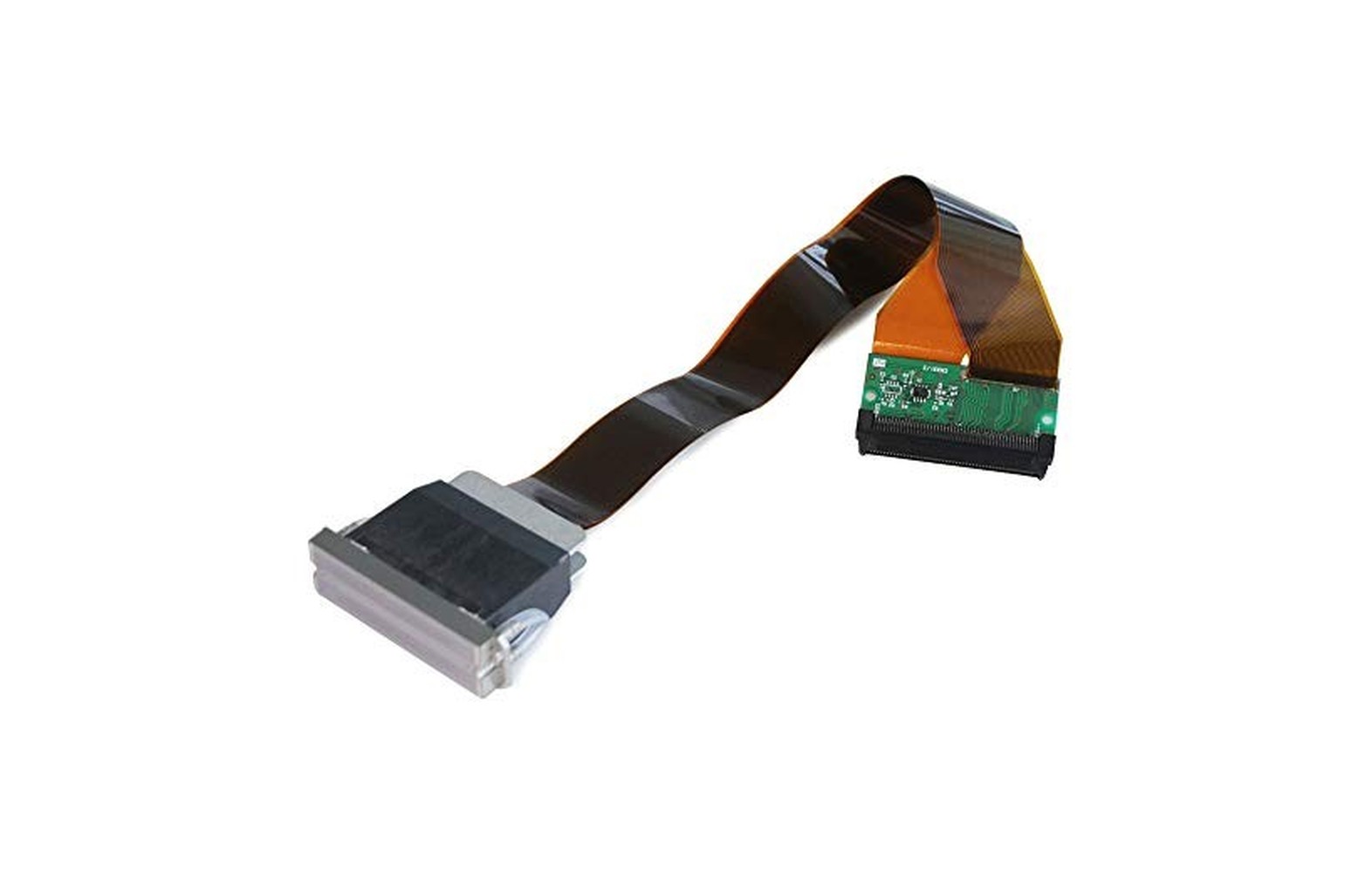
Quick answer: DX4, DX5, DX6 and DX7 are names commonly used in the wide-format printing market for different printhead products and configurations. They are useful starting points for a discussion, but they are not enough to establish compatibility. Before ordering a head, identify the exact printer model, manufacturer part number, ink system and approved service procedure. This is especially important for DX6 and DX7, because sellers do not always use those labels consistently.
For a print shop owner, the practical choice is rarely “Which DX number is best?” It is: Which verified head will work in my printer, with my ink and electronics, and who will install and support it? This guide explains how to answer that question without relying on unsupported speed, price or lifespan claims.
First, understand the naming problem
The terms DX4, DX5, DX6 and DX7 appear frequently in listings for replacement heads used in wide-format printers. However, online listings and discussions do not consistently map every DX label to the same assembly. Claims about DX6 and DX7 in particular can conflict, including claims about which head is fitted to a particular printer family.
For example, one seller’s DX6 listing uses a different naming explanation from a technical discussion about DX6 and DX7. Neither should override the printer manufacturer’s parts information. The safe conclusion is not that one internet description applies to every machine; it is that the exact part number and printer configuration must be checked.
Do not treat DX4, DX5, DX6 and DX7 as a guaranteed, officially standardised upgrade ladder. A higher number in a listing does not prove that a head is newer, better for your particular work, compatible with your ink or a drop-in upgrade.
What to confirm before comparing offers
Ask the printer manufacturer or an authorised service provider for:
- The exact printer model and serial number.
- The installed printhead manufacturer and part number, including any revision.
- The approved replacement or manufacturer-documented supersession.
- The ink type and exact approved ink formulation.
- The printer’s head-board, cable and firmware requirements.
- The approved maintenance station, dampers and related parts where applicable.
- Installation, calibration, warranty and service requirements.
A photograph can help start the conversation. It cannot prove that a head is electrically, mechanically or chemically compatible.
How these printheads fit into an inkjet printer
A printhead is the component that ejects controlled droplets of ink onto a substrate. The complete printing system also includes ink supply, dampers or other delivery components, electronics, carriage motion, maintenance systems, software, media and—on some machines—drying or curing equipment.
Epson describes its Micro Piezo technology as part of its inkjet printhead approach in its printhead FAQ. That general explanation does not establish that every head sold using a DX label has the same specifications or works in the same printer.
This matters because print quality is a system result. Even a correctly identified head can produce poor output if the approved ink, media profile, alignment, maintenance system or other part of the printer is not working as required.
DX4, DX5, DX6 and DX7: What the names can—and cannot—tell you
| Market label | How to use the label | What still needs verification |
|---|---|---|
| DX4 | A common term in the replacement-head market, often discussed for older wide-format equipment. | Exact part number, printer model, ink approval, number of installed heads and service requirements. |
| DX5 | A frequently used market label covering more than one listed part or configuration. | Exact variant, board, ink, cable and manufacturer-approved replacement. |
| DX6 | A label whose use varies between sellers and technical discussions. | Manufacturer part number and written printer-specific identification—do not rely on the label alone. |
| DX7 | A widely used market label that also appears on different listings and revisions. | Exact assembly, printer model, electronics, ink and service support. |
This is an identification table, not a compatibility chart. It deliberately avoids presenting one nozzle count, drop size, price or lifespan as universal for each label. Those details must be verified for the exact part and the specific printer.
The history: how these names became common in print shops
DX-series terminology is closely associated with the growth of piezo inkjet equipment in wide-format graphics, but the labels are used differently across manufacturers, machine builders, service technicians and parts sellers. It is more reliable to trace the history of documented printer models than to assume that every online DX label represents a universally agreed generation.
Early solvent and eco-solvent sign printers
Earlier wide-format sign shops adopted printers such as the Mimaki JV3 series for solvent graphics. Roland DG later introduced the VersaCAMM SP-300 as an integrated eco-solvent printer/cutter for signs, banners and decals. These machines helped make digitally printed, short-run graphics a practical business category. Mimaki’s JV3 history and Roland DG’s SP-300 announcement describe the machines and their applications; they should not be read as proof that every printer in either series uses the same replacement part.
In today’s parts market, DX4-labelled solvent heads are commonly associated with certain early Roland and Mimaki machines. Some of those printers remain relevant to owners maintaining existing equipment. The important historical shift was from producing graphics through older, more manual processes toward wider use of digital inkjet machines for variable, short-run sign work—not a promise that every surviving machine can use the same head.
The move to integrated multi-channel head assemblies
Later machines such as the Mimaki JV33 family appeared with a single multi-channel printhead arrangement in certain configurations. A contemporary industry report on the JV33 describes the JV33-130 and JV33-160 as using one head with eight nozzle lines. In the replacement market, certain JV33/JV5 head assemblies are commonly discussed under the DX5 label.
This helps explain why print-shop discussions often compare older multi-head systems with later integrated assemblies. It does not mean that every older machine has separate heads or every DX5-labelled part fits every JV33. The machine’s ink configuration, electronics, service history and exact part number still decide the replacement.
Where DX6 and DX7 became confusing
As later machine designs and replacement assemblies appeared, sellers and technicians began using DX6 and DX7 labels differently. The confusion remains visible today: one supplier calls the Roland VS-640 head with part number 6701409010 DX6, while another seller lists the same number as DX7. A technician discussion also documents the naming disagreement.
Practical takeaway: The label is a market term, not a reliable substitute for the printer manufacturer’s current parts identification. The conflicting descriptions do not prove which seller is correct, and they do not establish interchangeability between parts.
Epson’s own documentation describes technologies such as Micro Piezo and MicroPiezo TFP. That manufacturer terminology is useful historical context, but it should not be used to assign a DX6 or DX7 label to a particular replacement without manufacturer confirmation.
Which printers are these heads associated with?
The examples below identify what specific third-party listings say. They are research starting points, not a guarantee that a listed part fits every printer in a family. Before purchase, confirm the exact printer model, serial, installed configuration, ink and approved part number with the printer manufacturer or authorised service provider.
| Market label | Printer examples appearing in supplier material | Evidence and limits |
|---|---|---|
| DX4 | Certain Mimaki JV3 machines and certain Roland SP/VP machines. | A DX4 supplier listing names Mimaki JV3-130S and Roland SP/VP models for a solvent-head offer. Confirm the exact model, ink and replacement number; do not apply the claim to every JV3 or Roland printer. |
| DX5 | Certain Mimaki JV33/JV5 and Mutoh ValueJet VJ-1604 machines. | A Mimaki JV33/JV5 assembly listing identifies part number M007947; a Mutoh VJ-1604 listing identifies DF-49684. These are examples to verify, not evidence that the two assemblies are interchangeable. |
| DX6 | Roland VS-640 appears in a listing using the DX6 label for 6701409010. | The same part number is called DX7 elsewhere. Treat the label as disputed and ask Roland or an authorised provider to confirm the part for the specific printer. Seller example. |
| DX7 | Certain seller listings name Roland VS-640 and BN-20 for 6701409010. | Another listing uses DX6 for that same number. These are seller claims, not a universal OEM compatibility guarantee. Seller example. |
How to use the table in a real purchase
Suppose a supplier says your machine takes a “DX5.” Ask them to put the printer’s exact model and serial, the proposed manufacturer part number, the approved ink and the installation scope on the quotation. Then ask the printer manufacturer or authorised technician to confirm that combination. A seller’s model list is useful evidence for an inquiry, but it is not a substitute for the actual machine record.
If your machine was purchased used or converted, the installed head, ink or electronics may differ from an original brochure. Keep any prior service report and disclose the modification. Do not buy a head solely because your printer looks like a model in a product photograph.
What about the nozzle and droplet figures in listings?
Some vendor listings give specific nozzle counts or droplet sizes, but their claims can conflict across part numbers and listings. One DX4 listing describes two nozzle lines for its specified part; that is not a basis for assigning the same configuration to every printer marketed with a DX4 label. Similarly, the number of channels and colours used can depend on the printer’s configuration.
For any specification used in a purchase decision, ask for the manufacturer documentation for that exact part and the printer’s supported settings. Printer output resolution, native head characteristics, droplet size and the number of ink channels are different measures; they should not be treated as interchangeable or as a guaranteed quality ranking.
DX4 printheads: What an owner should check
DX4 is a familiar term in discussions of older wide-format machines. For an existing printer, the most important question is whether a correctly specified replacement and qualified service are available—not whether a seller calls the head “DX4 compatible.”
Start by checking the printer manufacturer’s documentation and the installed head’s approved part number. Determine whether your machine uses one or several heads, how the relevant colours are configured, and whether the quotation includes only the head or a larger assembly.
Ask the service provider to diagnose the actual fault before ordering. A missing colour or uneven print can be related to the head, ink delivery, maintenance station, electronics or another issue. A replacement bought before diagnosis may not solve the problem.
For a buyer considering an older machine, availability matters as much as the initial price. Request a written quote for the exact part, any related components, installation, testing and support. If the machine has been modified, ask the manufacturer or an authorised technician to confirm its current configuration.
DX5 printheads: Why the exact variant matters
DX5 is a common term in the wide-format spare-parts market. Listings may refer to different manufacturer part numbers, ink systems and printer integrations under that name. Do not assume that any head advertised as DX5 will work in every printer described as a DX5 machine.
Verify the printer serial, installed head part number, approved ink, head board, cables and maintenance system. If a seller proposes an alternative number or claims a part is a replacement for the installed head, ask for confirmation from the printer manufacturer or authorised service provider.
The ink question is particularly important. A head, seals, lines, dampers and cleaning products must be appropriate for the approved system. Do not infer that a component advertised for one ink type is automatically suitable for a different formulation or printer. An ink change can affect several parts of the system, not just the printhead.
If the seller uses terms such as “coded,” “uncoded,” “locked” or “unlocked,” ask what the terms mean for the exact part and printer. Do not attempt firmware changes or use unverified workarounds to make an uncertain head operate. The manufacturer or authorised service provider should confirm the supported configuration and any warranty implications.
DX6 printheads: Verify the part number before trusting the label
DX6 is the label that deserves particularly careful questioning. Market sources do not consistently use it for one clearly defined, universally interchangeable replacement. A seller may use the term for a head or assembly that another seller describes differently.
That does not mean every DX6 listing is wrong. It means the buyer should obtain information more precise than the label:
- The printer manufacturer’s approved part number.
- The exact printer model and serial range, where relevant.
- The installed ink and maintenance-system configuration.
- The board, cable and firmware requirements.
- A written statement of the proposed replacement and service terms.
If two suppliers describe the same-looking part as DX6 and DX7, do not choose by the label or the lower price. Ask the printer manufacturer or authorised service provider to identify the correct assembly. A genuine part can still be the wrong part for your machine.
DX7 printheads: Check the whole printer configuration
DX7 is another widely used market label, but listings can cover different part numbers and applications. The name alone does not establish that a head is a direct replacement for DX5, DX6 or another DX7-labelled assembly.
Confirm the manufacturer-approved part number, printer revision, ink, electronics, cable and maintenance requirements. If the seller claims that a different head can be installed as an upgrade, request written confirmation from the machine manufacturer covering the full system—not just a statement that the head physically fits.
An unsupported substitution can create quality, service, warranty or equipment risks. The safe decision is to use an approved replacement or obtain a documented engineering assessment from the responsible manufacturer or authorised service provider.
Are DX4, DX5, DX6 and DX7 interchangeable?
Do not assume so. Interchangeability is determined by the actual part and printer configuration, not by the similarity of the market names.
A correct replacement may depend on:
- Mechanical mounting and carriage design.
- Electrical connections and control electronics.
- Firmware and printer configuration.
- Ink chemistry and the approved fluid path.
- Dampers, capping and maintenance components.
- Installation and calibration procedures.
- Manufacturer support and warranty conditions.
Even two heads advertised under the same DX label may not be equivalent. Conversely, a manufacturer may document a replacement or superseded part number for a particular machine. The latter should be confirmed in writing for your serial and configuration.
A note on “upgrades”
Changing from one head family to another is not automatically a simple upgrade. It may require an approved redesign or changes to electronics, software, ink delivery, mounting or service procedures. Ask the printer manufacturer whether the conversion is supported, what it includes and how the completed system will be tested. Do not rely on an informal promise that “only the head needs changing.”
Ink compatibility: Eco-solvent, solvent, water-based and UV
A printhead’s ink compatibility is specific to its design and the printer’s approved system. The fact that a seller lists a head for one application does not establish that it can safely use every ink in that broad category.
For each proposed purchase, confirm the exact approved ink and maintenance fluids with the printer manufacturer. The head, dampers, tubes, seals, pumps and maintenance station must all be considered. An unapproved ink change can affect performance, components, service support and warranty.
Never mix inks or improvise a conversion or flushing procedure based on a generic online video. Ask the manufacturer or authorised service provider for the documented procedure for the exact machine, if a conversion is supported at all.
For workplace safety, obtain the current safety data sheets for the actual ink and cleaning products. Qualified professionals should assess ventilation, storage, fire precautions, personal protection and waste handling under applicable local requirements. A marketing name such as “eco-solvent” does not by itself mean that ventilation or other controls are unnecessary.
Print quality: Why a head name is not a quality guarantee
A seller may quote droplet size, nozzle count, resolution or print speed. These can be relevant for a specific component, but the final print also depends on the complete machine and job:
- The exact head variant and number of heads installed.
- Ink formulation and delivery system.
- Printer mechanics, alignment and media feed.
- RIP software, colour profile and print mode.
- Pass count, artwork and substrate.
- Maintenance condition and operating environment.
- Customer viewing distance and acceptance criteria.
Do not compare two machines using different print modes and call the result a head-only comparison. Ask suppliers to produce the same representative artwork on the intended media at a quality level you would actually sell. Record the printer configuration, settings and elapsed time.
Inspect important text, colour areas and gradients. For outdoor signage, agree the intended viewing distance with the customer. For close-viewed labels or graphics, check finer detail. A physical proof on the intended material is more useful than a compressed photograph sent through a messaging app.
Speed and production capacity
A manufacturer or seller’s maximum speed may be measured under a particular mode and set of conditions. It does not automatically represent accepted output for your shop.
For a useful comparison:
- Use representative artwork and approved media.
- Agree the required quality before the demonstration.
- Record the exact print mode and elapsed printing time.
- Inspect for missing lines, banding, colour variation and feed issues.
- Add setup, loading, inspection, drying or handling, finishing and reprints separately.
- Compare accepted finished output rather than only printed area.
For a hypothetical example, if a test prints 400 square feet in two hours at an acceptable setting, the observed gross printing rate is 200 square feet per printing hour. This is invented arithmetic, not a DX4, DX5, DX6 or DX7 specification. It excludes other work unless explicitly measured.
How long does a printhead last?
There is no reliable universal lifespan that applies to every head sold under a particular DX label. Actual service life can vary with the exact component, ink, maintenance, operating pattern, environment and machine condition.
Be cautious of a seller who promises a fixed number of months without clear written conditions. Instead, ask:
- What does the warranty cover and exclude?
- Does warranty depend on a particular ink or authorised installation?
- Which maintenance records must be kept?
- Who diagnoses a claim and who pays for shipping or service?
- What support is available locally if the printer is down?
For budgeting, use more than one replacement scenario and label each as an assumption. A scenario is not a forecast or a guarantee.
Diagnose the problem before replacing the head
A weak colour, missing line, banding or poor print does not automatically mean the printhead has failed. Record the symptom and check the complete workflow with the machine’s approved process.
A practical diagnostic record
- Printer model, serial, head part number and approved ink.
- The job, media, RIP profile and print mode.
- The exact defect and when it first appeared.
- The last accepted print and any approved nozzle-check result.
- Recent maintenance, ink changes, transport or repairs.
- Error messages and actions already performed.
Compare the source artwork and RIP preview with a known reference file where appropriate. A line already present in the file will not be fixed by replacing a head. Media feed, alignment, ink delivery and maintenance-system problems can also affect output.
Use only the checks and cleaning routines authorised by the exact printer manual and your training. Do not repeatedly run aggressive cleaning, introduce an unapproved fluid or dismantle the ink system as an experiment. If a defect persists, ask an authorised technician for a documented diagnosis.
Manufacturer maintenance instructions are model-specific. For example, Roland’s support page for a VersaCAMM model provides maintenance resources and safety data for its specified system; they should not be copied blindly to a different printer.
Genuine, compatible, refurbished or used: Questions to ask
Genuine or original parts
Ask the seller how the part’s identity and source can be verified, which exact printer it is approved for, and who provides warranty support. A genuine part intended for another model or revision may still be unsuitable.
Compatible or aftermarket parts
Request the exact supported machine, ink, part number and written warranty. Check the printer manufacturer’s position on the proposed part and whether its use affects service or warranty. Physical similarity is not proof of compatibility.
Refurbished or used parts
Ask what was inspected or repaired, what testing was performed, whether prior ink exposure is known, and what happens if the head does not pass the agreed acceptance test. A used head’s history may be incomplete, so its condition and remaining life carry uncertainty.
In every case, obtain the part condition on the invoice and keep the written terms. A low price does not necessarily mean a low total repair cost.
What should a printhead quotation include?
Request an itemised quotation for the exact configuration:
| Cost or term | What to clarify |
|---|---|
| Diagnosis | Is fault-finding included, and what happens if the head is not the cause? |
| Head | Exact part number, condition, quantity and source. |
| Related components | Dampers, cables, seals or other items only where required for the model. |
| Installation | Who is authorised, what labour is included and whether travel is extra. |
| Configuration | Any manufacturer-approved setup or calibration required. |
| Acceptance test | Test file, media, quality mode and responsible sign-off. |
| Warranty | Start date, exclusions, claim evidence and return freight. |
| Taxes and delivery | Clearly identified rather than assumed. |
For a hypothetical illustration, suppose diagnosis is Rs 1,000, a replacement component is Rs 20,000 and authorised labour is Rs 3,000. The illustrative subtotal is Rs 24,000 before taxes, freight, related parts and other costs. These numbers are invented for arithmetic, not market prices or a repair forecast.
Compare quotations for the same part and scope. A cheaper head-only offer is not directly comparable with a quote that includes diagnosis, installation and testing.
Safe installation and acceptance
Printhead replacement can involve electrical connections, moving equipment and ink. It should be carried out by personnel trained and authorised for the exact printer, following the manufacturer’s isolation and service procedure. Do not open electrical panels, bypass guards or force the carriage to meet a deadline.
Before work begins, agree on a written acceptance plan:
- Record the original symptom, configuration and reference output.
- Verify the replacement part number, condition and approved ink.
- Confirm who performs installation and any model-specific setup.
- Ensure guards and protective systems are restored after service.
- Run the manufacturer’s approved checks.
- Print representative artwork on the intended media at the required quality.
- Record results, remaining limitations and the person approving production release.
If the original problem returns, preserve the new sample and service report. Do not immediately order another head; ask the provider for the next authorised diagnostic step.
Common buying mistakes
Buying by DX label alone. A market label is a starting point, not a part number. Confirm the exact assembly and printer.
Assuming a higher number is a drop-in upgrade. Interchangeability must be documented for the complete machine.
Ignoring ink compatibility. Verify the approved ink and maintenance products for the head and fluid path.
Replacing before diagnosis. Banding, missing lines and colour issues can have several causes.
Comparing only the headline price. Include diagnosis, related parts, labour, testing, warranty and downtime.
Using an unverified cleaning or firmware workaround. Follow the exact manufacturer procedure and involve authorised service.
Accepting a sample without its settings. Record the printer, media, ink, profile and print mode so the result is meaningful.
Buyer’s checklist
Before paying a supplier, confirm:
- What is my printer’s exact model, serial and current configuration?
- What is the installed head part number and the approved replacement number?
- Is the part new, compatible, refurbished or used?
- Which ink and maintenance products are approved?
- What evidence supports replacing the head rather than another component?
- Who will install and test it, and what is included in the quote?
- What are the warranty, return and service terms?
- What is the backup plan if the machine is down or the replacement does not resolve the fault?
Related printhead guides
For a different machine comparison, see DX5 vs DX7 vs TX800 vs i3200. For a machine-specific buying process, read printhead and ink compatibility.
Explore the DX printhead guide series
Use these focused guides to continue from the comparison. Model examples and seller-listed parts should be confirmed with the printer manufacturer for the exact serial and configuration.
Start with which printer models are associated with DX head listings.
Printer-model guides
- Mimaki JV3 Printheads: How to Identify the Correct DX4 Replacement
- Mimaki JV33 and CJV30 Printheads: Model and Part-Number Checks
- Mutoh ValueJet VJ-1204, VJ-1304 and VJ-1604 Printheads: A Replacement Guide
- Roland SP-300 and SP-540 Printheads: A Buyer’s Guide
- Roland VS-640 and BN-20 Printheads: Understanding DX6/DX7 Naming
Compatibility and buying
- DX Printhead Part Numbers: How to Verify a Replacement
- DX5 vs DX7: Why Printer Model Matters More Than the Head Name
- Genuine vs Compatible DX Printheads: What Buyers Should Check
- New vs Refurbished DX Printheads: Questions to Ask Before Buying
- DX Printhead Warranty: Installation, Ink and Claim Conditions
Ink system and maintenance
- DX Printhead Ink Compatibility: Solvent, Eco-Solvent and Water-Based Systems
- Dampers for DX Printheads: How to Check the Correct Type
- Capping Stations for DX Printers: Compatibility and Service Checks
- DX Printhead Nozzle Checks: How to Record and Report Problems
- DX Printer Idle-Time Planning: What to Ask Your Machine Manufacturer
Troubleshooting and business
- Banding on DX-Based Printers: How to Narrow Down the Cause
- Weak Colour: Printhead, Ink Supply or Maintenance Station?
- DX Printhead Repair vs Replacement: A Shop Owner’s Checklist
- How to Compare DX Printhead Suppliers and Service Support
- Keeping an Older DX-Based Printer Running: Parts, Downtime and Upgrade Decisions
Frequently Asked Questions
Which is better: DX4, DX5, DX6 or DX7?
There is no universal winner. The right choice is the manufacturer-supported head for the exact printer, ink and job requirements. The DX label alone does not establish compatibility, cost or print quality.
Can a DX5 printhead be replaced with a DX7?
Do not assume it can. Any substitution or conversion must be specifically supported and documented for the printer’s mechanical, electrical, software and ink systems by the responsible manufacturer or authorised service provider.
Is every head sold as DX6 the same?
Not necessarily. The DX6 label is used inconsistently in some market listings. Confirm the exact manufacturer part number and the supported printer configuration.
Are all DX5 heads compatible with eco-solvent ink?
Do not assume so. Different listed variants and systems may have different ink requirements. Verify the approved ink for the exact head and printer with the manufacturer.
Does a missing nozzle mean the printhead must be replaced?
No. Ink delivery, maintenance, settings and other components can also contribute. Use the manufacturer’s approved checks and obtain a qualified diagnosis before ordering a head.
How long will a DX printhead last?
There is no universal lifetime. It depends on the exact component, ink, maintenance, operating conditions and machine. Review the written warranty and model several cost scenarios rather than relying on a fixed promise.
Can I install or flush the head myself?
Only if you are trained and authorised for that exact machine and the manufacturer’s procedure permits it. Printhead service can involve electrical, moving-part and chemical hazards. When in doubt, use an authorised technician.
Final verdict
DX4, DX5, DX6 and DX7 are useful search terms, but the best buying decision starts with the exact printer, part number and approved ink—not with the largest DX number. Ask for a qualified diagnosis, compare itemised quotations and retain a representative acceptance print. That approach is more reliable than a generic claim about which head is fastest, cheapest or longest-lasting.
