



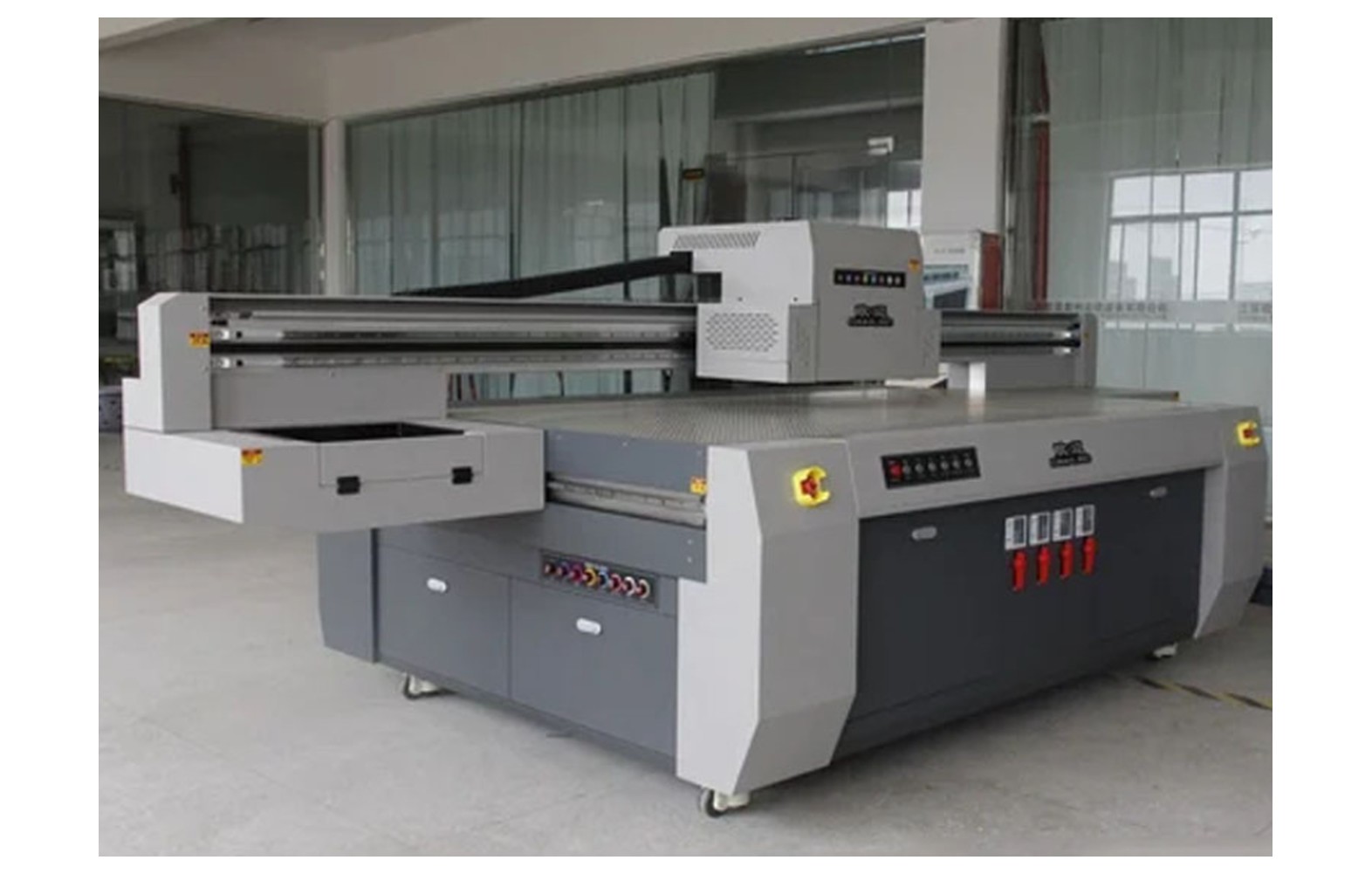
Direct answer: Identify a UV flatbed spare using the exact printer model, serial, revision, installed head, approved ink, curing system and manufacturer part number. Then compare genuine, compatible or refurbished offers using written compatibility, qualified service, warranty and total cost. A genuine part can still be wrong for another machine, and a compatible claim does not automatically mean manufacturer approval.
Build the machine record
Keep one record for each flatbed: manufacturer, model, serial, revision, head variants, approved UV ink, curing module, vacuum configuration, software and authorised service contact. Retain the manual, commissioning documents and service history. A used or upgraded machine may not match its original catalogue.
Record any authorised head, ink, lamp, board or table modification. Ask the manufacturer or service provider to confirm the current supported configuration and parts. A marketing model name or familiar head family may cover multiple revisions.
Do not remove guards, expose a UV lamp, open electrical panels or disconnect ink lines solely to find a number. The manufacturer may identify the component from the serial and records. Physical inspection requires the exact safe procedure and authorised personnel.
Identify the function before the part
A flatbed can contain several pumps, motors, sensors, boards or valves with different roles. Describe the assembly and position using the manufacturer’s diagram. A vacuum pump, white-ink circulation pump and maintenance pump are not automatically interchangeable.
Ask whether the quotation is for an individual component or a complete assembly with related fittings, cables or controls. Terms such as board, module and cap can be used loosely in sales listings. Request the exact manufacturer part number.
A symptom is not a diagnosis. Weak white, banding, a curing issue or poor hold-down can each have multiple causes. Preserve the job record and ask qualified service to assess the complete system.
What genuine means
Ask which manufacturer, part number and supply channel are being claimed and how identity can be verified. A genuine part can still be wrong for another printer revision, ink or curing configuration. Confirm the application with the manufacturer or authorised service provider.
Review warranty, authorised installation, storage and return conditions. Packaging appearance or a high price alone does not prove authenticity or suitability. Keep the written statement and invoice with the machine record.
If the offered number supersedes an older number, ask whether the supersession applies to the actual serial and installed options. Related cables, seals, firmware or authorised configuration may be required.
What compatible means
A compatible item is presented as an alternative to an original part. Request the exact supported printer, revision, head, ink, lamp or control system and the evidence behind the claim. A generic UV-compatible or universal label is not a complete specification.
Ask the printer manufacturer whether the proposed combination is approved and whether warranty or service support is affected. The vendor’s claim and the manufacturer’s approval are distinct. Keep both in writing.
Physical fit alone does not establish chemical, electrical, mechanical or optical compatibility. If a critical fact remains uncertain, pause rather than using the item on an urgent job.
Used and refurbished components
Ask what was inspected, tested, repaired or replaced, what prior ink or service history is known and what the warranty covers. A refurbished printhead or lamp may have uncertainty that is not visible in a photograph.
The manufacturer or authorised service provider must determine whether the option is supported for the exact machine. Do not assume a universal remaining life or a guaranteed saving. Compare the complete repair scope and downtime risk.
Follow supplier packaging and storage instructions. A used ink-path component may contain residues; qualified personnel should assess safe handling and any return under the site procedure.
Printhead and ink parts
Confirm the exact head variant, approved UV ink, board, maintenance station and manufacturer part number. Dampers, pumps, lines, filters, seals and connectors also depend on the actual fluid and machine design. Similar-looking parts may use different materials or operating characteristics.
Do not mix inks or introduce an unapproved cleaner or conversion process. Uncured UV ink and residues can pose health hazards, including skin sensitisation for some formulations. Use actual safety data sheets and qualified site controls for ventilation, protection, spills and waste.
A nozzle defect or weak white does not by itself prove a head or pump failed. Record artwork, layer settings, substrate, ink and output and obtain a qualified system diagnosis.
Curing modules and UV protection
Confirm the exact UV module, driver, cooling and protective configuration and the approved ink. Mechanical fit or a nominal label does not establish optical, electrical or process compatibility. Ask the printer and ink manufacturers which combination is supported.
UV radiation can injure eyes and skin. Never look at an operating source, expose it outside the enclosure or bypass guards and interlocks. Qualified authorised personnel must follow the manufacturer’s isolation and service procedure.
A dry-feeling surface or informal rub does not establish complete cure or product suitability. The product owner and qualified quality team determine the application-specific tests and current regulatory requirements.
Vacuum, motion and electronics
Vacuum pumps, valves and seals must match the exact table and printer. Weak hold-down can also involve substrate, zones, fixture or controls. A similar pump rating does not prove compatibility or safe holding for every item.
Belts, rails, bearings, encoder strips and sensors must match the machine revision and position. Noise or a shifted graphic can have several causes. Do not use a generic tension value, lubricant or unapproved cleaning fluid.
Boards, cables, motors, power supplies and protective devices require exact electrical and control compatibility. Electrical and guarded mechanical work belongs to qualified authorised personnel. Never bypass an interlock or protective device to make a substitute operate.
Preserve diagnostic evidence
Record the actual job, substrate, fixture, ink, artwork, settings, error and last accepted output. Mark the orientation of a safely handled sample. Note recent authorised changes without assuming they caused the fault.
Ask the technician what evidence supports the proposed part replacement and what remains uncertain. Do not reproduce an unsafe leak, exposed UV source or carriage movement to obtain a video. A pre-qualified backup may support urgent customer work while the original machine is safely investigated.
For intermittent issues, agree a safe representative test and follow-up. A short successful print is evidence for its conditions, not a guarantee of component life or complete cure.
Compare complete written offers
Ask every supplier for the exact part number, condition, supported configuration, related hardware, freight, tax, authorised labour, configuration, safety checks, application testing and warranty. Mark omissions as unknown. A part-only price is not the complete repair scope.
For a hypothetical example, option A quotes Rs 5,000 for a part and Rs 2,000 for service; option B quotes Rs 4,000 and Rs 3,000. Both illustrative subtotals are Rs 7,000 before freight, taxes and other costs. These invented numbers are not market prices or evidence that either part is appropriate.
Review return conditions and who approves additional work if the diagnosis changes. Compatibility and safety must be established before comparing price. A deadline does not justify bypassing an interlock or fitting an unverified component.
Part identification checklist
- Record the printer: model, serial, revision, heads, ink, lamp, table and options.
- Identify the function: use the manufacturer diagram and component position.
- Preserve evidence: record the symptom, substrate, settings and last accepted output.
- Obtain diagnosis: ask qualified service to assess the complete system.
- Confirm the part: exact manufacturer number, revision and any approved supersession.
- Check compatibility: verify ink, optics, electrical controls and related parts as applicable.
- Agree service: document safety, labour, warranty and acceptance testing.
- Update records: retain installed parts, settings, test and limitations.
If the configuration is unknown, ask for an authorised assessment rather than assuming that a catalogue photograph identifies the part.
Acceptance after service
Qualified personnel should restore guards, interlocks and protective systems and run the manufacturer’s functional checks. Use the intended substrate, fixture or vacuum, ink, artwork, layer order and print mode for representative output.
The responsible quality team determines application-specific cure, adhesion and other tests. A dry-feeling surface or quick rub does not prove complete cure, food-contact suitability or regulatory compliance. The product owner and qualified advisers decide the requirements for the actual use.
Retain the service report, part number, approved configuration, sample and limitations. Customer appearance approval and technical equipment release are separate decisions.
Storage and inventory
Store approved spares according to supplier instructions and label the machine, part number, condition and revision. Protect electronics, optical modules and ink-path items from damage or contamination. Do not open protected packaging unnecessarily.
Review stock after an authorised ink, head, lamp or board change. A component for the previous system may no longer be approved. Keep uncertain or obsolete stock separate until the manufacturer or service provider confirms its use.
For contaminated parts or waste, follow the actual safety data sheets and qualified site and waste-provider guidance. Do not assume that UV ink waste is suitable for a drain or ordinary bin.
Common mistakes
Buying by appearance: verify the exact printer and part number.
Treating compatible as approved: obtain the manufacturer’s written position.
Assuming a symptom identifies the part: use qualified system diagnosis.
Mixing unapproved UV ink: follow manufacturer and safety documentation.
Bypassing UV protection: stop and use authorised service.
Assuming a dry surface proves cure: use application-specific qualified testing.
Questions for the provider
- What exact part applies to this printer serial, head, ink and curing system?
- Is the part genuine, compatible, refurbished or used?
- What evidence supports the diagnosis and compatibility?
- Who performs safe installation and testing?
- Which cure, adhesion or product tests remain the owner’s responsibility?
- What warranty, returns and complete cost apply?
For technical context see printhead ink compatibility, UV cure and adhesion testing and the UV flatbed spares buyer guide.
Conclusion
Identify and compare UV flatbed spares from the exact machine and qualified diagnosis. Verify compatibility, service and safety, then test the actual application without equating a successful print with complete cure or compliance.
When the installed configuration is unclear
A used flatbed may have undocumented ink, head, lamp or board changes. Ask for prior invoices, service reports, current safety data sheets and any authorised conversion plan. Missing information increases uncertainty but does not prove the machine is defective.
Have an authorised technician assess the configuration under the manufacturer’s safe procedure. Do not expose a UV source, open guarded electronics or disconnect an ink line just to identify a component. The manufacturer may be able to confirm parts from the machine serial and service record.
If an unapproved configuration is discovered, ask which supported options and tests are available before purchasing a replacement. A component matching an old catalogue may not be appropriate for the current system.
Review a supplier’s compatibility evidence
Ask the supplier to state the exact printer, revision, component position, approved ink and relevant control configuration in writing. A list naming only a familiar head family may omit the flatbed’s board, lamp or maintenance integration.
If an alternative part is offered, ask how the compatibility was established and whether the printer manufacturer supports it. Clarify any effect on warranty, related components and service. Similar connectors or dimensions do not establish equivalent electrical, fluid or optical performance.
Confirm how the part is identified at delivery and what happens if the number or condition differs from the quote. Do not force a component into place or test an uncertain part by swapping it between printers.
Plan application testing before service
Agree the representative substrate, surface preparation, fixture or vacuum, artwork, ink, white or varnish layers and print mode. The technician verifies the equipment while the responsible quality team selects the product tests. Record the method and acceptance criteria before production resumes.
Do not equate a successful nozzle pattern or dry-feeling surface with complete cure or adhesion. Tests for food-contact, medical or other regulated uses must be determined by the product owner and qualified advisers for the actual market. A supplier’s spare-part statement is not a compliance certificate.
If a different lamp, ink or substrate is used after service, ask whether prior qualification remains applicable. Retain the test conditions and any limitations with the customer job.
Control inventory and service handover
Keep original identification, supplier terms, storage instructions and the approved machine on each spare record. Protect optical modules, electronics and fluid-path items as directed. Review compatibility after any authorised modification and separate uncertain stock.
After service, give each shift the current operating and safe-stop instructions, technician contact and remaining limitations. Do not let a temporary diagnostic workaround become an undocumented production procedure.
If the original symptom returns, preserve the new sample and report and seek qualified reassessment. A recurring defect may have the same cause or a different one; another part should not be ordered at random.
Agree the return and warranty process
Before payment, ask who verifies the delivered part, what happens if the identification or packaging is wrong and who pays freight. Clarify whether the warranty requires authorised installation, approved ink or a documented site condition. A component warranty does not automatically cover connected equipment or customer downtime.
Protect an unused item according to supplier instructions and do not force it into the machine to test physical fit. If an ink-contaminated or electrical component is returned, follow the site’s handling and the provider’s packaging instructions for the actual material.
If the original symptom remains after approved work, retain the diagnosis, new part number and samples. Ask the technician for a further safe assessment rather than repeatedly purchasing parts without evidence. Use a pre-qualified backup for customer work where practical.
Separate approvals
The manufacturer or authorised technician confirms the supported equipment configuration and service procedure. The business approves the commercial scope and payment. The responsible product owner and qualified quality team decide the application-specific cure, adhesion and regulatory tests. Record those decisions separately.
A single successful output cannot replace all three approvals. Keep the service report, customer proof, test method and limitations with the relevant records, and tell each shift what conditions require a safe stop.
Related UV flatbed guides
For the next step, see repair versus replacement decisions and compare UV parts suppliers and service. Use the manufacturer instructions and the responsible qualified team for the actual printer and application.
Frequently Asked Questions
Is a genuine part always suitable for a UV flatbed?
No. A genuine component can still be wrong for another model or revision. Confirm the exact part number and configuration.
Does compatible mean manufacturer-approved?
Not automatically. Request the precise compatibility evidence and check the printer manufacturer’s support and warranty position.
Can any UV ink be used with any head or line?
No. Use the ink approved for the exact printer and components, and seek documented guidance before a conversion.
Does a dry-feeling print prove complete cure?
No. Surface feel alone does not establish complete cure or product suitability.
Can an operator open a panel to identify a part?
Guarded and electrical work requires trained authorised personnel using the manufacturer’s isolation procedure.
Can a UV interlock be bypassed for a quick test?
No. Never defeat guards or expose an operating UV source; use qualified service.
How is a part accepted after service?
Restore protection, run approved checks and assess representative output and application-specific tests, retaining the report.
