



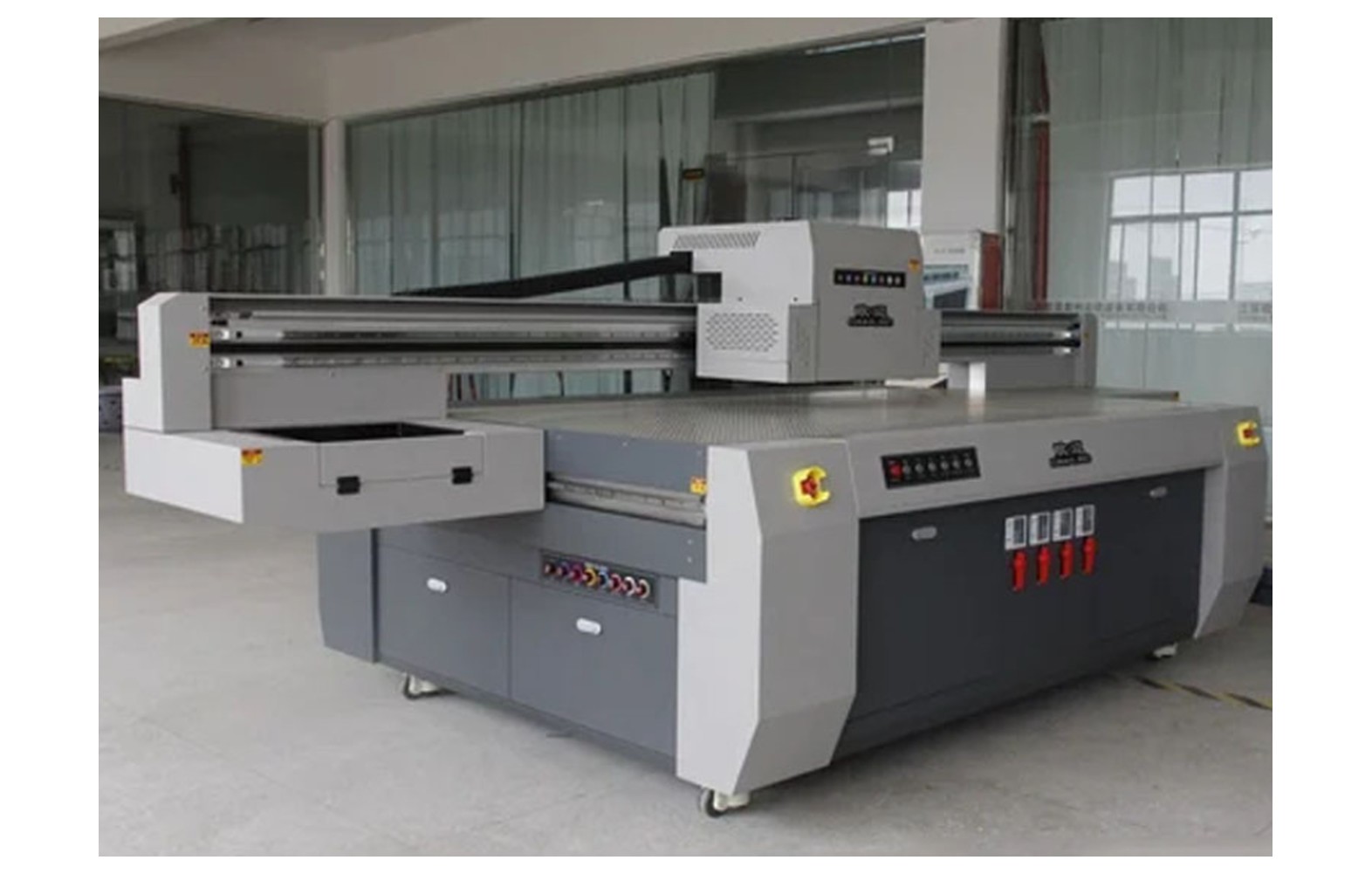
Direct answer: UV printer caps, wipers and cleaning supplies must match the exact flatbed printer, head, approved ink and manufacturer procedure. A nozzle defect or dirty-looking part does not prove that a cap or wiper failed. Uncured UV ink can present health hazards, and UV sources can injure eyes and skin, so use the actual safety data sheets and qualified authorised service.
Understand the maintenance system
A UV flatbed may use a cap, wiper, pump, waste path and other components as part of a model-specific maintenance process. The layout and function differ by machine. Obtain the manufacturer diagram, current manual and approved consumables for the actual printer.
Record model, serial, revision, head, approved ink, curing module, maintenance station and any authorised modification. A used or converted machine may not match its original catalogue. Ask the manufacturer or authorised technician to identify the current assemblies.
This guide supports purchasing and service discussions. It is not a universal head-cleaning, flushing, carriage movement or replacement procedure. Guarded mechanical, electrical and ink-system work belongs to trained authorised personnel using the exact instructions.
UV and chemical safety first
UV radiation can injure eyes and skin. Do not look directly at an operating source, expose a lamp outside its enclosure or bypass guards and interlocks. Lamp, electrical and guarded service requires qualified personnel and the manufacturer’s safe stop and isolation procedure.
Uncured UV ink and maintenance fluids can pose health hazards, including skin sensitisation for some formulations. Obtain the actual safety data sheets and have qualified professionals assess ventilation, protective equipment, fire, storage, spills and waste under local requirements. Avoid direct skin contact.
If there is a leak, exposed UV source, smoke, damaged cable or unsafe carriage movement, stop under the site’s emergency procedure. Do not continue a hazardous test for a deadline or use an improvised chemical cleanup.
What a capping station may do
Some printers use a cap as part of an approved head-parking or maintenance sequence. The exact function, contact and controls are defined by the manufacturer. A cap top, capping assembly and maintenance station may refer to different scopes in a supplier quotation.
Confirm the specific assembly, head variant, approved ink and manufacturer part number. Ask whether seals, tubing or related parts are included. Similar appearance or a familiar head family does not establish compatibility with the actual machine.
A cap is one part of a larger system. A missing line, weak colour or a maintenance alarm does not prove it failed. Record the evidence and ask authorised service to assess the complete path.
Wipers and related parts
Some systems use a wiper during an approved maintenance cycle. Material, shape, mounting and motion differ. A wiper for another printer or ink may not be suitable even when it looks similar.
Ask which operator checks are permitted and which require service. Do not force the carriage, touch a moving mechanism or open a guard to reach a blade. The exact manufacturer instructions and personnel authorisation determine the safe work.
A dirty-looking wiper or a poor print is not a complete diagnosis. Ink delivery, cap, pump, head, artwork, profile and other factors can contribute. Avoid replacing multiple components at random.
Cleaning supplies and ink compatibility
Use only cleaning fluids, wipes, swabs and tools approved for the exact printer, head, ink and task. UV formulations are not automatically interchangeable, and unapproved fluids can affect components, cure, warranty and safety. A generic UV cleaner label does not establish compatibility.
Do not mix inks or improvise a flush, soak or pressure procedure. An ink conversion may affect the full fluid path and curing system. Ask the manufacturer or authorised service provider for a documented assessment and review the actual safety data sheets.
Store approved supplies according to supplier and site instructions. Label the machine and approved application. Separate uncertain or obsolete products after a head, ink or station change.
Symptoms and evidence
Operators may report missing lines, weak white, an unusual maintenance cycle, a leak or a change after idle time. These observations can have several causes. Record the printer configuration, ink, substrate, file, settings, exact message and last accepted output.
A manufacturer-approved nozzle pattern can help compare output at a given moment but does not by itself prove which component failed. Retain a safely handled sample and ask authorised service to assess ink delivery, station, head, controls and other relevant systems.
Do not reproduce a hazardous leak or expose a UV source to make a demonstration. Stop under the site procedure and notify the responsible qualified team. A deadline is not a reason to bypass protection.
Routine checks versus service
Ask the manufacturer which checks or maintenance cycles trained operators may perform and what findings require escalation. The exact frequency and process depend on the installed model, ink and operating pattern. A generic daily checklist does not authorise protected or ink-system work.
Repeated aggressive cleaning or an unapproved flush is not a universal remedy. It can damage components, waste ink and create safety risks. Follow the manufacturer’s escalation limits and obtain qualified diagnosis if the symptom persists.
For a longer idle period, obtain model-specific shutdown and restart guidance. Some systems may have special requirements; do not infer them from another machine. Record the last accepted test and any unresolved issue.
Identify compatible parts
Confirm printer serial, revision, installed head, approved ink, maintenance-station configuration and manufacturer part numbers. Ask whether a listed replacement is an approved supersession and which related seals, lines or hardware are included.
A genuine part for another revision can still be wrong. For compatible, refurbished or used items, request the precise supported machine and ink, condition, warranty and manufacturer support position. Prior ink exposure or storage may matter.
Do not remove a guard merely to photograph the component. The manufacturer may identify it from the machine record; otherwise an authorised technician must inspect under the safe procedure.
Diagnose before replacement
Provide the technician with the machine history, approved ink, symptoms, file, substrate, settings and safely retained samples. Ask which manufacturer-approved tests distinguish the cap, wiper, pump, ink path, head, controls and process as possible causes.
Use controlled comparisons only where safe and authorised. Record one changed variable at a time where feasible. A short successful print does not necessarily reproduce an intermittent problem that appears later or after idle time.
Request a written diagnosis, proposed parts, labour and acceptance scope. If the cause remains uncertain, agree the next authorised test and cost before buying several components.
Flatbed substrate, white and cure
Define the actual substrate, surface preparation, fixture or vacuum, artwork, ink, white layer and print mode. A moving or warped item can affect output and create a head-strike risk. Use the manufacturer’s approved setup and stop safely if the item is not secure.
Weak white can involve artwork, ink condition, delivery, head, substrate or cure. Some systems circulate or agitate white ink, while others use a different design. Follow the exact printer and ink instructions rather than imposing a generic cycle.
A dry-feeling surface, quick rub or visual match does not establish complete cure or product suitability. The responsible product owner and qualified quality team determine the required tests and current regulatory obligations for the actual use.
Safe service and acceptance
- Record the baseline: symptom, printer, head, ink, substrate, settings and reference output.
- Verify the scope: cap, wiper or cleaning product number, approved ink and related parts.
- Perform authorised work: follow manufacturer isolation and safety procedures.
- Restore protection: confirm guards and interlocks under the service process.
- Run approved checks: use the exact machine’s documented test sequence.
- Print representative work: inspect the original symptom on the intended substrate.
- Assess the application: qualified teams select required cure, adhesion and product tests.
- Document release: retain the report, sample and remaining limitations.
A short successful print is evidence under those conditions, not a guaranteed head lifetime or proof of complete cure. For an intermittent issue, agree a safe follow-up with the technician.
Supplier and cost checks
Compare diagnosis, exact component or approved cleaning supplies, related fittings, freight, tax, authorised labour, safety checks, testing and downtime using current written quotations. Clarify warranty, return and storage conditions. A component-only price is not the complete service cost.
For a hypothetical example, supplies cost Rs 800, freight Rs 200 and authorised labour Rs 1,000. The illustrative subtotal is Rs 2,000 before taxes and waste handling. These invented figures are not market prices. Use the actual quote and record diagnostic uncertainty.
Ask who handles contaminated waste and any returned component. The qualified site team and waste provider determine the applicable local requirements. Do not assume UV ink or cleaning waste belongs in a drain or ordinary bin.
Common mistakes
Ordering by appearance: verify exact printer, head, ink and manufacturer part number.
Replacing from a nozzle defect alone: diagnose the complete system.
Using a generic cleaner: confirm the exact approved product and safety data.
Forcing the carriage or bypassing a guard: stop and use authorised service.
Assuming dry means fully cured: use application-specific qualified testing.
Ignoring waste handling: consult the qualified site team and waste provider.
Questions to ask
- What cap, wiper and cleaning products are approved for this printer and ink?
- Which checks may trained operators perform and which require service?
- What evidence supports the proposed diagnosis?
- Who manages UV and chemical safety and waste?
- Which cure, adhesion and customer tests are needed after service?
For UV safety see UV ink handling and cure and adhesion testing. For related buying read the UV flatbed spares guide.
Conclusion
Choose UV caps, wipers and cleaning supplies for the exact printer and approved ink. Use model-specific authorised maintenance, qualified safety controls and application-specific acceptance rather than a generic cleaning recipe.
Review the cleaning product before purchase
Ask for the exact product name, supported printer and head, approved UV ink and current safety data sheet. A supplier may describe a fluid as a UV cleaner without specifying the maintenance task or the materials it contacts. The machine manufacturer should confirm the intended use for the installed configuration.
Confirm the approved tools and whether the task is permitted for trained operators. A cleaning product for a particular external surface may not be approved for the head, cap, wiper or ink path. Do not assume that a general cleaning kit is safe for every component.
Compare storage instructions, shelf life where specified, freight, authorised labour, warranty and waste handling. A low fluid price is not comparable with a complete qualified service scope. Keep the written compatibility response with the machine record.
Understand an incomplete machine history
A used or converted UV flatbed may have prior ink, head or maintenance-station changes. Request invoices, service records, product identities and any authorised conversion procedure. The original catalogue may not describe the current cap, wiper or fluid path.
Do not mix or flush unknown products based on a generic guide. Ask the manufacturer or authorised service provider to assess the installed system and approved fluids. Qualified site personnel should review the actual safety data sheets, ventilation and waste requirements.
After an approved change, update the machine record and maintenance list. Separate spare parts and fluids whose application is uncertain. Train each shift on the current operator-level procedure and escalation contact.
Plan for idle time and restart
Ask the manufacturer how the actual printer and ink should be left for the intended idle period. Requirements for power, maintenance cycles or head parking can differ. Do not disconnect power, move a carriage by force or introduce a fluid because another model uses that method.
Record the last accepted output and any unresolved warning before shutdown. On restart, follow the authorised sequence and preserve the relevant test result. A change after idle time is evidence for diagnosis, not proof that a cap or wiper needs replacement.
If a leak, exposed UV source or unsafe movement appears, stop under the site procedure. The responsible safety and service teams determine the next safe step. A customer deadline does not justify bypassing an interlock.
Manage customer-quality acceptance
Define the intended substrate, surface preparation, fixture, artwork, ink, white layer and print mode. A warped or moving item can affect output and create a head-strike risk. Use the manufacturer’s approved hold-down and stop if the item is not secure.
After service, compare a representative print with the accepted customer proof. Where cure or adhesion matters, the responsible qualified team should select the tests for the actual product and jurisdiction. A dry-feeling surface or informal rub is not proof of complete cure or safe contact.
Customer appearance approval, equipment safety and product-specific compliance are separate decisions. Keep the method, sample, service report and any limitation with the job record.
Control supplier and waste records
Compare exact part numbers, approved ink, condition, related seals or fittings, authorised labour, testing and warranty in writing. If a delivered component is damaged or inconsistent with the quotation, hold it for clarification. Do not force a part into place or use a substitute fluid because the order is urgent.
Waste can contain uncured UV ink and cleaning products. The qualified site team and waste provider should determine classification, storage and disposal for the actual substances and local requirements. Do not assume the material can go into a drain or ordinary bin.
After service, communicate the approved operator checks and escalation contact to each shift. If a symptom returns, retain the new evidence and request a qualified reassessment rather than repeating an unapproved cleaning cycle.
Prepare for the service visit
Agree who diagnoses the printer, who supplies the exact cap, wiper or approved cleaner, and who performs guarded ink-system work. Clarify the complete quote, including related fittings, authorised labour, safety checks and application testing. A component-only offer does not define the full service.
If a leak, exposed UV source or unsafe movement is present, stop and follow the site’s procedure. Do not reproduce the hazard for a demonstration. Qualified personnel decide which evidence and tests can be gathered safely.
After work, keep the manufacturer-approved routine and any unresolved limitation accessible to each shift. A customer deadline does not justify an undocumented workaround or an unapproved cleaning product.
Frequently Asked Questions
Are UV printer caps and wipers interchangeable?
No. Confirm the exact printer, head, ink and manufacturer part number.
Does a nozzle defect prove the cap failed?
No. Ink delivery, maintenance, head, settings and other factors may contribute. Obtain a qualified diagnosis.
Can any cleaner be used with UV ink?
No. Use only products and procedures approved for the exact printer and ink, and review the actual safety data sheets.
Can staff look at an operating UV lamp?
No. Do not look at an operating source or defeat guards; use manufacturer-approved procedures and qualified service.
Does a dry-feeling print prove complete cure?
No. Surface feel alone does not establish complete cure or suitability for the intended product.
Can an operator force the carriage to reach a wiper?
No. Follow the manufacturer’s controls and safe procedure; guarded work belongs to authorised personnel.
How is maintenance accepted?
Restore protection, run approved checks and use application-specific tests selected by the responsible qualified team.
