

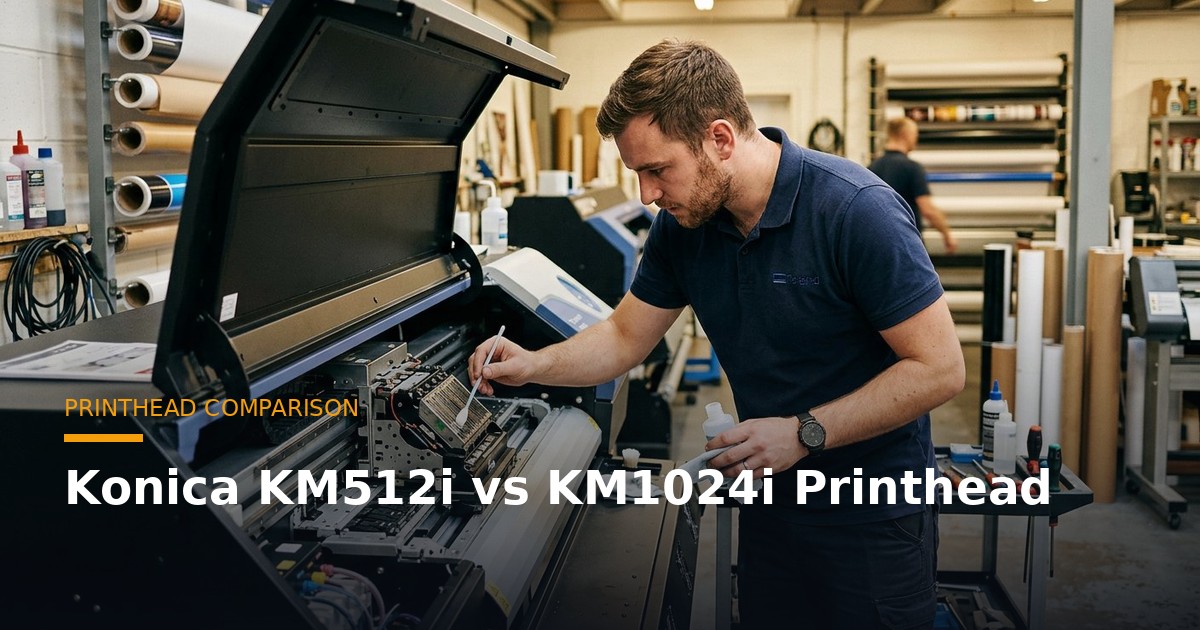
Choosing between the Konica KM512i and the Konica KM1024i is one of the most common decisions Indian printing businesses face when buying — or upgrading — a large-format solvent, flex or UV machine. Both are industrial-grade piezoelectric printheads from Konica Minolta, both are proven in Indian conditions, and both print flex, vinyl, banners and rigid boards beautifully. But they are built for different production realities, and picking the wrong one can cost you speed, ink money or print quality.
This guide breaks down the KM512i vs KM1024i in plain terms — droplet size, number of nozzles, speed, resolution, price in India, ink compatibility and lifespan — so you can match the head to the work you actually do. If you are buying a machine, this decision matters more than almost any other specification.
Konica KM512i vs KM1024i at a Glance
| Specification | Konica KM512i | Konica KM1024i |
|---|---|---|
| Nozzles | 512 | 1,024 |
| Native resolution | 180 npi | 180 npi (360 npi with 2 rows) |
| Droplet size | ~14 pl (single) / multi-drop | ~6–30 pl (variable) |
| Print width per head | ~72 mm | ~145 mm |
| Max frequency | Up to ~20 kHz | Up to ~40 kHz |
| Typical head price (India) | ₹35,000 – ₹55,000 | ₹85,000 – ₹1,40,000 |
| Best for | Standard flex, banner, eco-solvent | High-speed flex, UV, textile, production |
The headline difference is nozzle count and width: the KM1024i has twice the nozzles and roughly twice the print width of the KM512i, which translates directly into speed and, with variable droplet capability, finer gradations.
What the KM512i Does Best
The Konica KM512i is the workhorse of the Indian flex and solvent market. It is robust, forgiving on ink, easy to maintain, and delivers excellent output for banners, hoardings, backlit flex, vehicle graphics and general signage. For a shop running one or two solvent printers producing standard outdoor advertising, the KM512i hits the sweet spot between cost and capability.
Its 512 nozzles fire at high frequency, and because the head is compact, machines can mount several of them in a row (2, 4 or more heads) to build speed. A 4-head KM512i solvent printer remains one of the most popular configurations in India for mid-volume flex printing.
Choose the KM512i if you print flex, banners and vinyl signage, your volumes are moderate, and you want a lower-cost head that is cheap to replace when it eventually wears out.
What the KM1024i Does Best
The Konica KM1024i is a step up in every dimension — twice the nozzles, a wider print swath, higher firing frequency, and true variable-droplet technology. That variable droplet (firing small, medium and large drops in a single pass) is what gives the KM1024i smoother gradients, finer text and better photographic reproduction, while still laying down ink fast on big solid areas.
This is why the KM1024i dominates high-speed flex production, UV flatbed and roll-to-roll machines, and textile printing. If you are running a busy print house that needs to push square metres per hour without sacrificing quality, the KM1024i is the head that keeps up.
Choose the KM1024i if you run high-volume or high-speed production, you print UV or textile work, or you need the best image quality a Konica head can deliver.
Speed and Productivity
Speed is where the KM1024i justifies its price. Because it covers a wider swath and fires more nozzles at a higher frequency, a single KM1024i can output close to what two KM512i heads produce. In practice:
- KM512i (per head): roughly 40–70 sq ft/hour in production mode, depending on passes and machine.
- KM1024i (per head): roughly 90–160 sq ft/hour in production mode.
For a shop quoting on turnaround time, that difference compounds. A machine built on KM1024i heads finishes big hoarding and fleet jobs in a fraction of the time — which is exactly why production flex printers moved to the 1024i.
Print Quality and Resolution
Both heads share the same 180 npi native nozzle resolution, but the KM1024i’s variable droplet gives it a visible edge on images with smooth gradients — skin tones, skies, product photography and fine text. The fixed-ish droplet behaviour of the KM512i is perfectly good for bold graphics, solid colours and text-heavy signage, which is most flex work.
Put simply: for a flex banner viewed from across the road, both look great. For a retail display, a photographic backlit, or a UV-printed premium product, the KM1024i produces the more refined result.
Price in India
Printhead price is a major part of the total cost of ownership, because heads are consumable — they wear out and must eventually be replaced. Indicative market prices in India (they vary with supplier, warranty and rupee movement):
| Printhead | Typical Price (India, ex-GST) | Notes |
|---|---|---|
| Konica KM512i | ₹35,000 – ₹55,000 | Lower replacement cost, widely available |
| Konica KM1024i | ₹85,000 – ₹1,40,000 | Higher cost, but 2x the output |
While the KM1024i costs roughly 2–3x a KM512i, it also produces roughly 2x the output per head — so the cost per square foot often works out similar or lower on the 1024i for high-volume work. For low-volume shops, the cheaper KM512i keeps capital and replacement costs down.
Ink Compatibility and Running Cost
Both heads run solvent, eco-solvent and UV inks depending on the machine they are fitted to. The KM1024i’s finer nozzles are a little more demanding on ink filtration and maintenance — you must keep the ink clean and the capping station healthy to avoid nozzle loss. The KM512i is more forgiving in dusty, hot Indian workshops.
Ink consumption per square foot is broadly similar; the real running-cost difference is maintenance discipline. A well-maintained KM1024i is economical at volume; a neglected one is expensive to own.
Lifespan and Maintenance
With proper care — clean ink, correct flushing, good capping and regular cleaning — both heads last a long time:
- KM512i: typically 1.5–3 years of regular production.
- KM1024i: typically 2–4 years of regular production.
Lifespan depends far more on maintenance and ink quality than on the head model. Daily nozzle checks, using recommended inks, and never letting the head dry uncapped are the habits that protect your investment.
Which One Should You Buy?
- Flex, banner and signage shop, moderate volume: KM512i — lower cost, robust, plenty fast enough.
- High-volume flex production: KM1024i — the speed pays for itself.
- UV flatbed or roll-to-roll: KM1024i — variable droplet and speed suit UV work.
- Textile and premium image work: KM1024i — best Konica image quality.
- Startup on a tight budget: KM512i — cheaper to buy and replace while you grow.
Frequently Asked Questions
Is the KM1024i twice as good as the KM512i?
For speed and image quality, roughly yes — it has double the nozzles, a wider swath and variable droplet. But “better” depends on your work: for standard flex signage the KM512i is excellent and far cheaper to run and replace.
Can I upgrade a KM512i printer to KM1024i?
Generally not. The two heads differ in size, mounting, electronics and carriage design, so machines are built for one or the other. Choose at the point of purchase.
Which head has lower running cost?
Per square foot they are comparable at volume. The KM512i has a lower upfront and replacement cost; the KM1024i spreads its higher cost over roughly double the output.
Do both work with UV ink?
UV machines overwhelmingly use the KM1024i (and Ricoh heads). The KM512i is more commonly paired with solvent and eco-solvent machines.
How do I know a Konica head is genuine?
Buy from an authorised dealer, check the packaging and batch codes, and insist on a warranty. Counterfeit heads are common and fail early — our team can verify a head for you.
Multi-Head Configurations: How the Heads Are Arranged
Neither head is usually used alone. Large-format machines mount several heads in a row — or in staggered rows for colour — and the head you choose determines how many you need and how the machine performs. A typical 4-head KM512i solvent printer is a familiar sight in Indian flex shops: four compact heads delivering solid mid-volume output at an affordable price point. Because the KM512i is narrow, more of them fit on a carriage, and the machine builds speed by adding heads.
The KM1024i, being twice as wide, needs fewer heads for the same coverage. A 2-head or 4-head KM1024i machine produces very high throughput, which is why production flex and UV lines favour it. The practical implication for buyers: when you compare machines, compare total output, not just head count. Two KM1024i heads can outproduce four KM512i heads while occupying less carriage space and consuming less power.
There is also a cost angle. A multi-head KM512i machine has a lower sticker price, but a multi-head KM1024i machine, though costlier, produces far more per hour. High-volume businesses recover the difference through throughput; low-volume businesses do not need the extra capacity.
Real-World Use Cases: Which Businesses Use Which Head
It helps to see how each head shows up in real Indian businesses:
- Neighbourhood flex and banner shops: overwhelmingly KM512i machines. The work is bold graphics and text, volumes are moderate, and the low replacement cost matters.
- High-volume flex printers serving political and retail campaigns: KM1024i, because turnaround speed wins contracts during peak season.
- UV flatbed printers for signage, awards and rigid boards: KM1024i, for its variable droplet and speed on demanding jobs.
- Vehicle-wrap and premium graphics studios: KM1024i, for the finer gradients on photographic wraps.
- Startups and print-on-demand entrants: KM512i, to keep initial and running costs low while demand builds.
Notice the pattern: the KM512i wins on affordability and simplicity, the KM1024i wins on speed and quality. Your position on that spectrum decides the head.
Maintenance: KM512i vs KM1024i Upkeep
Both heads reward good maintenance, but the KM1024i asks for a little more discipline. Its finer nozzles and higher nozzle count mean clogs are more consequential, so consistent daily care — nozzle checks, clean capping, filtered ink — matters more. The KM512i, with larger effective droplets and a simpler design, is somewhat more tolerant of the dusty, hot conditions common in Indian workshops.
Neither head should ever be left uncapped or allowed to dry. Both benefit from using the manufacturer-recommended ink and following a cleaning schedule. The difference is margin, not kind: neglect hurts the KM1024i faster and more expensively, simply because the head costs more to replace.
Common Mistakes When Choosing Between the Two
- Buying for today only: a fast-growing shop that buys KM512i may outgrow it within a year and face a second machine purchase.
- Buying capacity you cannot fill: a low-volume shop paying a premium for KM1024i speed it will never use.
- Ignoring replacement cost: the head is a consumable — factor its price into your decision, not just the machine’s sticker.
- Assuming you can upgrade later: you generally cannot swap a KM512i machine to KM1024i; the choice is made at purchase.
- Choosing on brand alone: match the head to your media, volume and quality needs, not to whichever name sounds better.
More Questions Buyers Ask
Which head holds resale value better?
Machines built on the KM1024i generally command better resale in the production segment because buyers value the speed. KM512i machines remain popular in the entry and mid segment, so they resell steadily too.
Can both heads print white ink?
Yes, in UV and some solvent configurations both can run white, though white ink is heavier on maintenance. The KM1024i’s design handles demanding inks a little better.
Which is better for backlit flex?
The KM1024i’s finer gradations give smoother backlit output, but a well-run KM512i produces excellent backlit flex for most commercial work.
Get the Right Printhead — and the Right Machine
Whether you settle on the cost-effective KM512i or the high-output KM1024i, the machine around the head matters just as much. Unified Engineering Dynamics builds solvent, flex and UV printers on genuine Konica heads, matched to your volume, media and budget — with genuine spare printheads, warranty and on-site support across India.
Talk to a UED printhead specialist → Tell us what you print and how much, and we will recommend the exact head and machine configuration for your business.
