



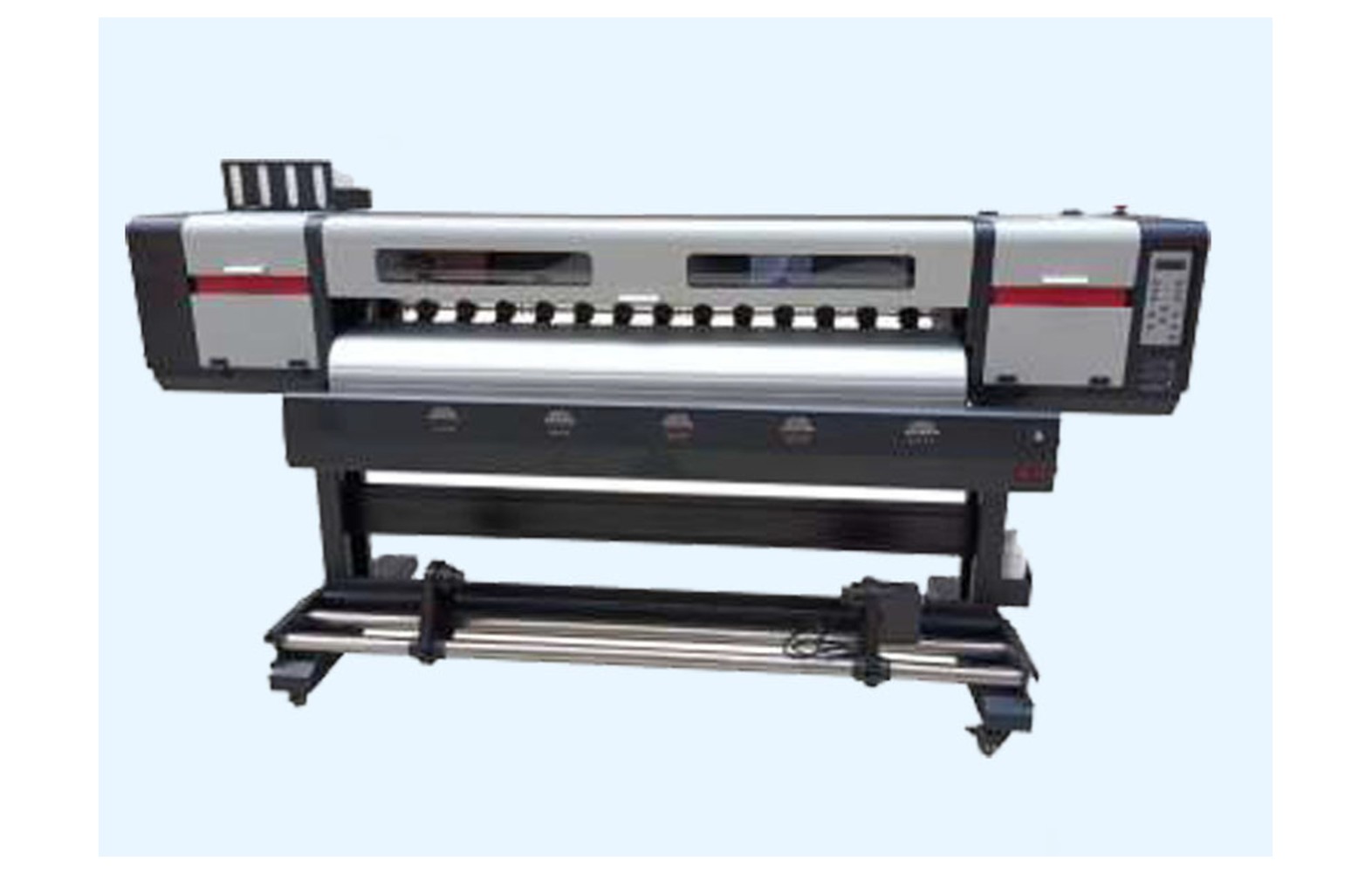
Direct answer: Pinch rollers and media-feed parts should be selected for the exact eco-solvent printer, roller position, media and manufacturer part number. Skew, wrinkles, marks or print-and-cut mismatch do not automatically mean a roller has failed. Check the approved loading and material, preserve evidence and use authorised service for guarded mechanical or electrical work.
Understand the media path
An eco-solvent printer may use unwind supports, media guides, feed rollers, pinch rollers, sensors and a take-up unit. The arrangement and supported media depend on the model. Ask the manufacturer for its loading instructions and parts diagram rather than assuming every printer uses the same roller.
Pinch and feed rollers can perform different roles. A part for one position may have a different diameter, material, mounting or pressure arrangement from another. Record the printer model, serial, revision and component position before requesting a spare.
This guide helps owners report symptoms and compare parts. It does not prescribe a universal pressure, feed calibration or replacement sequence. Use the exact manual and authorised personnel for work outside operator training.
Safety around moving media
Rollers and media can move unexpectedly and create pinch hazards. Do not reach into a moving feed path, bypass guards, force a roll or adjust a protected mechanism. Use the manufacturer’s safe stop and isolation procedure before any authorised inspection.
If a wrinkle approaches the head, a guard or cable is damaged, or the machine makes an unsafe noise, stop and notify the responsible supervisor. Wide rolls can be heavy; use trained staff and approved lifting equipment under the machine and site instructions.
Ink and cleaning products have separate hazards. Follow their safety data sheets and the site’s qualified ventilation, fire, spill and waste procedures. Do not clean a moving roller or introduce an unapproved solvent.
Check the roll and media
Record the exact media construction, coating, supplier, batch, width, diameter, core and weight. A roll can fit in width but exceed the machine’s approved diameter or load. Inspect visible damage or uneven winding using the safe handling procedure.
Eco-solvent shops may use vinyl, film or other approved roll media. A material must be supported by the exact machine and ink; physical fit is not proof of print or feed compatibility. Ask the suppliers for their loading, storage and profile guidance.
Different widths or liners can require different approved guide or pinch positions. Do not use a generic setting or force an unsupported roll into the printer. Ask the manufacturer and test the actual construction under its instructions.
Loading and tracking
Follow the model-specific procedure for roll orientation, guides, sensors and take-up. Observe the material from a safe position. Record when it moves sideways, wrinkles, marks or winds unevenly and whether the problem occurs on one approved roll or several.
Do not add improvised weights, bypass a sensor or change several settings at once. If the media approaches the head, stop safely. A head strike can damage equipment and should be assessed by authorised service.
A long roll can behave differently from a short startup sample as diameter and winding change. Ask the manufacturer or technician to define a safe representative test length for the actual symptom.
Pinch roller wear and pressure
Pinch roller construction, placement and pressure vary by model and media. A mark or wrinkle can be related to roller condition or setup, but it can also arise from the roll, guides, feed or take-up. A qualified technician should assess the complete path before replacement.
Ask which adjustments are permitted for trained operators and which require service. Do not use a universal pressure number or tighten a guarded assembly by feel. More pressure is not automatically better and may affect some media.
Verify the exact roller part number and position. Similar-looking rollers can differ in material, size and mounting. A genuine part for another revision can still be wrong.
Feed, dimensions and registration
Media advance and registration depend on the printer, material, file and approved calibration. Incorrect dimensions or repeated marks may also come from artwork scale, profile or finishing. Preserve the source file, RIP settings and physical sample before changing parts.
Use the manufacturer’s approved checks only within operator authority. Mechanical or electrical calibration may require an authorised technician. Do not reach into moving equipment or open a guard to make an improvised adjustment.
Measure the representative print and the finished piece using the customer’s agreed dimensions. A wrong trim or panel overlap is a finishing issue, not necessarily a feed-roller fault.
Print-and-cut workflow
Many eco-solvent jobs involve printed decals followed by contour cutting, either on integrated or separate equipment. A mismatch can involve artwork scale, registration marks, media movement, printer output or cutter configuration. Test the complete approved workflow rather than assuming one roller caused the result.
Record the file version, final dimensions, mark layout, media, profile and cutter procedure. Ask the relevant suppliers to define a representative test. Customer approval should address the finished graphic and cut, not only a short printer sample.
Keep panels or decal sheets produced before and after service identified. Compare them with the approved proof before dispatch. Any customer-accepted variation should be documented separately from the technician’s service report.
Cleaning and ink safety
Use only the manufacturer’s approved roller-cleaning products, tools and stop procedure. An unapproved solvent or abrasive material can damage a surface or create a hazard. Do not clean a moving roller or open guarded equipment outside your authority.
Eco-solvent ink and cleaning products are not automatically harmless. Keep actual safety data sheets accessible and have qualified professionals assess ventilation, fire precautions, storage and waste under applicable local rules.
If ink contaminates an unintended area, stop and follow the site incident procedure. Qualified personnel should determine how the machine and waste are handled. Do not improvise a chemical cleanup.
Diagnose before replacing
Provide an authorised technician with the machine record, roll details, settings, sample and service history. Ask which tests distinguish a roll, loading, roller, feed, take-up, file or control issue. The manufacturer specifies the safe sequence for the exact model.
Use a controlled comparison where safe and approved. Record the media batch and one authorised change at a time where feasible. A symptom on one roll may be useful evidence but does not by itself prove that either the material or roller is defective.
Request a written diagnosis, part number, labour and acceptance test. Do not replace multiple parts at random. If the machine cannot safely run, use a qualified backup or subcontractor for urgent orders.
Choose compatible spares
Confirm printer serial, revision, roller position and manufacturer part number, including any approved supersession. Ask whether bearings, mounts or other hardware are included. A compatible connector or similar roller diameter does not establish complete suitability.
Record whether the part is genuine, compatible, refurbished or used. Check the manufacturer’s support and warranty position for an alternative. Do not remove a guard merely to photograph a part when the supplier can identify it from machine records.
Store approved spares according to supplier guidance and label the machine and position. Review the list after an authorised modification; a part for a previous revision may no longer be correct.
Acceptance after service
- Record the baseline: machine, roll, symptom, file, settings and sample.
- Verify the part: exact roller position, number, condition and compatibility.
- Perform authorised work: use the manufacturer’s safe isolation and service procedure.
- Restore protection: confirm guards and safety systems under the service process.
- Run approved checks: test loading, feed and take-up as specified.
- Print representative work: inspect tracking, marks and dimensions over the relevant width and length.
- Verify the finished workflow: include cutting where the reported issue affects it.
- Document release: retain the service report, settings and remaining limitations.
A short successful test shows performance under those conditions, not a guarantee of future life. For a long-run or intermittent fault, agree safe follow-up with the technician.
Cost and downtime
Compare diagnosis, the exact assembly, related hardware, freight, taxes, authorised labour, testing and downtime using current written quotations. A part-only price may omit the work required to restore the complete feed system.
For a hypothetical example, a roller costs Rs 1,500, freight Rs 300 and authorised labour Rs 1,200. The illustrative subtotal is Rs 3,000 before taxes and other expenses. These invented figures are not market rates. Use the actual quotation and record uncertainty.
Keep a pre-qualified backup option for urgent work. Compare the alternate machine’s media, colour and cutting with the customer proof. Do not bypass guards or use an unverified spare to meet a deadline.
Common mistakes
Replacing from skew alone: inspect the full approved media path and roll condition.
Using generic pressure: follow the model and media instructions.
Confusing print and cut errors: test the complete approved workflow.
Cleaning with any solvent: use the manufacturer’s authorised products and site controls.
Reaching into moving media: stop and isolate using the approved procedure.
Questions to ask
- What exact roller and position apply to this printer serial?
- Which media widths, liners and roll weights are approved?
- What evidence supports the proposed replacement?
- Which checks can trained operators perform?
- How will print and cut alignment be verified after service?
For engineering context see media feed and take-up systems. For eco-solvent parts see the buyer guide.
Conclusion
Evaluate rollers as part of the complete eco-solvent media and print-and-cut workflow. Verify the exact part and approved media, use qualified diagnosis and document representative output after service.
Plan a representative tracking trial
Define the symptom and a safe test before loading media. Record the approved roll construction, width, weight, core, winding direction, guide positions, file and print mode. If a problem appears after a certain length, tell the technician so that the trial can cover the relevant operating stage under the manufacturer’s supervision requirements.
Inspect the start, middle and end of output from a safe position, and note edge movement, wrinkles or marks. Measure the finished dimensions only after the machine is stopped or the output is handled as authorised. Do not reach into moving material to obtain a more precise observation.
If a second approved roll is used, record its supplier, batch and construction. A changed result may help isolate a variable, but it does not alone establish that the first roll or a roller was defective. Discuss the evidence with the printer and media suppliers.
Compare short-run and long-run behaviour
A short proof may load correctly while a longer roll develops tracking or take-up problems. Diameter and roll weight change as material moves, and the exact machine controls that process differently by model. The test should represent the customer’s job without exceeding the manufacturer’s limits.
Record where along the roll the symptom first appears and whether it affects the printed face, the liner or the final cut. Keep the relevant samples identified. A fault in packing or finishing can be confused with a print-path mark if the output was not inspected at earlier approved checkpoints.
For vinyl or film, follow the material supplier’s storage, handling and post-print guidance. A substrate change can affect appearance or feed. Do not assume a setting accepted for one construction will be approved for another.
Inspect a supplier quotation
Ask whether the quoted item is the roller alone or an assembly with bearings, mounts, springs or other hardware. The correct scope comes from the manufacturer or authorised technician. A catalogue photograph and a similar diameter do not establish material, load or fit.
Clarify the part’s condition, approved printer revision, warranty and return procedure. If a compatible item is proposed, ask how the exact application was verified and whether the printer supplier will support its use. Keep the written response with the machine record.
Include service labour, freight, taxes and acceptance testing in a like-for-like comparison. If the original symptom has not been diagnosed, a low component price is not evidence that the repair will succeed.
Manage an interrupted print-and-cut order
Identify which sheets or panels were produced before the fault and which need replacement. Retain the current artwork, registration-mark layout, RIP settings and approved customer proof. The responsible team should decide whether output made before service is acceptable.
After the printer is safely released, test the complete print-and-cut workflow on the intended media. Compare final dimensions and alignment against the customer’s approved specification. A technician’s machine test and the customer’s finished-job approval are distinct steps.
If a backup printer or cutter is used, assess material, colour, mark reading and finishing before committing to the full order. Document any customer-approved variation and revised delivery rather than assuming identical output from different equipment.
Update shift and service records
At handover, record the roll, approved loading setup, last accepted output and any outstanding alarm or service request. Operators should know which checks are permitted and when to stop. Do not turn an unapproved pressure or guide adjustment into an informal routine.
After service, retain the installed part number, technician’s report, settings and reference print. If the original symptom recurs, record the new conditions and seek an updated diagnosis. A repeated defect can have the same cause or a different one.
Review approved spares after a machine revision or take-up change. A roller stored for the former configuration may no longer be correct. Separate uncertain stock and obtain manufacturer confirmation before issue.
Review a new media construction
Before using a new vinyl or film, ask the printer and media suppliers to confirm the coating, liner, width, weight and handling requirements for the actual ink. A stock description that resembles the previous roll does not establish identical feed behaviour.
Set up according to the authorised instructions and approve a representative print and cut. Record any change in guide position, profile or workflow. If the new material causes an unsafe wrinkle or potential head contact, stop and seek qualified help rather than increasing pressure by guesswork.
Keep supplier documentation and the accepted sample with the job record. This makes repeat orders easier to verify and allows the team to distinguish a material change from an equipment issue without assuming that either is responsible.
Retain the authorised service record for the next shift.
Frequently Asked Questions
Does media skew always mean a pinch roller failed?
No. Roll condition, loading, guides, take-up and other components may contribute. Use model-specific diagnosis.
Are eco-solvent pinch rollers interchangeable?
Not necessarily. Confirm the exact printer, roller position and manufacturer part number.
Should I increase pressure whenever media wrinkles?
No. Follow the manufacturer’s model- and media-specific settings and stop safely if there is a risk of contact.
Does contour-cut mismatch prove a printer roller fault?
No. Artwork, registration marks, media feed, printer and cutter setup can all affect the finished result.
Can a roller be cleaned while moving?
No. Use the approved stop and isolation procedure and only authorised cleaning methods.
Can any vinyl roll be used if its width fits?
No. Confirm supported construction, coating, weight, diameter, core and ink compatibility for the actual machine.
How is roller service verified?
Restore safety systems, run approved feed checks and inspect representative print and cut output at the required quality.
