



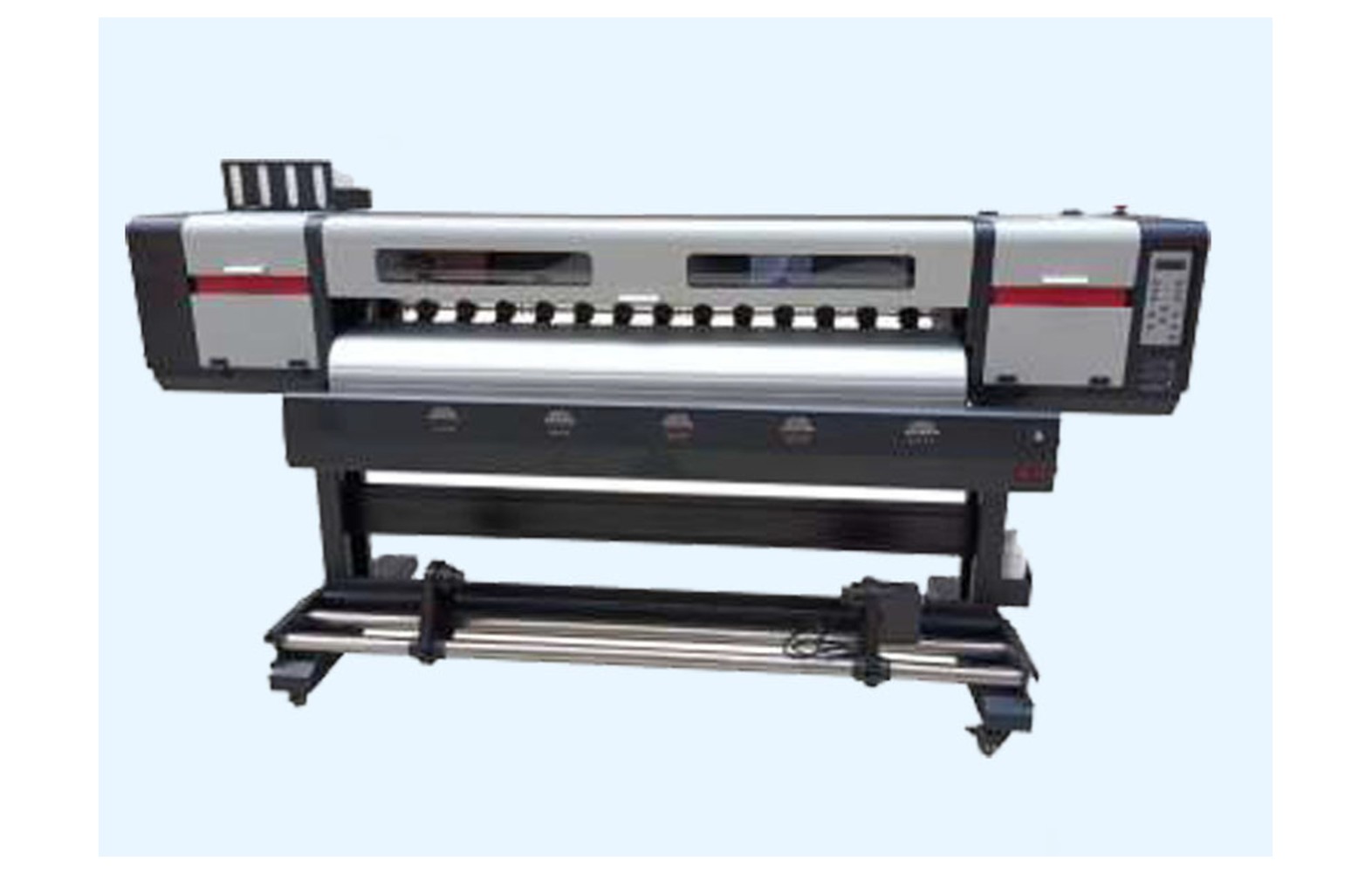
Direct answer: Eco-solvent printer mainboards, head boards and data cables must match the exact printer model, revision, installed heads, approved ink and control configuration. A similar connector or familiar head family does not establish compatibility. Have qualified authorised personnel diagnose the complete system and perform electrical service under the manufacturer’s instructions.
Start with the installed configuration
A printer may contain a main control board, head-related electronics, drivers, sensors, cables and other assemblies. The names and boundaries differ by manufacturer. Obtain the exact model’s diagram and service documentation rather than assuming a generic parts listing describes the machine.
Record manufacturer, model, serial, revision, head variants, ink, installed options and firmware or software details where available through an authorised process. Retain commissioning and service records. A used or modified printer may not match its original catalogue.
This guide supports owner-level purchasing and service discussions. It does not provide wiring, pinouts, live testing or a universal board replacement sequence. Electrical and guarded-area work requires qualified authorised personnel and the model-specific isolation procedure.
Mainboards and head boards
A mainboard may coordinate printer functions, while head-related electronics may participate in controlling or communicating with a printhead. The exact roles and number of boards vary. Ask the manufacturer to identify the assembly involved in the reported symptom.
Confirm the part number, revision, supported head, ink system and any software or configuration requirements. A board advertised for a familiar head family can be unsuitable for a different printer integration. A genuine board for another revision can still be wrong.
Ask whether a quote covers the board alone or a complete assembly with related cables, housing, labour and testing. Similar supplier terms may describe different scopes. Keep written confirmation with the machine record.
Data and head cables
Data, head or signal cables connect components in a model-specific way. A similar width, length or connector shape does not establish the correct electrical, mechanical or control characteristics. Confirm the manufacturer part number and exact connection for the installed machine.
Cables in a moving carriage may need a particular approved route and support. Only authorised personnel should access or service the guarded mechanism. Do not pull a cable, force a connector or move a carriage by hand outside the manufacturer procedure.
Ask whether the cable is new, compatible, refurbished or used, and what related supports or components are included. The machine manufacturer or authorised service provider should confirm compatibility before purchase.
Electrical safety
Printer electronics can present electrical hazards, and stored energy may remain after normal shutdown. Do not open panels, probe live circuits, disconnect cables, bypass guards or protective devices without authorisation. Qualified personnel should follow the manufacturer’s safe isolation procedure and local site requirements.
If there is smoke, burning smell, damaged wiring, liquid ingress or unsafe movement, stop using the site’s emergency procedure and notify the responsible supervisor. Do not repeatedly reset protection or continue a hazardous run to capture a video.
Ink and cleaning products have separate hazards. Keep actual safety data sheets accessible and follow the site’s qualified ventilation, fire, spill and waste controls. Do not clean electronics with an improvised solvent.
Symptoms are not a board diagnosis
Missing colour, communication errors, intermittent output or a carriage alarm can involve the file, RIP, power, cables, heads, sensors, mechanics or control system. A symptom alone does not prove a particular board or cable failed.
Record the exact message, operating stage, printer configuration, ink, media, file, settings and last accepted output. Retain a sample and note recent service, transport or software changes without assuming they caused the problem.
Ask an authorised technician to use the manufacturer’s diagnostics. Do not swap boards or cables between machines as an informal experiment. An unresolved system fault can also damage a replacement component.
Artwork, software and print-and-cut workflow
Eco-solvent shops may produce labels, signs or vehicle graphics using a printer and sometimes a separate cutter. Check the approved file, linked images, scale, registration marks and RIP preview. A defect in the file or cutter setup may not require replacing printer electronics.
When a finished contour cut is misaligned, ask the relevant suppliers to test the approved combined workflow. Record printer and cutter settings, media and customer dimensions. Do not change protected board parameters to compensate for an unresolved file or cutter issue.
Use an approved reference file and retain before-and-after output. A short successful print is useful evidence but may not reproduce an intermittent problem that appears later in a run.
Firmware and configuration
A replacement board can depend on the exact printer, head, installed options and approved firmware or configuration. Ask the manufacturer whether the part is supplied in the required state and which qualified person must perform any setup.
Do not copy parameters or install unverified firmware from another printer. A successful startup screen alone does not establish correct printhead control, movement or safety. Record the authorised changes and software versions in the service report.
After an approved modification or ink conversion, update the machine record and spare inventory. A board or cable for the former configuration may not remain supported. Ask the manufacturer to confirm any superseded part number.
Ink and contamination
Eco-solvent ink and maintenance products are not automatically interchangeable. If ink or liquid reaches an unintended area, stop and follow the site incident procedure. A qualified technician and safety team should determine how the printer and removed parts are handled.
Do not clean a board, connector or cable with an improvised fluid. Obtain actual safety data sheets and the manufacturer’s instructions. Qualified professionals should assess ventilation, fire precautions, storage and waste under local requirements.
Record the ink and any authorised conversion when requesting a spare or service. A component installed into a system with an unresolved leak may not return the printer to reliable operation.
Identify the exact parts
Confirm manufacturer part number, machine serial, revision, head and installed options. Ask whether a listed number is an approved supersession and whether cables or related hardware are included. Similar appearance is not proof of electrical compatibility.
Do not remove a guarded board merely to photograph it. The manufacturer may identify it from records; otherwise an authorised technician should use the proper isolation procedure. Record condition and any uncertainty before ordering.
Ask whether the part is genuine, compatible, refurbished or used. Check the printer manufacturer’s support and warranty position for an alternative. A genuine part intended for a different revision may still be wrong.
Compare service quotations
Request an itemised scope for diagnosis, board or cable, related parts, freight, tax, authorised labour, configuration and acceptance testing. Clarify what happens if the original fault remains or another issue is found. A component-only price is not a complete repair cost.
For a hypothetical example, diagnosis costs Rs 1,000, a component Rs 5,000 and authorised labour Rs 2,000. The illustrative subtotal is Rs 8,000 before taxes and other costs. These invented values are not market prices. Use current quotations and retain diagnostic uncertainty.
Review warranty, return conditions and who provides support. A low offer does not establish the correct configuration or safe installation. If the part number cannot be confirmed, ask the manufacturer before ordering.
Acceptance after authorised service
- Record the baseline: symptom, error, machine, file, ink, media and settings.
- Verify parts: exact board or cable number, revision, condition and compatibility.
- Perform authorised work: follow manufacturer isolation, handling and installation procedures.
- Restore protection: confirm guards and safety systems under the service process.
- Check configuration: use approved firmware and model-specific settings.
- Test representative work: inspect the original symptom at the required quality and dimensions.
- Verify the finished workflow: include cutting where the issue affects it.
- Document release: retain the service report, output and remaining limitations.
A short successful print provides evidence under those conditions, not a guarantee of future board or cable life. For intermittent errors, agree a safe follow-up with the technician.
Storage and traceability
Keep electronics and cables in supplier-approved packaging and conditions, protected from damage and contamination. Record the machine, part number, revision, supplier and warranty. Trained personnel should handle sensitive assemblies under the manufacturer’s procedure.
After a head, board or firmware upgrade, review spare compatibility. Separate uncertain stock until the manufacturer confirms its application. Do not issue a part for another printer based only on appearance.
If a delivered item is damaged or the number conflicts with the quotation, hold it for clarification. Follow the supplier’s return procedure and the site’s handling requirements for contaminated or damaged components.
Common mistakes
Ordering by head family: confirm printer serial, board revision and complete configuration.
Assuming an alarm proves board failure: diagnose power, cables, software and related systems.
Copying firmware or settings: use only the manufacturer’s approved configuration.
Bypassing protection: stop and use qualified service.
Confusing print and cut errors: test the complete approved workflow.
Skipping acceptance: verify representative output and retain the report.
Questions for the provider
- What exact board and cable numbers match this printer serial?
- Which head, ink and firmware configuration is supported?
- What evidence supports the proposed diagnosis?
- Who performs electrical service and configuration?
- What is included in testing, warranty and returns?
For broader electronics purchasing read printer mainboards and head boards. For eco-solvent parts see the spare-parts buyer guide.
Conclusion
Select eco-solvent boards and cables by exact machine configuration and qualified diagnosis. Use authorised electrical service and test representative customer work rather than relying on a generic part listing or error message.
When a fault follows an upgrade
Record the date, authorised work, part numbers and software changes. A problem that appears after an upgrade may be related to the change, but timing alone does not prove the cause. Provide the service provider with the previous and current configuration and the last accepted print.
Do not revert firmware or swap a board without the manufacturer’s written guidance. The supported process may require specific configuration, safety checks and a qualified technician. Preserve the evidence and ask the provider to explain the next diagnostic step.
Update the spare inventory after an approved upgrade. A cable or board held for the previous revision may not be suitable. Separate uncertain stock and obtain written confirmation before it is issued to another machine.
Inspecting a supplier offer
Ask the vendor to list the exact machine, serial or revision, head configuration and manufacturer part number. Clarify whether related cables, software or installation are included. A catalogue entry naming a head family may omit the printer-specific integration.
If a part is refurbished, ask what was inspected or repaired, how the condition is documented and what warranty applies. If it is compatible, request the manufacturer’s support position and the precise configuration covered. Do not assume a low price or a matching connector establishes suitability.
Check freight, tax, travel, authorised labour and acceptance testing before comparing offers. Ask what happens if the part is wrong or the original symptom remains. Keep return conditions in writing before opening protective packaging.
Handling an intermittent communication fault
Record the exact message, job, operating stage and recent changes. If the fault appears after carriage movement or a long print, note the circumstances without opening guards or reproducing a hazardous condition. A technician can use the timeline to select a safe model-specific test.
Compare the approved source file and RIP preview with output where appropriate. A file error, communication problem and printhead issue can have overlapping symptoms. Avoid deciding from a single print that a board has failed.
Agree an escalation plan if a short service test does not reproduce the issue. Identify who can stop production and what evidence should be retained. Repeated resets or unapproved cable swaps can obscure the history and create additional risk.
Customer-quality acceptance
Define the job, media, profile, dimensions and customer-approved proof before the acceptance print where practical. For decals or contour-cut work, inspect the finished workflow rather than only the printer startup. The printer and cutter may have separate calibration or file requirements.
If a replacement panel is needed, compare it with the original under agreed lighting. Record any media, ink or setting change and obtain the customer’s acceptance. Technical service sign-off and final job approval are separate steps.
Keep the service report, accepted sample and any limitation accessible to each shift. A pre-qualified subcontractor can help during an unresolved repair, but its material and colour should be checked against the customer proof.
Preventing part-identification errors
Maintain a controlled record for each printer serial, including boards, cables, heads, approved ink and authorised modifications. Keep the manufacturer’s current parts documentation and service contacts. Similar machines in one shop can have different revisions.
When a part arrives, compare the number and condition with the written order without damaging protective packaging. If the identity is unclear, pause and ask the supplier and authorised technician. Do not force a connector or test a board by swapping it into another printer.
After service, record the actual part, configuration and test. Review stored spares for the prior revision and separate uncertain items. A traceable inventory supports a safe repair but cannot replace diagnosis.
Agree the boundary of diagnosis
Before authorising a board or cable purchase, ask whether the diagnostic quote covers the site supply, related connections, software and connected assemblies. The qualified service provider should explain which tests were performed and what remains uncertain. A component-only quote is not a diagnosis.
Record who can approve additional work if another fault is found. If a part does not resolve the symptom, preserve the original sample and service report and agree the next authorised step. Avoid repeated resets or part swaps to meet a customer deadline.
For urgent work, evaluate a pre-qualified backup against the customer’s approved material and proof. Communicate a revised schedule if necessary. The alternative does not change the requirement to isolate and repair the original machine safely.
After handover, give each shift the current operator instructions, open limitations and service contact. Retain the accepted sample and part identification with the machine record.
Review the final invoice and warranty against the approved scope, including any firmware configuration or related cable. Keep the report available for a future service request and mark any unresolved part identification for manufacturer confirmation.
Retain approved records.
Frequently Asked Questions
Are eco-solvent printer boards interchangeable?
Not necessarily. Machine revision, head, ink, connectors, firmware and control architecture can differ. Confirm the exact part number.
Does a communication error prove the board failed?
No. Power, cables, software, sensors and other components may contribute. Use qualified model-specific diagnosis.
Can a similar cable connector be substituted?
No assumption is safe. Confirm the exact cable and machine configuration with the manufacturer.
Can an operator probe a live board?
Electrical diagnosis requires qualified authorised personnel following the manufacturer’s safety and isolation procedure.
Can firmware from another printer be copied?
Use only the manufacturer’s approved configuration for the exact machine and authorised service procedure.
Does a successful startup prove the repair is complete?
No. Approved functional checks and representative output are needed, and an intermittent fault may require follow-up.
What should a quotation include?
Identify the exact parts, diagnosis, related cables, freight, authorised labour, configuration, testing, warranty and return terms.
