



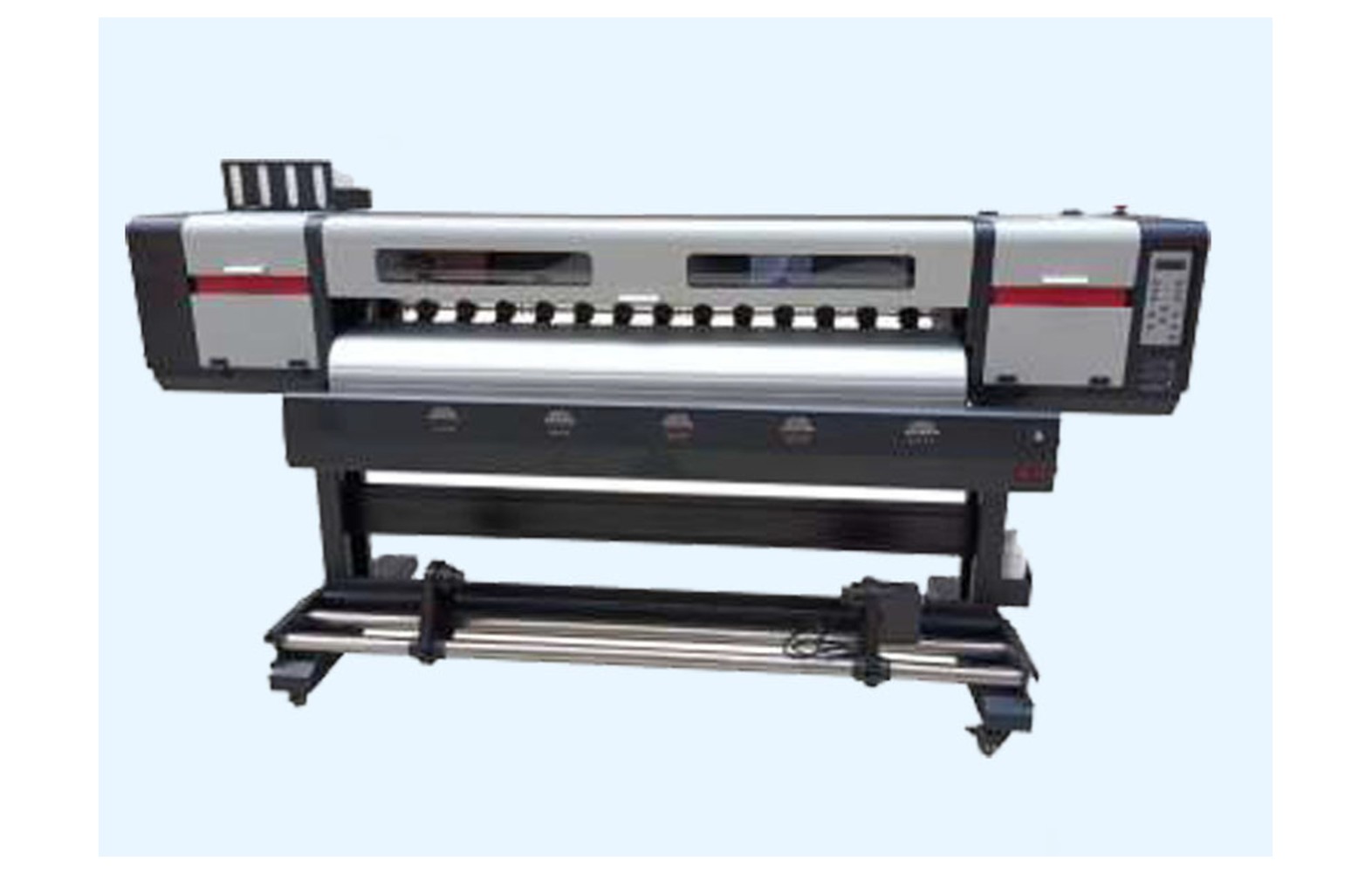
Direct answer: Identify an eco-solvent printer spare using the exact printer model, serial number, revision, installed head, approved ink and manufacturer part number. Confirm the component’s function and any approved supersession with the manufacturer or authorised service provider. A head family name or visually similar part does not establish compatibility.
Start with the physical printer
Keep one record for each machine: manufacturer, model, serial, revision, installed head, board, ink, maintenance station, options and authorised service contact. Retain the manual, commissioning documents and service history. Two printers with similar commercial names can contain different assemblies.
Record any authorised head, board, firmware or ink change. The original catalogue may not describe the current configuration. If the machine was purchased used, request invoices and conversion records and ask qualified service to assess any uncertainty.
Do not remove a guard, open an electrical panel or disconnect an ink line solely to find a label. The manufacturer may identify the part from the serial and current records. Physical inspection must follow the exact safe procedure and personnel authorisation.
Identify the component’s function
A printer can contain multiple pumps, motors, sensors, boards and rollers with different roles. Describe where the component belongs and what the manufacturer calls it. A take-up motor is not automatically interchangeable with a carriage motor, and an ink-supply pump may differ from a maintenance pump.
Ask the supplier whether a quotation covers the individual component or a complete assembly with related fittings. Terms such as head board, damper and cap can be used loosely in advertisements. Obtain the manufacturer’s exact part number and model-specific diagram where available.
Do not let a symptom become a part description. Weak colour, banding or an alarm can have several causes. Retain evidence and obtain a qualified diagnosis before placing an order.
Confirm the manufacturer part number
Use the machine manual, invoice or authorised service report to identify the full part number and revision. If the label is not accessible under the operator procedure, ask the manufacturer or authorised technician. Do not remove a guard or disconnect electronics merely to photograph it.
Check characters carefully and confirm whether the number refers to a complete assembly or a subcomponent. A similar cable length, fitting or head-family name does not establish electrical, chemical or mechanical compatibility.
Ask whether a proposed replacement is an approved supersession for the actual serial and options. A reseller cross-reference can start the conversation, but the manufacturer or authorised service provider should confirm the application in writing.
Head and ink-system identification
Confirm the full head variant, printer, board, approved ink and maintenance system. Ink lines, dampers, pumps, filters, seals and connectors may also be model- and fluid-specific. Products described as eco-solvent are not automatically interchangeable.
Do not mix inks or select a cleaner based solely on a generic label. A conversion requires the manufacturer or authorised service provider to assess the complete system and warranty. The actual safety data sheets and qualified site controls govern chemical handling.
For a used machine with incomplete ink history, document uncertainty and ask for an authorised configuration assessment. Do not improvise a flush or replace an ink component just to match a catalogue.
Electronics and cable identification
Mainboards, head boards, data cables, sensors and drivers can depend on printer revision, head, installed options and firmware. Similar connectors do not prove the correct contact arrangement or electrical compatibility. Request the exact part number and supported configuration.
Electrical work must be carried out by qualified authorised personnel using the manufacturer’s isolation procedure. Do not open panels, probe live circuits, swap boards or copy settings from another printer. An unresolved system fault can damage a replacement component.
Ask whether the quote includes related cables, approved configuration, labour and acceptance testing. A component-only price does not represent the complete service.
Motion and media parts
Belts, rails, bearings, pinch rollers and take-up parts must match the exact machine and position. Similar length or appearance is not sufficient evidence. The manufacturer should specify the approved assembly and any related hardware.
Record the supported media and the symptom: skew, a mark, noise or an error. These observations do not prove a roller, belt or sensor failed. Use the approved loading procedure and request qualified diagnosis if the problem persists.
Do not reach into moving equipment, bypass guards or change tension and pressure by guesswork. The manual and authorised service provider define safe checks and adjustments for the actual model.
Print-and-cut systems
An eco-solvent shop may print decals or labels and then cut them on integrated or separate equipment. Identify which machine, controller and component are actually involved. A printer spare and a cutter spare are not interchangeable simply because the customer sees one finished job.
Confirm the file version, scale, registration marks, media and approved workflow. A cut mismatch may involve artwork, media feed, printer output or cutter setup. Ask the relevant suppliers to define a representative test before ordering a component.
Retain the accepted proof and finished dimensions. After service, verify the combined print-and-cut result where the original issue affected it. Customer approval is separate from the technician’s machine test.
Supplier verification
Request written confirmation of the exact printer serial, revision, component position, part number and approved ink or electronics configuration. Ask whether the item is genuine, compatible, refurbished or used and how identity is verified.
A manufacturer part can be wrong for another revision, while a compatible listing is not automatically approved. Ask the machine manufacturer or authorised service provider about support, warranty and any required related parts.
Compare complete quotes: diagnosis, part, fittings or cables, freight, tax, authorised labour, configuration, testing and returns. Mark unknown terms rather than assuming they are included.
Step-by-step identification checklist
- Record the printer: model, serial, revision, head, ink and options.
- Describe the function: identify the system and component position.
- Preserve evidence: retain error messages, samples and last accepted settings.
- Obtain diagnosis: ask qualified service to assess the complete system.
- Confirm the number: request the manufacturer part and approved supersession.
- Check compatibility: verify ink, board, firmware and related components as applicable.
- Agree service: identify the authorised installer, safety controls and acceptance test.
- Update records: retain the installed part, report, test and warranty terms.
If the current configuration is uncertain, obtain a qualified assessment before ordering. A photograph, nominal printer width or generic head name is not a substitute for a verified part number.
Safety and authorisation
If there is a leak, smoke, burning smell, damaged cable or unsafe movement, stop under the site’s procedure and notify the responsible supervisor. Do not bypass a guard, interlock or protective device to finish an order.
Keep the actual ink and cleaning-product safety data sheets accessible. Qualified professionals should assess ventilation, fire, storage, spills and waste under local requirements. Eco-solvent is a broad product description and does not mean that every fluid is harmless.
Only personnel trained and authorised for the exact machine should perform electrical, guarded mechanical or ink-system service. Do not improvise wiring, flushing, cleaning or tension procedures from a different printer.
Receiving and storage
Compare the delivered part number, revision, condition and packaging with the approved order. If identity or compatibility is unclear, hold the item for supplier clarification. Do not force a part to fit or swap it into another printer as a test.
Store spares under supplier instructions and retain original identification. Separate parts by approved machine and configuration. Sensitive electronics and ink-system items need protection from damage and contamination according to the supplier and site procedure.
Review stock after an authorised head, ink or board change. A spare for the prior configuration may not remain approved. Document the manufacturer’s response and keep uncertain items separate.
Acceptance after service
Agree the reference file, approved media, settings, original symptom and safety checks before work. Qualified personnel should restore guards and protective systems and perform the manufacturer’s functional tests.
Print representative work and compare it with the accepted reference. A short successful print is evidence for those conditions, not a guarantee of future component life. For an intermittent fault, agree safe follow-up with the technician.
Retain part number, invoice, technician report, settings, sample and any remaining limitation. Customer approval of reprinted labels or panels is separate from technical service acceptance.
Costs and supplier questions
Compare diagnosis, exact part, related components, freight, taxes, authorised labour, configuration, testing and downtime using written quotations. A part-only price is not the complete repair cost. Clarify warranty and return conditions before opening packaging.
For a hypothetical example, diagnosis costs Rs 1,000, a component Rs 2,000 and labour Rs 1,000. The illustrative subtotal is Rs 4,000 before freight, taxes and other costs. The figures are invented, not market prices. Use your own quotations and keep uncertainty visible.
- What exact machine serial, revision and part position are covered?
- What is the manufacturer number and approved replacement?
- Which head, ink, board, firmware or fittings are required?
- What evidence supports replacing the part?
- Who installs, tests and warrants the complete scope?
Common mistakes
Ordering from a photograph: verify serial, revision and part number.
Using head family alone: confirm the complete printer and ink configuration.
Assuming a symptom identifies the part: obtain qualified diagnosis.
Ignoring modifications: review current authorised service records.
Skipping post-service checks: verify representative output and record limitations.
For a broader overview see the eco-solvent spares buyer guide and printhead replacement checks.
Conclusion
Correct identification combines the exact machine and current ink configuration with the manufacturer’s part number and a qualified diagnosis. Confirm compatibility in writing and use authorised service and acceptance testing.
Build a useful identification sheet
Give each physical printer its own record and label it with the machine serial rather than relying on a model nickname. Note the installed options, approved ink and head, current software where available, and the responsible service provider. Link to the manual and commissioning documents.
Use the manufacturer’s terminology for component positions. If the printer has more than one pump, motor or sensor, identify the function and diagram reference for each. That reduces the chance that a supplier quotes a component for a different part of the machine.
Protect passwords and customer data. A spare-parts supplier needs enough information to identify the component, not unrestricted access to production files or account credentials. Follow the business’s approved sharing procedure.
When the installed label is missing
Ask the manufacturer whether the serial and approved configuration are sufficient to identify the component. Provide the service history and describe its function. Do not open a guarded area or disconnect ink or electrical lines to search for a number.
If physical inspection is necessary, an authorised technician should use the manufacturer’s safe isolation process. Record any unreadable marking and unresolved uncertainty. The supplier may need to review the machine configuration before it can provide a reliable quote.
Do not guess from a rough measurement, popular head family or photograph. A small difference in a connector, seal or control assembly can matter. Ask for a written manufacturer part identification or approved supersession.
Check an ink conversion record
An eco-solvent printer may have changed inks, heads or maintenance components during its service life. Ask whether the conversion was authorised and obtain the current approved ink and parts list. Previous materials and related seals can matter when assessing a replacement.
Do not mix inks or use a generic cleaning fluid to compensate for missing history. The manufacturer or authorised service provider should assess the system and the qualified site team should review actual safety data and local waste requirements.
After an approved conversion, update the machine sheet and separate spare stock for the earlier configuration. Inform each shift about revised operator instructions and escalation contacts. Keep the prior records for traceability.
Receive the part and confirm scope
Compare the delivered number, revision, condition and packaging with the written order. If they conflict, hold the item for supplier clarification before an authorised person opens or installs it. A part that appears to fit is not proof that it is supported.
Ask whether related fittings, cables, labour, configuration and post-service testing are included. Confirm warranty start and return conditions. If a supplier proposes a substitute, obtain manufacturer approval for the exact system and a revised quote before work.
Protect electronics and ink components under supplier storage instructions. Follow the site’s safe handling and waste procedures for removed parts. Do not send a contaminated item for return without checking the provider’s packaging and transport requirements.
Review after the repair
The technician’s report should state the diagnosis, part installed, settings changed, checks performed and any limitation. Confirm that guards and protective systems are restored under the service procedure. Keep the representative print and accepted settings with the machine record.
If the same symptom returns, report the new conditions and compare them with the original evidence. A recurring line or alarm may have another cause. Do not repeatedly swap parts or reset protective devices to avoid a deadline.
For customer graphics interrupted by service, reconcile the output produced before and after work. Compare colour, dimensions and any cut with the approved proof, and document a revised delivery or accepted variation.
Check the boundary between printer and cutter
Where a separate cutter follows printing, maintain a separate record for its model, serial, software and service parts. A registration mark or contour-cut issue may involve artwork, media movement, the printer or the cutter. Do not order a printer component until the authorised diagnostic scope identifies the affected system.
Agree which provider tests each device and who verifies the combined workflow. Keep the customer-approved file, mark layout and finished dimensions. A technically acceptable printer test does not automatically prove the cut will meet the order specification.
If a backup device is used, compare its output and cutting against the accepted proof. Record any customer-approved variation. This protects the job while the correct spare and service are confirmed without encouraging unsafe part swaps.
Keep the approved machine and cutter records accessible to the authorised service teams during shift handover.
Retain current supplier and service contact details.
Frequently Asked Questions
Is a head family name enough to identify an eco-solvent spare?
No. Confirm the exact printer model, serial, revision, installed head, ink and manufacturer part number.
Can a part be ordered from a photograph?
A photograph can help an inquiry, but visual similarity does not establish compatibility. Obtain written manufacturer confirmation.
What is a superseded part number?
It is a replacement number identified by the manufacturer for a prior component. Confirm that it applies to your exact serial and configuration.
Does an ink conversion affect spare selection?
It can affect the supported fluid path and components. Ask the manufacturer or authorised service provider to assess the current system.
Can an operator open a panel to find a number?
Guarded and electrical work requires trained authorised personnel using the manufacturer’s isolation procedure.
Does a symptom identify the failed part?
No. Similar defects can have different causes. Preserve evidence and obtain a qualified diagnosis.
What records should be kept after replacement?
Retain the part number, configuration, supplier, technician report, test result, warranty and remaining limitations.
