



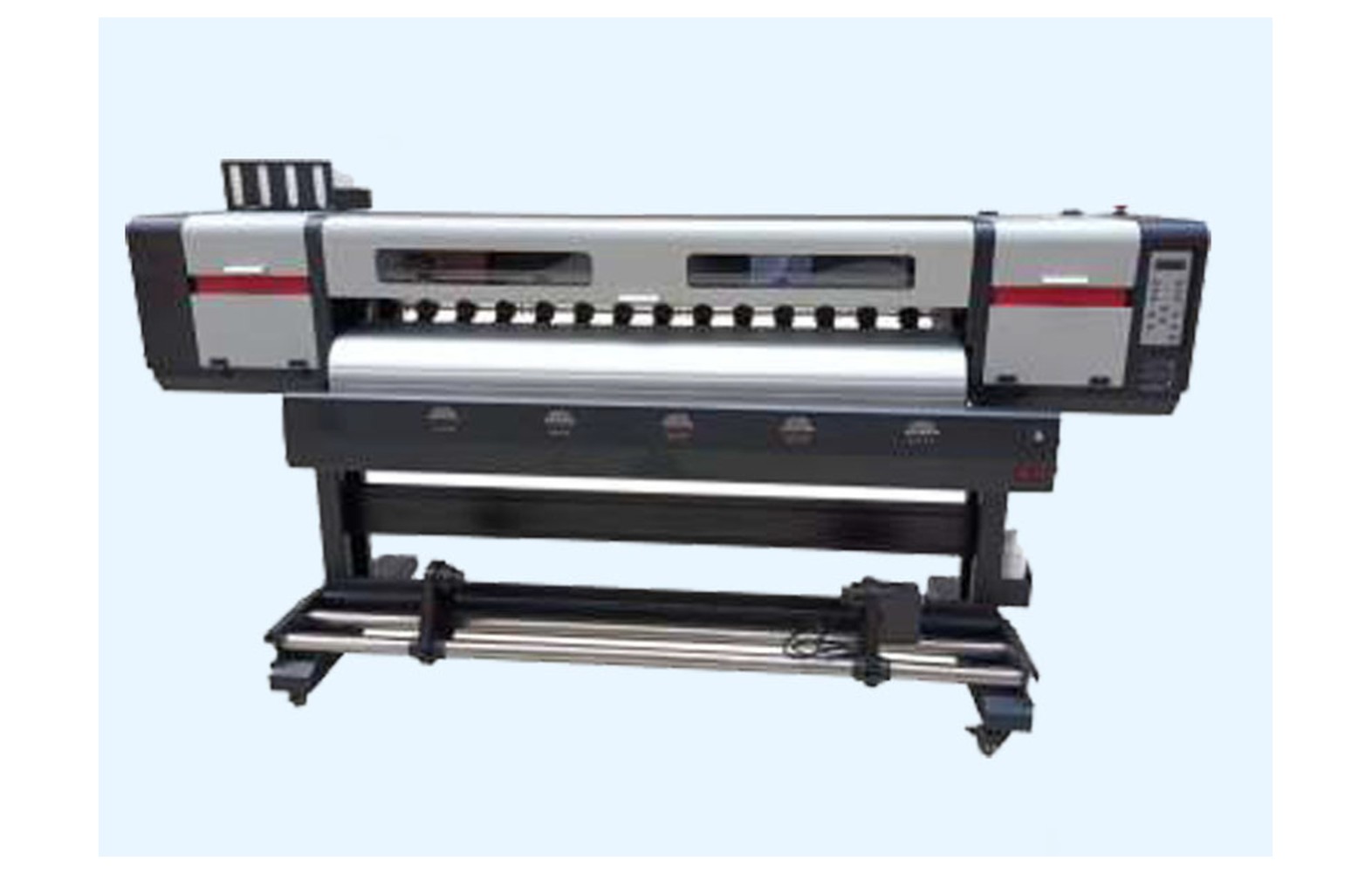
Direct answer: Compare genuine and compatible eco-solvent printer spare parts by verifying the exact printer, head, ink, manufacturer part number, supplier evidence, warranty and authorised service. A genuine part can still be wrong for another machine revision, while a compatible label does not prove manufacturer approval. Establish suitability and safety before comparing price.
Define the printer and the reported problem
Record the manufacturer, model, serial, revision, installed head, approved ink, maintenance station, electronics and any authorised modification. An eco-solvent printer bought used or converted after installation may not match its original catalogue. Ask the manufacturer or authorised service provider to verify the current configuration.
A print defect or alarm does not identify a failed spare by itself. Banding, weak colour or registration issues can involve artwork, profile, media, ink delivery, head, motion or electronics. Preserve the sample and ask qualified service to diagnose the complete system before ordering.
This guide supports a buying decision. Electrical, guarded mechanical and ink-system work must follow the exact machine manual and site safety procedures and be performed by appropriately trained and authorised personnel.
What a genuine claim should include
Ask which manufacturer, part number, revision and supply channel the seller is claiming. Verify identity through the manufacturer’s recommended process where available. Retain the invoice, packaging identification, written compatibility and warranty terms.
A genuine part can still be wrong for a different printer, head variant, ink or board configuration. Confirm the exact serial and approved supersession, not just the family name. Do not use a familiar logo, appearance or high price as proof of suitability.
Ask who performs installation and testing and what evidence is required for a warranty claim. A component warranty does not automatically cover downtime, labour or customer reprints.
What a compatible claim should include
A compatible item is presented as an alternative to an original part. Ask the supplier to specify the precise printer, revision, component function, approved ink or control configuration and the evidence behind that claim. A generic universal listing is not enough.
Check the printer manufacturer’s support and warranty position for the proposed component. A vendor’s compatibility claim is not the same as manufacturer approval. Request specifications and written responsibility for installation, acceptance and returns.
Do not select a part based on appearance or price alone. Similar fittings, connectors, sizes or head-family names can conceal important differences. If the supplier cannot identify the actual machine, seek confirmation before ordering.
Refurbished and used parts
Used or refurbished components can have uncertain history. Ask what was inspected, tested or repaired, whether prior ink exposure is known and what the written return terms cover. A qualified technician should determine whether the manufacturer supports the option for the exact system.
For printheads and ink-path parts, prior fluids and contamination can matter. Do not improvise cleaning or a conversion. For electronics and motion assemblies, installation, configuration and safety checks are model-specific.
A lower component price may not mean lower total cost after diagnosis, authorised labour, related parts, downtime and uncertainty. Do not promise a universal remaining life or saving.
Printhead compatibility
Confirm the full head variant, machine, board, approved ink and manufacturer part number. A head family name alone does not establish the supported integration. Ask whether related cables, dampers, configuration or other service is required.
A nozzle pattern provides useful evidence at one point, but missing lines do not automatically prove that a head must be replaced. The ink path, maintenance station, electronics, media and settings may also contribute. Use the manufacturer’s approved diagnosis.
Only authorised personnel should perform head-related electrical and ink-system service. Do not use generic flushing instructions or unapproved fluids. A replacement needs an agreed representative acceptance test.
Ink-system parts
Dampers, pumps, filters, lines, seals and connectors must match the exact machine and approved ink. Eco-solvent formulations are not automatically interchangeable. A general solvent-resistant description is not proof that every fluid and component are compatible.
Ask the machine manufacturer for the approved parts and maintenance products. If a conversion is proposed, obtain a documented assessment of the complete system and warranty before changing. Do not mix inks or improvise a flushing process.
Review the actual safety data sheets with qualified site professionals. Ventilation, fire precautions, storage, spills and waste handling depend on the products and local rules. The word eco does not establish that no controls are necessary.
Maintenance station and cleaning parts
Caps, wipers and associated assemblies are model-specific. Confirm the exact station, head, ink and part number, including related seals or fittings. Similar appearance does not establish the correct material or mounting.
Ask which daily checks trained operators may perform and which require authorised service. Repeated aggressive cleaning or an unapproved cleaner can damage components. Follow the exact manufacturer procedure and escalation limits.
A missing nozzle or dirty-looking cap does not prove that replacement is required. Retain the test and obtain a qualified system diagnosis before buying.
Electronics, motion and media parts
Boards, cables, sensors and power supplies depend on machine revision, control configuration and approved service. Electrical work requires qualified authorised personnel using the manufacturer’s isolation procedure. Never bypass a guard or protective device to make a substitute work.
Belts, rails, bearings, rollers and take-up parts must match the machine and function. Similar dimensions or a shared printer width do not establish suitable mounting, material or control. A mechanical symptom can have several causes and should be assessed safely.
For vinyl, label or print-and-cut work, compare the complete workflow. A finished alignment issue can involve artwork, registration marks, media feed, printer or cutter. A replacement part should be selected after the relevant system is diagnosed.
Compare written offers
Request the exact part number, supported printer and revision, condition, approved ink or electronics configuration, related hardware, freight, tax, authorised labour and acceptance test. Compare like-for-like scopes. A component-only price is not a complete repair quote.
Review warranty start, exclusions, installation requirements, return process and who pays freight if a part is wrong or damaged. Ask what happens if the original fault remains. Do not assume that downtime or customer reprints are covered.
For a hypothetical example, option A costs Rs 5,000 for a component and Rs 2,000 for authorised service, while option B costs Rs 4,000 and Rs 3,000 respectively. Both illustrative subtotals are Rs 7,000 before freight, tax and other costs. These invented figures are not market rates or evidence that either part is suitable.
Safety and site requirements
Electrical, guarded mechanical and ink-system work must be performed by qualified authorised personnel using the exact machine procedure. Never bypass a guard, interlock or protective device to make a substitute work. Stop and follow the site procedure for smoke, a burning smell, leak or unsafe motion.
Keep current safety data sheets for the actual inks and cleaning products. Qualified site professionals should assess ventilation, fire precautions, storage, spills and waste under applicable local rules. The term eco-solvent does not establish that no controls are required.
A printer fan or an open door is not automatically a complete ventilation design. The site, machine and substances determine the appropriate controls. Do not use a generic heater, electrical or chemical recommendation as a substitute for qualified assessment.
Acceptance after service
- Record the baseline: machine, symptom, file, media, ink and last accepted output.
- Verify the part: exact number, revision, condition and written compatibility.
- Agree the work: diagnosis, related parts, authorised labour, safety and warranty.
- Perform service: follow the manufacturer’s isolation and installation process.
- Restore protection: confirm guards and protective systems under the service procedure.
- Run approved checks: test the relevant system and representative customer-quality print.
- Document release: retain the technician’s report, settings, sample and limitations.
A successful short test is evidence for those conditions, not a guaranteed component lifetime. If the defect appeared only after a long run or idle period, agree a safe follow-up with the technician before committing a customer deadline.
Customer-quality and backup planning
Eco-solvent output may be inspected closely on decals, labels, signs or wraps. Use the approved material, profile and file in a representative acceptance test. For print-and-cut work, assess the combined workflow and final dimensions, not only printer startup.
Keep a pre-qualified backup printer or subcontractor where practical. Compare its media, colour and finishing against the customer-approved proof. A backup reduces pressure to operate unsafe equipment or fit an uncertain spare.
Identify output produced before and after service and obtain customer acceptance of any variation. Technical service sign-off and finished-job approval are separate decisions.
Stock and supplier questions
Store verified spares under supplier guidance, labelled by machine, part number, condition and approved application. Review the inventory after an authorised ink, head, board or station change. Do not issue old stock to a different revision by appearance alone.
- What exact printer serial, revision and part number does the offer cover?
- Is the item genuine, compatible, refurbished or used?
- Which head, ink, board or related parts are approved?
- What evidence supports the proposed diagnosis?
- Who performs service, testing and warranty support?
- What are the full cost, lead time and return conditions?
Common mistakes
Buying by appearance: verify exact machine and part number.
Treating compatible as manufacturer-approved: request written support for the actual configuration.
Replacing from one symptom: diagnose the complete system.
Mixing unapproved fluids: follow the exact ink and machine documentation.
Bypassing safety: stop and use qualified authorised service.
Comparing only part prices: include labour, related components, testing and downtime.
Related reading
For the full equipment context see the eco-solvent spares buyer guide and printhead replacement checks. For a general flex comparison see genuine versus compatible flex spares.
Conclusion
Choose genuine, compatible or refurbished eco-solvent spares only after confirming the exact machine and qualified diagnosis. Compare written evidence, authorised installation, warranty and total cost, then test the complete workflow.
Assess a printer with incomplete history
A used machine can have an undocumented head, board or ink conversion. Ask for the original invoice, service reports, current software and approved consumable list. Missing information increases uncertainty but does not by itself prove that the installed parts are defective.
Have an authorised technician assess the configuration using the manufacturer’s safe procedure. Do not open guarded areas or disconnect an ink line solely to compare a photograph. The service provider can document the installed assemblies and ask the manufacturer which replacements are supported.
Where current ink is uncertain, do not mix products or introduce a generic cleaner. The manufacturer and qualified site team should assess the fluid path, safety data and local waste requirements before any approved conversion. Update the machine record after the work.
Compare a supplier’s compatibility evidence
Ask the vendor to name the exact printer, revision, head and ink or electronics configuration covered by the offer. A broad list of popular head families may omit a machine-specific connector, mounting or firmware requirement. Request the manufacturer part number and the basis for any cross-reference.
If the machine manufacturer has issued a replacement number, confirm that it applies to the serial and installed options. Ask whether related seals, cables or authorised configuration are required. A lower price for a partial assembly should not be compared with a complete service scope.
If the offered item is compatible rather than manufacturer-approved, clarify who accepts responsibility for installation and a warranty claim. The machine manufacturer may have restrictions on support. Keep those answers with the purchase record.
Receive and store a replacement
Compare the package identification and condition with the approved order. Follow supplier handling instructions, particularly for sensitive electronics and ink-system components. If an item is damaged or the number conflicts with the quote, hold it for clarification before an authorised person opens or installs it.
Record the supplier, condition, receipt date, warranty and approved machine. Ask about shelf life or storage conditions where applicable. Separate stock for different revisions so that an urgent breakdown does not lead to a visually similar but unverified part being issued.
For a return, follow the provider’s instructions and the site’s handling requirements. Removed components can contain ink or be electrically damaged. Do not send contaminated items without confirming safe packaging and applicable transport requirements.
Review a repair that did not resolve the fault
Preserve the original symptom, diagnostic report, part number and after-service sample. If the problem persists, ask the authorised technician which approved test can distinguish the remaining possibilities. A replacement can be correct while another fault still affects the system.
Agree a revised scope and cost before further work. Avoid swapping several parts from other printers, repeatedly resetting protection or performing an improvised flush. Such actions can damage components and make a later diagnosis less clear.
Use a pre-qualified backup for urgent work where practical and compare its output with the customer proof. Keep the original printer out of service if there is an unresolved leak, unsafe movement or electrical hazard.
Review the supplier after delivery
Record whether the delivered part matched the quote, whether required fittings and documents were included and how the provider responded to questions. Compare actual lead time and labour with the written offer. A supplier scorecard should reflect documented experience rather than a single price.
Retain the warranty terms, service report and accepted output. If a customer job required reprinting, record that cost separately and check whether it is included in any claim. Do not assume a part warranty automatically covers downtime or customer work.
Update the approved supplier and parts records after the responsible team reviews the outcome. The goal is to make the next decision traceable without claiming that one successful purchase guarantees every future part.
Before ordering, agree who confirms technical compatibility and who approves the commercial terms. Ask whether the quote includes the part, related components, authorised labour, testing and freight. If the provider discovers another fault, require a revised scope and cost before work continues.
For an urgent customer job, compare a pre-qualified backup’s material, colour and finishing with the accepted proof. A deadline does not justify bypassing guards or fitting a component whose application is still uncertain. Retain the final approval and service record with the printer history.
Frequently Asked Questions
Is a genuine part always suitable for an eco-solvent printer?
No. A genuine component can still be wrong for another printer revision, head or ink. Confirm the exact part number and configuration.
Does compatible mean manufacturer-approved?
Not automatically. Request the precise compatibility evidence and check the machine manufacturer’s support and warranty position.
Can any eco-solvent ink be used with a compatible part?
No. Verify the exact approved formulation and component materials with the manufacturer and authorised service provider.
Is a refurbished head always cheaper overall?
No. Diagnosis, authorised installation, downtime, uncertainty and warranty can change the total cost.
Does a nozzle defect prove a head must be replaced?
No. Ink delivery, maintenance, media, settings and other components can contribute. Obtain a qualified diagnosis.
Can an operator install electrical or ink-system spares?
Only personnel trained and authorised for the exact machine should perform those tasks under the manufacturer procedure.
How is a part accepted after service?
Run approved checks and representative customer-quality output, restore safety systems and retain the technician’s report.
