



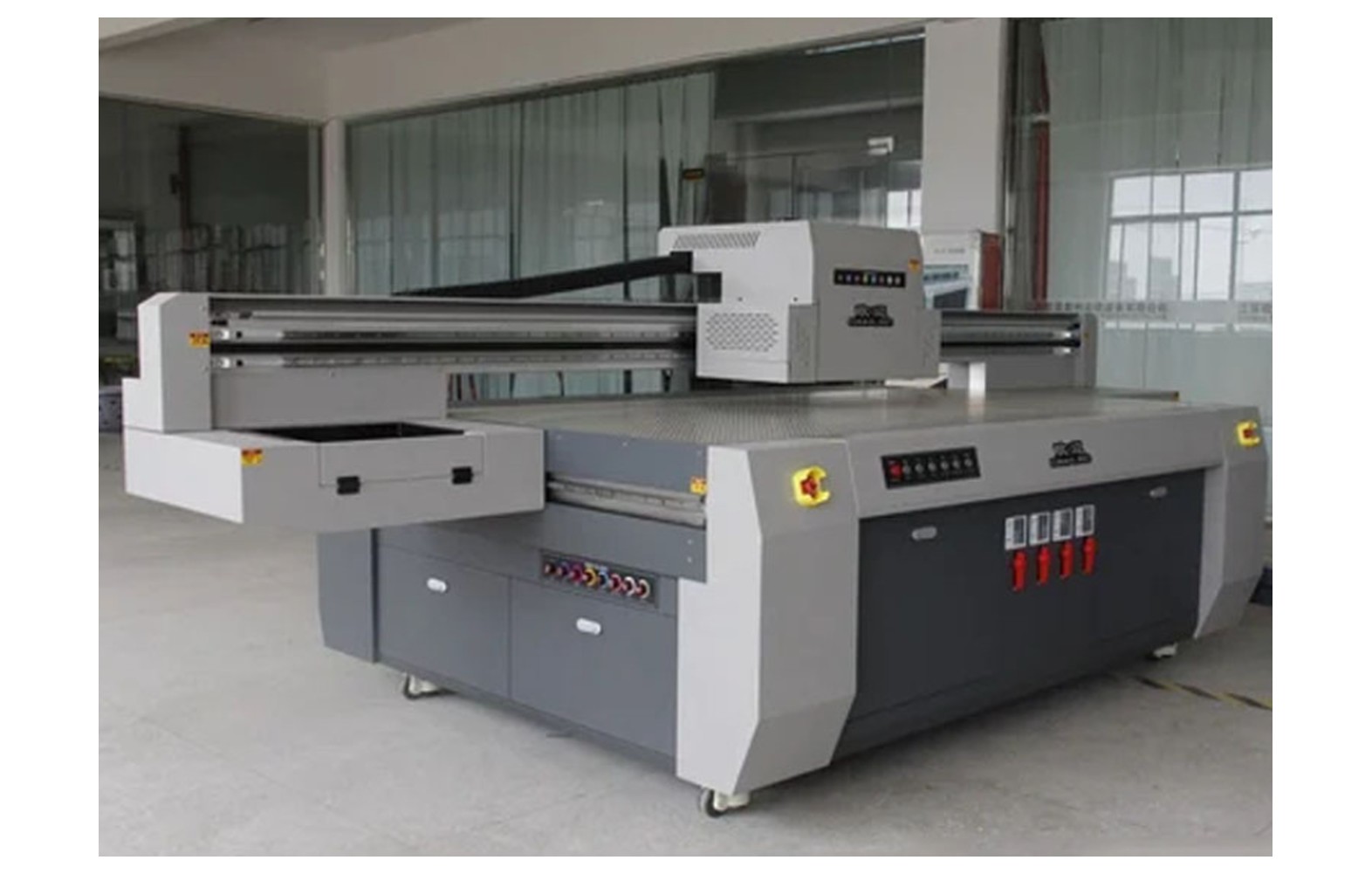
Direct answer: UV flatbed vacuum pumps, valves, seals and related parts must match the exact printer and table configuration. Weak hold-down can result from the substrate, table setup, zones, seals, pump, controls or other causes. Use the manufacturer’s approved checks and qualified service before replacing components. A vacuum system does not guarantee safe holding for every material or fixture.
Understand the table and job
A vacuum table may hold an approved substrate against the flatbed using a model-specific pump, zones, valves, seals and controls. The arrangement varies by printer. Obtain the manufacturer’s diagram and operating limits for the installed table; not every flatbed uses the same hold-down system.
Record the actual substrate, size, thickness, flatness, coating, placement and intended print area. Thin, porous, warped or irregular items can behave differently. The printer manufacturer and responsible production team must determine an approved holding method for the actual job.
This guide supports owner-level planning and parts purchasing. It does not provide a universal vacuum setting, electrical procedure or fixture design. Use the exact machine instructions and appropriately qualified personnel.
Safety before inspection
Moving carriages, electrical equipment and vacuum components can create hazards. If a substrate lifts or could contact the head, stop using the manufacturer’s procedure. Do not reach under moving equipment, bypass guards or alter a protected fixture to finish a job.
UV radiation can injure eyes and skin. Never look at an operating source, expose it outside the enclosure or defeat guards and interlocks. Qualified authorised personnel must follow the manufacturer’s isolation procedure for guarded, electrical and UV service.
Uncured UV ink may present health hazards, including skin sensitisation for some formulations. Review the actual safety data sheets and qualified site controls for ventilation, protective equipment, spills and waste. Avoid direct skin contact with suspect output.
Substrate is part of the system
Before diagnosing a pump, verify the approved material, placement and table setup. A warped, porous, uneven or undersized item may behave differently from a flat test panel. The machine and substrate suppliers should confirm the supported use and any approved fixture or masking method.
Do not assume a specific vacuum method is suitable for every product. The responsible team should test representative materials and the actual job under the manufacturer’s safe procedure. A substrate that feels secure at setup may move during a run; monitoring and stop conditions should be defined.
Customer dimensions, print position and intended use matter. A successful hold-down trial does not prove adhesion, cure or product compliance. Those require their own application-specific assessment.
Vacuum pumps
Pump types and arrangements vary by model. Ask the manufacturer which assembly is installed, its function, part number, approved operating requirements and service needs. A pump advertised for another flatbed or with a similar label is not automatically compatible.
Weak hold-down does not by itself prove the pump failed. Table zones, seals, valves, filters, lines, substrate and controls may contribute. Preserve the symptom and ask authorised service to assess the complete system under the exact manual.
Electrical and mechanical pump service requires qualified authorised personnel using the manufacturer’s isolation procedure. Do not open electrical panels, bypass protection, modify a pump or improvise settings to finish an order.
Valves, zones and controls
Some tables have zones or valves to direct holding capacity; others use a different arrangement. The manufacturer defines the supported setup. Ask which zones or controls are intended for the substrate and whether an operator may perform a particular check.
A zone that does not hold as expected can involve the substrate coverage, valve, seal, line, controls or another condition. Record the configuration and consult the manual. Do not bypass a control or change protected settings by guesswork.
For a replacement valve or control part, confirm the exact printer serial, revision, position and manufacturer number. Similar connectors or dimensions do not establish mechanical or electrical compatibility.
Seals, gaskets and lines
Seals, gaskets and lines must match the table design and operating environment. Their material, dimensions and mounting requirements are model-specific. A similar-looking spare may not provide the intended performance or fit.
Ask the manufacturer which operator-level visual checks are permitted and which require authorised service. Do not remove guarded parts, force a seal or use an improvised adhesive. The technician should assess the complete path under the approved procedure.
Store verified spares according to supplier instructions and label the machine, position and part number. Review stock after an authorised table modification. A component from an earlier revision may not remain supported.
Diagnose weak hold-down safely
Record the printer configuration, substrate, zones, fixture, settings, job and last accepted result. Note whether the issue affects a particular area or material and when it appears. A safe photograph or retained test record can help service, but do not reach into moving equipment to obtain evidence.
Confirm the approved loading and material procedure before concluding that a component failed. Ask the technician which checks distinguish substrate, seal, valve, line, pump and control causes. Change only authorised variables in a controlled comparison.
If the material can lift into the carriage path, stop and isolate affected work according to the manual. Do not continue a hazardous test or bypass protection to meet a deadline.
Choosing replacement parts
Confirm the exact manufacturer part number, printer serial, revision, component function and position. Ask whether related seals, fittings, controls or authorised configuration are included. Similar appearance or a nominal pump rating is not enough to establish complete compatibility.
Record whether the part is genuine, compatible, refurbished or used. A genuine item for another revision can still be wrong. For an alternative, obtain written specifications and the manufacturer’s support and warranty position.
Do not open guarded or electrical equipment merely to photograph a part. The manufacturer may identify it from the machine record; otherwise an authorised technician should inspect under the correct isolation procedure.
UV ink and curing are separate decisions
Uncured UV ink and maintenance products can pose health hazards. Keep actual safety data sheets accessible and have qualified professionals assess ventilation, protective equipment, fire, spills and waste under local requirements. Do not assume a vacuum test establishes safe contact with the printed item.
A surface that feels dry or passes an informal rub does not by itself prove complete cure or product suitability. The responsible product owner and qualified quality team must choose appropriate cure, adhesion and other tests for the actual application.
Do not claim food-contact, medical or other regulatory compliance from successful hold-down or a spare-part replacement. Those decisions belong to the product owner and qualified advisers.
Acceptance after authorised service
- Record the baseline: printer, table, substrate, zones, fixture and symptom.
- Verify the part: exact pump, valve, seal or related number and written compatibility.
- Perform authorised work: use the manufacturer’s isolation and service procedure.
- Restore protection: confirm guards and UV interlocks under the service process.
- Run approved hold-down checks: use representative substrates and the manufacturer’s safe setup.
- Print representative work: inspect movement, position and customer-quality output.
- Assess the application: qualified teams select cure, adhesion and product tests.
- Document release: retain the service report, test conditions and limitations.
A successful short trial is evidence under those conditions, not a guarantee for every substrate or future run. For a problem that appears later, agree a safe representative test and follow-up with the technician.
Cost and downtime
Compare diagnosis, exact part, related seals or fittings, freight, tax, authorised labour, testing and downtime using current quotations. A pump-only price may exclude the work needed to restore and verify the table. Review warranty and return terms.
For a hypothetical example, diagnosis costs Rs 1,000, a component Rs 3,000 and authorised labour Rs 1,500. The illustrative subtotal is Rs 5,500 before taxes and other costs. These invented figures are not market rates. Use your own quote and record diagnostic uncertainty.
For urgent work, a pre-qualified backup may be considered only after the actual substrate, ink, cure and customer requirements are assessed. Do not operate the original printer with an unsecured item or disabled protection.
Common mistakes
Replacing the pump from weak hold alone: assess material, zones, valves, seals and controls.
Assuming every substrate holds equally: test the actual approved material and fixture.
Bypassing a guard: stop and use authorised service.
Using an improvised seal or fitting: confirm the exact approved part.
Equating hold-down with cure: use separate application-specific quality tests.
Questions for the supplier
- Which pump, valve and seal part numbers match this printer serial?
- Which substrates and table setups are approved?
- What evidence supports the proposed component diagnosis?
- Who performs safe electrical and mechanical service?
- How will representative hold-down and print quality be verified?
- Which cure or product tests remain the owner’s responsibility?
For general engineering see UV flatbed vacuum tables and hold-down troubleshooting. For ink safety read UV ink handling.
Conclusion
Choose vacuum-table spares by exact printer configuration and qualified diagnosis. Test representative substrates using the approved safe process, and assess cure and product suitability separately.
Plan a representative hold-down trial
Define the substrate, dimensions, thickness, flatness, table configuration, fixture and print area before testing. Ask the manufacturer which materials and operating procedures are approved. A flat panel used for a brief demonstration may not represent a porous board or a small irregular product.
Set acceptance criteria with the responsible production and quality team before a trial. They may include the item’s position, visible movement and output dimensions under the actual workflow. The required test method and sampling depend on the machine and application; this guide does not prescribe a universal vacuum setting.
If an item rises, moves or could contact the head, stop using the manufacturer’s procedure. Do not reach under a moving carriage or defeat a height sensor. Record the conditions that can be observed safely and seek qualified help before trying another setup.
Separate table setup from a pump fault
Review the approved zone and valve configuration, substrate coverage and fixture in the manual. A change in material size or placement can affect the intended use of a table. Record the configuration rather than assuming that a pump must be replaced when a particular piece does not hold.
Ask the technician how the manufacturer assesses the pump, seals, valves, lines and controls on this model. Some checks may require isolation or specialised equipment. An operator should not open electrical or guarded components or improvise a test.
For a controlled comparison, change only approved variables and record the actual substrate and settings. A different material may behave differently because of porosity, flatness or surface finish. One short successful trial does not establish safe holding for all production conditions.
Ask about pump, valve and seal scope
A vendor may quote a pump alone or an assembly with related controls, seals or fittings. Ask the manufacturer for the exact part number, function and supported printer serial. Similar external dimensions or a nominal rating do not establish full mechanical and electrical compatibility.
Request the diagnosis, related parts, freight, authorised labour, configuration and acceptance checks in a written quotation. If a different fault is found, agree who approves extra work. Keep the original symptom and sample with the service request.
Electrical and mechanical service belongs to qualified authorised personnel. Do not alter a valve, sensor or protective device to make an unsupported component operate. The manufacturer’s service procedure and the site’s safety requirements take priority.
Distinguish holding from product quality
A vacuum system can help keep an item positioned during printing; it does not establish that ink adhered properly or cured sufficiently. Those are separate process questions involving substrate, ink, surface preparation, lamp and print mode.
The responsible quality team should select suitable tests for the actual product. A dry-feeling surface or a quick rub can reveal some problems but does not prove complete cure, skin or food-contact suitability, or regulatory compliance. The product owner and qualified advisers determine the applicable requirements.
Retain the test method, material identification, settings and limitations. If the pump or fixture changes, consider whether the production process or relevant application tests need review before customer release.
Manage varied jobs and repeat orders
A flatbed shop may print multiple sizes and shapes. Keep a job-specific record of the approved substrate, placement, fixture or vacuum setup and customer-quality criteria. Do not assume that a setup proven for a large rigid panel will work for a small or irregular item.
For a repeat order, check whether the substrate supplier, coating, batch or dimensions changed. Reconfirm the manufacturer’s approved handling and the responsible team’s test requirements. A visually similar item may behave differently on the table.
If a customer deadline requires a backup printer, assess its fixture, ink, cure and substrate process against the actual job. A backup does not justify operating the original machine with an unsecured item or disabled protection.
Review the authorised service scope
Ask whether diagnosis, the pump or valve assembly, related seals, freight, qualified electrical work and the representative hold-down test are included in the quotation. A pump-only offer is not comparable with a complete service visit. Agree who approves additional work if the technician finds another cause.
Retain the last accepted substrate setup and the service report. If the symptom returns, document the current material, zones and settings and ask for a qualified reassessment. Do not repeatedly replace pumps or bypass controls without evidence.
At shift handover, state which substrates and fixtures are approved, what signs require a stop and whom to contact. A temporary workaround should not become an undocumented production procedure simply because a customer deadline is near.
Prepare a backup for urgent work
A pre-qualified alternative printer or subcontractor may help when the table is unavailable. Verify the actual substrate, fixture, ink, cure and finishing against the customer specification. A different system may need a separate application assessment; an earlier test does not automatically transfer.
Record the customer’s accepted proof and any revised delivery. Do not operate the original printer with an unsecured item or disabled guard to avoid a delay.
Retain the approved substrate and table configuration with the machine service record for the next shift.
Related UV flatbed guides
For the next step, see UV carriage and encoder service checks and UV flatbed spares and inventory. Use the manufacturer instructions and the responsible qualified team for the actual printer and application.
Frequently Asked Questions
Does weak hold-down prove the vacuum pump failed?
No. Substrate, zones, seals, valves, lines and controls may contribute. Use the manufacturer’s approved diagnosis.
Will every substrate hold equally on a vacuum table?
No. Size, flatness, porosity, surface and fixture can affect the result. Test the approved actual material.
Can an operator bypass a guard to inspect the table?
No. Follow the manufacturer’s safe stop and isolation procedure and use authorised service.
Does successful hold-down prove full UV cure?
No. Hold-down, cure and adhesion are different questions. Qualified teams must select application-specific tests.
Can any pump with a similar rating replace the original?
No. Confirm the exact printer, part number, electrical and control configuration with the manufacturer.
What should staff do if a substrate lifts near the head?
Stop using the approved procedure and seek qualified help. Do not reach into moving machinery or bypass protection.
How is a replacement accepted?
Restore guards, perform approved hold-down checks and assess representative output and application-specific tests, retaining the report.
