



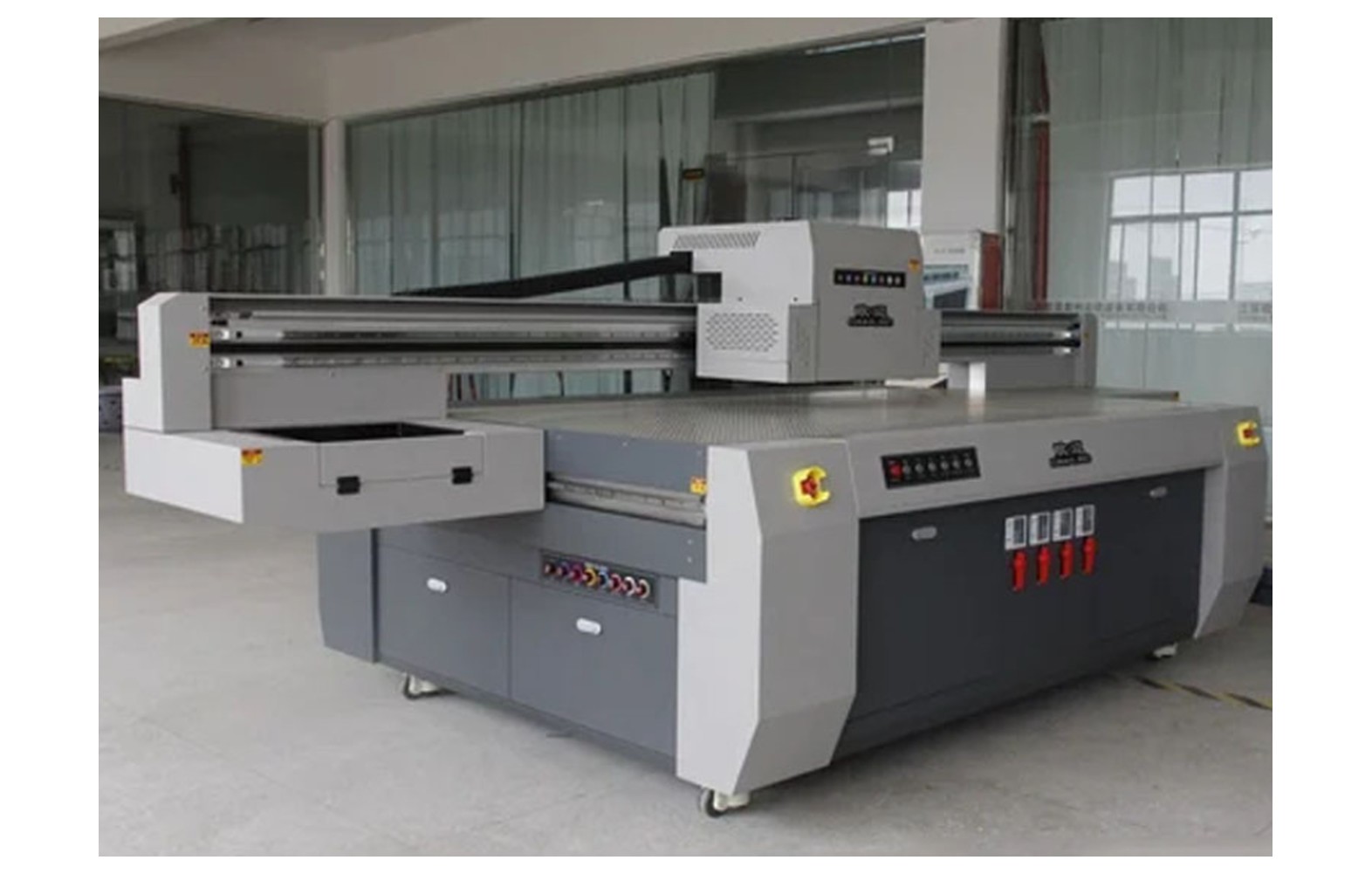
Direct answer: Select a UV LED lamp or module for a flatbed printer using the exact printer model, serial, approved module part number, ink and control configuration. Mechanical fit or a similar-looking array does not establish optical, electrical or curing compatibility. UV exposure can injure eyes and skin, so lamp assessment and replacement must follow the manufacturer’s guarded, isolated procedure through qualified authorised personnel.
Start with the installed curing system
A UV flatbed can use LED modules, controls, cooling, power components, shields, sensors and interlocks in a machine-specific arrangement. Some printers have different lamp technologies or configurations. Obtain the manufacturer’s diagram, service instructions and approved parts list for the exact model.
Record the printer serial, revision, installed module, approved UV ink, software and any authorised modification. A used or upgraded machine may not match its original catalogue. Ask the manufacturer or authorised technician to identify the current assembly before ordering.
This guide helps owners compare spares and service. It does not provide a universal wavelength, electrical rating, exposure setting or live lamp test. The exact manufacturer instructions and qualified site assessment take priority.
UV exposure safety
UV radiation can injure eyes and skin. Do not look directly at an operating source, expose a lamp outside its enclosure, defeat guards or bypass an interlock. Follow the manufacturer’s safe stop and isolation procedure. Qualified authorised personnel should perform lamp, electrical and guarded service.
If a guard is damaged, a source is exposed, there is smoke, burning smell, damaged wiring or unsafe heat, stop under the site emergency procedure and notify the responsible supervisor. Do not operate a hazardous unit merely to demonstrate a fault.
Protective equipment, shielding, ventilation and emergency controls must be assessed for the actual system and site. A generic pair of glasses or a printer fan is not automatically sufficient. Consult the manufacturer, actual safety data sheets and qualified professionals under applicable local rules.
Uncured ink and product safety
Uncured UV ink and residues can pose health hazards, including skin sensitisation for some formulations. Keep the actual safety data sheets available, avoid direct skin contact and follow the qualified site’s controls for ventilation, protective equipment, spills and waste.
A printed surface that feels dry does not by itself prove complete cure or suitability for the intended use. The responsible product owner and qualified quality team should determine appropriate cure, adhesion and other tests for the actual substrate and application.
Do not infer food-contact, medical, skin-contact or other regulatory suitability from a lamp replacement or a successful print. The product owner and qualified advisers must determine current requirements for the market and use.
Identify the correct module
Confirm the manufacturer part number, printer serial, revision, module position, approved ink and any documented supersession. Ask whether the offer includes the lamp, driver, cooling components, cables or a complete assembly. Similar dimensions or connectors are not complete compatibility evidence.
Ask the manufacturer whether the proposed replacement is supported by the printer’s controls, protective enclosure and ink system. Optical output, electrical characteristics and control requirements must match the specific configuration. Do not choose from a generic wattage or colour claim alone.
Do not remove a guard merely to photograph a module. The supplier may identify the part from the machine record; otherwise an authorised technician must use the manufacturer’s isolation procedure.
Ink, substrate and process compatibility
The required curing process depends on the approved ink, substrate, layer thickness, white or varnish layers where used, print mode and machine settings. Ask the printer and ink suppliers which module and operating configuration are supported for the actual application.
A module advertised for UV printing is not necessarily suitable for every ink or material. Do not mix inks, substitute an unapproved module or copy settings from another machine without written manufacturer guidance. A change can affect output, safety, warranty and the site’s qualification.
Define the substrate, surface preparation and fixture or vacuum in the job specification. A moving or warped item can affect registration or create a head-strike risk. Use the manufacturer’s safe hold-down procedure.
Symptoms are not a lamp diagnosis
A tacky surface, odour, adhesion issue, alarm or uneven output can have several causes, including ink, substrate, artwork, settings, lamp condition, controls or handling. Record the job, ink batch, substrate, print mode and last accepted output. A single symptom does not prove the module failed.
Do not inspect an operating lamp directly or defeat protection to make a demonstration. Qualified service should use the manufacturer’s approved checks and suitable equipment. Preserve a sample only when it is safe to handle under the actual ink instructions.
Ask the technician and quality team to distinguish equipment diagnosis from application testing. A lamp replacement does not automatically resolve substrate preparation or establish complete cure.
Cooling, controls and related parts
Depending on the model, a UV module can interact with cooling, fans, sensors, controls and electrical protection. An alarm or change may involve any of those systems. Confirm the service scope and related part numbers with the manufacturer.
Do not clean a moving fan, open an electrical panel, bypass a sensor or substitute a component based on appearance. Qualified authorised personnel should isolate and assess the system using the exact manual and site requirements.
Ask whether the quotation includes related hardware, labour, configuration, safety checks and post-service testing. A lamp-only price may not represent the complete work required.
Genuine, compatible and refurbished offers
For a genuine module, verify exact number, revision, configuration and supply channel. A genuine unit for another printer or ink can still be wrong. Review warranty, storage and authorised installation terms.
For a compatible item, request the supported printer, ink, controls and protective system in writing and check the manufacturer’s support position. Similar appearance or a low price does not establish optical or electrical equivalence.
Used or refurbished modules may have uncertain history. Ask what was tested, what was replaced and who accepts the risk. Qualified service should determine whether the option is supported and how it will be verified without unsafe exposure.
Plan the service visit
Provide the printer record, current ink and safety data, job and substrate, settings, error and last accepted output. Ask what evidence supports the proposed lamp diagnosis and which alternative causes remain. The manufacturer defines the safe diagnostic sequence.
Request a written scope covering diagnosis, exact module, related components, freight, tax, authorised labour, safety controls, configuration and application testing. Clarify who approves additional work if another fault is found.
Do not bypass a UV guard or operate through an ink leak to meet a customer deadline. A pre-qualified backup printer or subcontractor can be assessed against the actual substrate, cure and customer specification.
Acceptance after authorised replacement
- Record the baseline: printer, module, ink, substrate, settings and original symptom.
- Verify the part: exact manufacturer number, revision, condition and approved configuration.
- Perform authorised work: follow model-specific isolation and service instructions.
- Restore protection: confirm shielding, guards, interlocks and electrical safety under the service process.
- Run approved checks: qualified personnel use the manufacturer’s equipment and procedures.
- Print representative work: use the intended ink, substrate and print mode.
- Assess the application: the responsible qualified team selects appropriate cure, adhesion and product tests.
- Document release: retain the service report, test method, output and limitations.
A dry-feeling surface, a short successful print or an informal rub test is not proof of complete cure. Acceptance must be tied to the actual product and the qualified team’s criteria.
Cost, warranty and stock
Compare diagnosis, exact module, related cooling or control parts, freight, taxes, authorised labour, safety and application testing, and downtime using current written quotations. Check warranty, exclusions, storage and return conditions before purchase.
For a hypothetical example, diagnosis costs Rs 1,000, a module Rs 10,000 and authorised service Rs 2,000. The illustrative subtotal is Rs 13,000 before taxes and other costs. These invented figures are not market prices. Use actual quotations and retain diagnostic uncertainty.
Decide whether to hold a spare based on the verified configuration, lead time, warranty and supplier storage instructions. Review stock after an authorised ink, module or control change. Inventory does not replace diagnosis or guarantee cure.
Questions to ask the provider
- What exact module number and revision fit this printer serial?
- Which ink, controls, cooling and protective enclosure are approved?
- What evidence supports a module fault rather than another process issue?
- Who performs safe isolation, installation and verification?
- What application-specific cure and adhesion tests are required?
- What warranty, support and return terms apply?
For broader engineering see how UV ink curing works and cure and adhesion testing. For safety read UV ink handling.
Conclusion
Select a UV LED replacement by exact machine, ink, control and safety configuration after qualified diagnosis. Use authorised service and application-specific acceptance, never direct UV exposure or a dry-surface assumption.
Understand what a module specification can and cannot say
A lamp supplier may list a spectral output, electrical input or other technical specification. The value must be interpreted for the exact printer, ink and measurement conditions. A single nominal number does not establish the exposure received across every printed item or prove the finished product meets its intended requirements.
Ask the printer and ink manufacturers which module and operating configuration they support together. The assembly’s driver, cooling, protective enclosure and controls can matter as well as the light source. A mechanically fitting module is not necessarily an approved replacement.
Do not choose a lamp using a universal wavelength or power target from an unrelated printer. The responsible qualified team should define the proper equipment, calibration and application tests. The owner should retain the manufacturer confirmation and service report.
Assess a changed ink or substrate
A new UV ink, coating or substrate can change the curing and adhesion outcome. Ask the relevant suppliers whether the existing module and approved print mode support the combination. Document the product, batch, surface preparation, white or varnish layers and fixture.
Print representative samples using the authorised process. The responsible quality team must define what tests are needed for the actual use and market. A substrate that appears dry under one set of conditions does not establish suitability for every product.
If the product has food-contact, medical, skin-contact or other regulated requirements, the product owner and qualified advisers determine the current applicable rules and evidence. Do not make those claims solely from a lamp specification, rub test or supplier statement.
Investigate uneven output safely
If the result differs across a substrate, retain the job file, ink, material, settings and a safely handled sample. Note where the issue appears and whether the item was flat and secured using the approved fixture or vacuum. Do not expose the UV source or remove a guard to observe it.
The authorised technician should assess the lamp, controls, cooling and protective system according to the manual. The qualified quality team can also review ink, substrate and process evidence. A visually uneven result does not by itself prove that a module has failed.
If there is a damaged shield, interlock fault, smoke or unsafe heat, stop under the site procedure. Do not continue a test to obtain more evidence. Production can resume only after the responsible team confirms the approved safety and acceptance conditions.
Compare supplier evidence and scope
Ask each supplier for the exact manufacturer part number, printer revision, supported ink and included driver, cooling or mounting components. Clarify whether the offer is a new genuine assembly, compatible part or refurbished item. Obtain the machine manufacturer’s support position before approving a substitute.
Compare diagnosis, freight, taxes, authorised labour, configuration, safety checks and application testing. A module-only price may not include work required to restore the complete guarded system. Ask what happens if the original symptom remains or another component is found defective.
Review warranty and return terms, including required installation and test records. An advertised lamp life is not a guarantee that every job will cure correctly for that period. Keep the actual service and process evidence with the machine record.
Manage a customer order after service
Choose a representative substrate and approved artwork, ink and print mode. Have qualified personnel restore guards and run the manufacturer checks before production. The responsible quality team then applies the tests required for the specific product; a successful equipment test is not automatically customer or regulatory approval.
For a reprint, compare appearance and dimensions with the customer-approved proof. If a backup printer uses a different ink or curing system, the product owner should assess whether the existing application tests still apply. Record any accepted variation and revised delivery.
Retain the technician’s report, module identification, configuration, samples and limitations. If the original symptom returns, stop where required and request a qualified reassessment. Do not expose a source or bypass protection to obtain more evidence.
Retain the baseline and service history
Keep the approved lamp part, ink, substrate and machine configuration with the service record. Record the last accepted output and any customer-specific test requirements. If the ink or substrate changes, the responsible team should assess whether the previous acceptance still applies.
Ask the authorised service provider to document the diagnostic evidence, work performed, safety checks and any remaining limitation. If the same symptom returns, provide the new sample and operating conditions rather than assuming the replacement module failed.
A pre-qualified backup can support urgent orders, but its different ink, lamp or substrate may need a separate product assessment. Compare the actual output with the customer-approved specification and obtain the required quality release.
Ask about support before ordering
Clarify who supplies the module, who performs isolated electrical and UV service and who selects application-specific tests. These can be different qualified parties. Confirm the process if an interlock, cooling component or control fault is found during installation.
Keep the current manual, safety data sheets and emergency contact accessible to authorised staff. Never instruct an operator to look at an operating source or bypass a guard for a quicker check.
Keep the approved part number, ink and application-test conditions with the machine record so future service compares the same configuration.
Review changes with the responsible quality and safety teams before releasing customer production.
Frequently Asked Questions
Can any UV LED module fit a flatbed printer?
No. Confirm the exact manufacturer part, printer controls, protective system and approved ink.
Does a tacky print prove the lamp failed?
No. Ink, substrate, settings, controls and other factors may contribute. Obtain a qualified diagnosis.
Can an operator look directly at the lamp to check it?
No. Do not look at an operating UV source or defeat guards. Use manufacturer-approved procedures and qualified service.
Does a dry-feeling print prove complete cure?
No. Surface feel alone does not establish complete cure or suitability for the intended product.
Does a lamp specification prove food-contact safety?
No. The product owner and qualified advisers must determine the applicable requirements and tests for the actual use.
Can a similar-looking module be substituted?
Not without written manufacturer approval for the exact printer, ink, electrical and protective configuration.
How is a replacement accepted?
Restore guards, perform approved checks and use application-specific tests selected by the responsible qualified team.
