



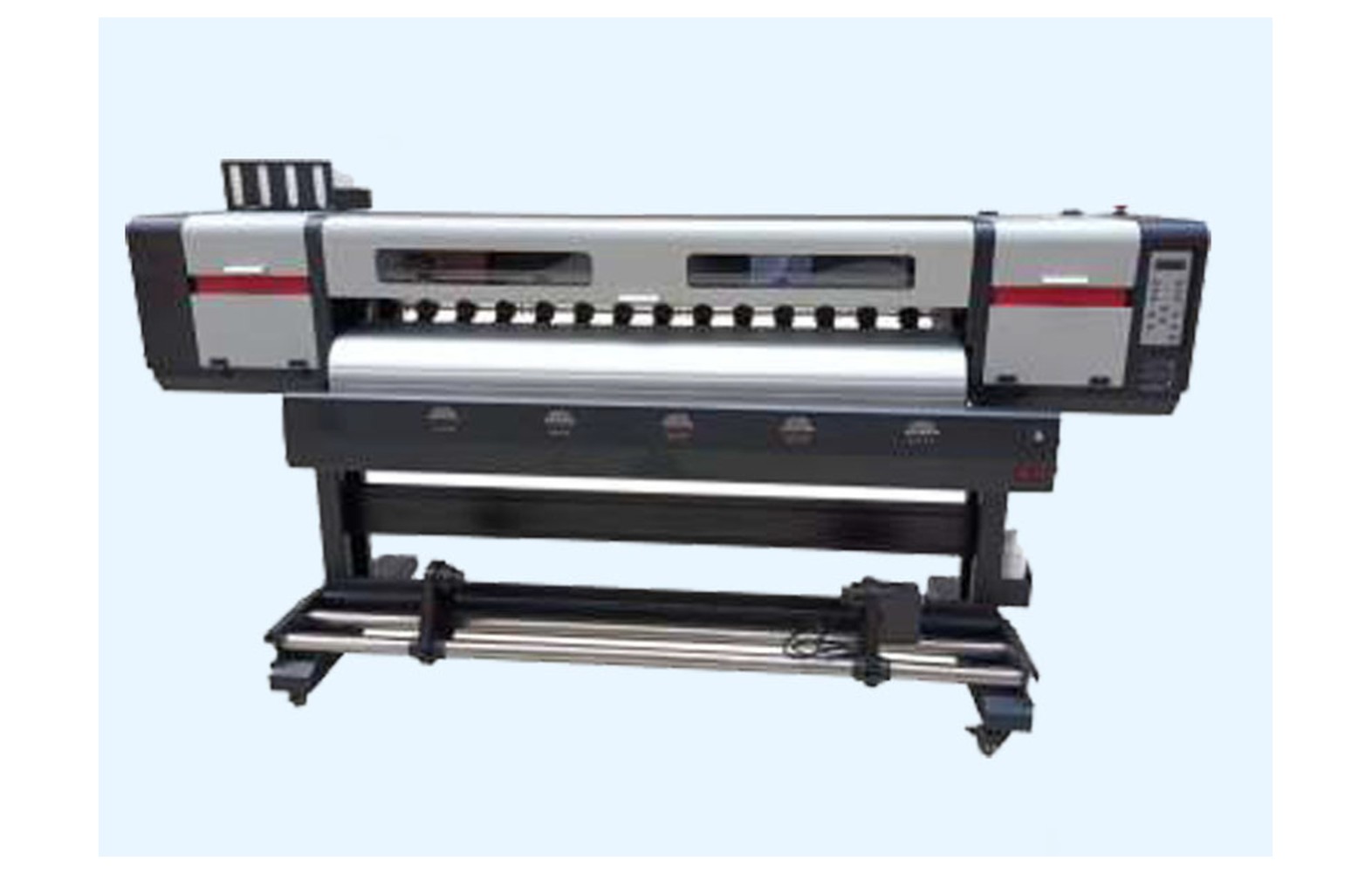
Direct answer: Eco-solvent printer heaters, dryers and power supplies must match the exact machine, approved media and ink, electrical configuration and site safety requirements. Smearing, an alarm or a power interruption does not by itself prove a particular part failed. Have qualified authorised professionals diagnose and service the system using the manufacturer’s instructions and applicable local rules.
Start with the actual configuration
Printers can use different heating, drying and power arrangements, and some accessories may be separate equipment. Record the manufacturer, model, serial, revision, installed options, approved ink and media. Obtain the exact manual, electrical requirements and current safety data sheets.
Ask the supplier to identify the assembly involved: heater, dryer, temperature sensor, fan, power supply or control component. Similar catalogue names do not establish the same function or part number. A machine converted or upgraded after installation may need a revised service plan.
This guide supports owner-level planning. It does not provide universal temperatures, wiring, protective-device ratings or ventilation sizes. Qualified personnel should assess and service the actual equipment and site.
Heat, electricity and safety
Hot surfaces, moving media and electrical components can create hazards. Do not touch hot parts, open electrical panels, probe live circuits, bypass guards or interlocks, or attempt repairs without authorisation. Use the manufacturer’s safe stop, isolation and cooling procedures.
If there is smoke, a burning smell, damaged wiring, unsafe heat or unusual movement, stop under the site emergency procedure and notify the responsible supervisor. Do not repeatedly reset protection or continue a job to reproduce a dangerous symptom.
Qualified professionals should assess the actual site electrical supply, earthing, protection, fire precautions and ventilation under equipment instructions and applicable local rules. A generic accessory or fan recommendation is not a site design.
Heating and drying functions
Some printers use heating or drying arrangements to support their approved print and media process. The function, location and controls vary by model. Ask the manufacturer which components are installed and which media and settings are supported.
Use only the approved settings for the exact ink and media. A setting that works with one vinyl or film may mark or distort another. More heat or faster production is not automatically better, and a generic temperature from another printer can be unsuitable.
Follow the material and ink supplier’s guidance for handling after printing. A mark discovered during take-up, cutting or packing may not originate in a heater. Preserve samples and record when the defect first appears.
Print quality and handling symptoms
Smearing, uneven appearance, media distortion or an alarm can involve ink, media, profile, print mode, feed, take-up, handling, sensors or heating equipment. One symptom does not prove a failed component. Record the file, approved ink, media, settings and operating stage.
Retain the last accepted output and a marked sample showing the issue. Compare the source file and RIP preview where relevant. A technician should use model-specific diagnostics to distinguish process, material and equipment causes.
Do not reproduce smoke, burning smell, unsafe heat or a damaged cable to obtain evidence. Stop and let the qualified service provider decide the next safe test. Use a backup production plan for urgent work.
Heater parts and compatibility
A heating assembly may include an element, sensor, controller, fan, cable, guards and protective devices depending on the model. Confirm the manufacturer’s exact part number, machine serial, revision and any approved supersession. Similar size or a matching label is not complete compatibility evidence.
Ask whether a quote is for an element, module or complete assembly and whether related hardware and authorised testing are included. A genuine part for a different revision may still be unsuitable. Check an aftermarket offer with the machine manufacturer and review warranty implications.
Only qualified authorised personnel should isolate, inspect and replace electrical or heating components under the manufacturer’s procedure. Do not open a guarded area merely to photograph a part if the supplier can identify it from the machine record.
Dryer, fans and airflow
Some systems use fans or separate dryers whose function and maintenance are model-specific. An unusual noise, airflow change or surface mark requires investigation but does not by itself identify a failed fan. Record the machine, accessory, settings and operating stage.
Do not clean a moving fan, remove guards or modify a duct without authorisation. Follow the equipment manual and have qualified personnel service electrical or mechanical components. If a required protective function is unavailable, stop under the site procedure.
A machine fan is not automatically a complete room ventilation system. The actual ink and cleaning-product safety data sheets, machine instructions and site conditions must be assessed by qualified professionals under applicable local requirements.
Temperature sensors and interlocks
Temperature feedback, controls and protective devices vary by design. An alarm can involve a sensor, wiring, controller, heating element, site supply or another condition. A qualified technician should assess the complete system before replacing a component.
Never bypass a temperature sensor, fuse, guard or interlock to finish a job. Do not substitute a similar-looking sensor or copy a protected setting from another printer. The manufacturer specifies the approved part and service procedure for the exact configuration.
Record the complete alarm and last accepted job. If the condition is unsafe, stop and notify the responsible supervisor. Do not repeatedly reset protection to gather more evidence.
Power supplies and electrical spares
A printer can have multiple power assemblies and other electrical components. Ask the manufacturer to identify the part number and function for the actual serial and revision. A matching connector or voltage label alone does not establish complete compatibility.
A power-related alarm does not prove that one supply has failed. Site power, cables, connected boards or other components can contribute. Qualified personnel should diagnose the complete installation using the manufacturer’s safe procedure.
Do not open electrical panels, probe live circuits, change a protective rating or install an unverified substitute. A qualified electrician should assess the actual supply, wiring, earthing and protection where required.
Ink safety and the site
Eco-solvent inks and maintenance fluids differ. Obtain current safety data sheets for the actual products and the printer manufacturer’s site instructions. Qualified professionals should assess ventilation, fire precautions, storage, spills, personal protection and waste under local requirements.
The word eco does not establish that a product is harmless or needs no controls. Do not mix inks or introduce an unapproved cleaner to improve drying. An ink conversion requires a documented manufacturer and site assessment.
If required ventilation, a guard or protective device is not functioning, stop under the site procedure and contact the responsible qualified team. A customer deadline does not justify bypassing safety.
Diagnose before ordering
Give the technician the machine configuration, error, settings, file, ink, media, service history and output samples. Ask which checks distinguish a material, profile, handling, sensor, heater, dryer or power issue. The exact sequence is model-specific.
Use a controlled comparison only where safe and authorised. Record the original settings and one approved change at a time where feasible. Do not change media, profile and protected equipment settings simultaneously and assume which one resolved the fault.
Request a written diagnosis, proposed part numbers, labour and acceptance plan. If uncertainty remains, agree the next authorised test and cost. A part-only price does not establish that replacement is needed.
Select the correct replacement
Confirm manufacturer part number, printer serial, revision, installed accessory and any approved supersession. Ask whether related sensors, cables, mounting or other hardware are included. Similar appearance does not establish safe electrical or thermal compatibility.
Record whether an offer is genuine, compatible, refurbished or used. Ask the printer manufacturer or authorised service provider whether an alternative is supported and how warranty applies. Do not fit an unverified component because it is immediately available.
Store spares under supplier instructions and protect them from damage or unsuitable conditions. An authorised technician should identify and install the part under the manufacturer’s isolation procedure.
Plan service and acceptance
- Record the baseline: machine, accessory, symptom, ink, media, settings and reference output.
- Verify parts: exact number, condition, related components and written compatibility.
- Perform authorised work: use qualified personnel and the manufacturer’s isolation and cooling procedure.
- Restore protection: confirm guards, sensors and protective devices under the service process.
- Run approved checks: qualified personnel perform model-specific electrical and functional tests.
- Print representative work: inspect the original symptom at the intended quality and material.
- Document release: retain the service report, sample and remaining limitations.
A successful short print is evidence under those conditions, not a guarantee of future reliability or customer durability. If an intermittent issue appeared late in a run, agree a safe follow-up with the technician.
Customer-quality and finishing checks
For decals, labels or vehicle graphics, agree colour, dimensions and handling with the customer. Use the approved media and profile. Technical repair acceptance is separate from the customer’s approval of a finished print or contour cut.
Identify output produced before and after service. Compare reprints with the accepted proof under agreed lighting and check final dimensions. Follow supplier guidance for handling, cutting and packing; do not promise a universal drying time for all inks and materials.
If a subcontractor or backup machine completes urgent work, confirm its media, colour and finishing against the customer’s specification. Do not operate a printer with an unresolved safety fault to avoid a delay.
Cost, warranty and support
Compare diagnosis, exact part, related components, freight, tax, qualified labour, site work, testing and downtime using current written quotations. Ask whether configuration, travel and acceptance checks are included. A component-only price is not the complete service cost.
For a hypothetical example, diagnosis costs Rs 1,000, a component Rs 4,000 and authorised labour Rs 2,000. The illustrative subtotal is Rs 7,000 before taxes, site work and other costs. These invented values are not market prices. Use your own quotations and document uncertainty.
Review warranty, exclusions and return terms before opening packaging. Record the service provider, installed part and approved settings. A spare in stock does not replace a qualified diagnosis or safe site.
Common mistakes
Increasing heat for every smear: assess media, ink, mode, handling and equipment using approved checks.
Bypassing a sensor or guard: stop and use qualified authorised service.
Ordering by appearance: verify exact part number and configuration.
Assuming a printer fan is site ventilation: have qualified professionals assess the actual process and products.
Using a generic electrical rating: a qualified electrician must assess the equipment and site.
Questions to ask
- Which heater, dryer and power assemblies are installed on this printer?
- Which media, ink and operator settings are approved?
- What evidence supports the proposed part diagnosis?
- Which sensors, controls and protective devices are involved?
- Who handles electrical service and site ventilation assessment?
- How will the representative job be verified after work?
For site planning see space, power and ventilation. For general spare purchasing see the eco-solvent buyer guide.
Conclusion
Heaters, dryers and power supplies must be assessed as part of the exact eco-solvent machine and site. Verify compatibility, use qualified diagnosis and service, and never bypass a protective function to meet a production deadline.
Separate the printer from a site power issue
Record whether the fault affected only the printer, an accessory or other equipment, and note the exact message and operating stage. A power interruption before a defect is useful context but does not prove that a particular supply or board failed. The qualified electrician and authorised service provider should determine the safe assessment.
Do not repeatedly reset a protective device or substitute a different rating to restore production. Ask the responsible professionals to review the machine instructions, installed accessories and site documentation. Their written finding should identify the proposed work and any uncertainty.
If an accessory is added after the original installation, review its load, access, ventilation and protection with qualified professionals. An old site assessment may not cover the changed equipment. Update the record and operator handover after the approved work.
Compare the full supplier scope
Ask whether a quote covers diagnosis, the exact assembly, related sensors or cables, freight, authorised labour, site work and acceptance testing. Clarify who performs each task and who approves additional work if another fault is discovered. A low component price may omit essential service.
For a compatible or refurbished part, obtain the supported machine revision, condition and manufacturer support position in writing. A similar label or connector does not establish safe electrical or thermal performance. Review warranty and return terms before opening protected packaging.
Retain the final invoice, service report and acceptance sample. If an alarm returns, provide the original record and new observations to service rather than repeatedly resetting protection or swapping parts.
Plan for a customer deadline
Maintain a pre-qualified backup where practical. Test its material, print quality and finishing against a representative customer proof before an emergency. The alternative can reduce schedule pressure but does not remove the requirement to repair the original equipment safely.
Identify which customer output was accepted before the fault and which needs replacement. Compare reprinted graphics for colour, size and cutting under agreed conditions. Document the customer approval and revised delivery separately from the technician’s machine sign-off.
After the incident, update shift handover, service contacts and the machine record. If the manufacturer changed an approved procedure, train operators on the tasks within their authority. Do not turn an unverified workaround into a permanent routine.
Review approved materials after a change
If a new vinyl, film or ink is proposed, ask the machine and material suppliers to confirm the supported combination and operator settings. A roll with the correct width can still have a different coating or handling requirement. Do not infer compatibility from the appearance of a previous product.
Print an approved representative sample and assess colour, surface and finishing under the customer’s conditions. Record the file, profile and material identification. If a mark appears, determine when it first occurs without touching hot or moving equipment.
Where the new product changes ventilation, storage or waste requirements, the qualified site team should review the actual safety data sheets and applicable rules before use. Update the job and shift instructions only after the responsible parties approve the change.
Frequently Asked Questions
Does smearing always mean the heater failed?
No. Ink, media, profile, handling and other factors can contribute. Use approved checks and qualified diagnosis.
Should heat always be increased to dry a print?
No. Use the manufacturer’s settings for the exact ink and media; more heat is not a universal solution.
Can a temperature sensor be bypassed?
No. Never defeat sensors, guards or protective devices to continue production. Stop and obtain qualified service.
Is the printer fan always sufficient room ventilation?
No. Qualified professionals should assess the actual ink safety data, machine instructions, site and local requirements.
Can a similar-rated power supply be substituted?
Not automatically. Confirm the exact part and system compatibility with the manufacturer and qualified service provider.
Can an operator open a heater or electrical panel?
Only appropriately qualified and authorised personnel should perform guarded or electrical work using the approved isolation and cooling procedure.
How is service accepted?
Restore protective systems, perform approved safety and functional checks, then verify representative output and retain the report.
