



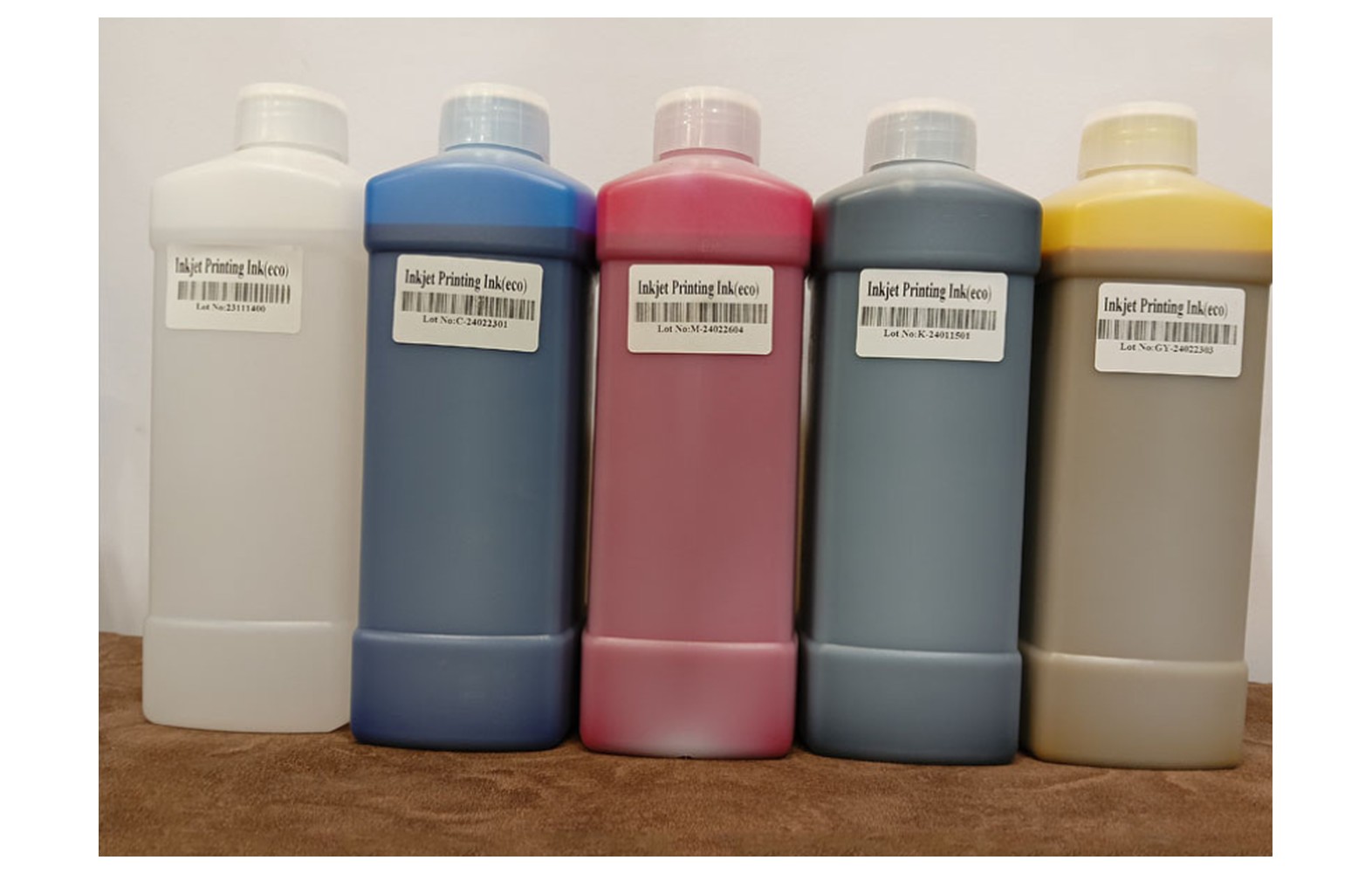
Direct answer: Eco-solvent ink filters and connectors must match the exact printer, component position, approved ink and manufacturer part number. A similar-looking fitting or a generic solvent-resistant claim does not establish compatibility. Diagnose the complete ink system before ordering, and use authorised personnel and the model-specific safety procedure for service.
Understand the installed ink path
A printer may use reservoirs, pumps, tubes, filters, dampers, valves and connectors in a machine-specific arrangement. Not every eco-solvent printer uses the same components or flow path. Obtain the manufacturer’s diagram for the actual model and installed options.
Record the printer model, serial, revision, head variant, approved ink and service history. If an ink conversion or modification was made, retain the authorised configuration record. The original catalogue may not describe the current machine.
This guide supports buying and service discussions. It does not provide a universal disconnection, flushing, priming or pressure procedure. Work outside operator authority belongs to trained authorised personnel using the exact manual and site controls.
Filter function varies by design
A filter can be used at a particular point in an ink system according to the manufacturer’s design. Its construction, direction, location and service requirements vary. Ask which assembly is installed and what function the manufacturer specifies for it.
A filter described as fine or universal is not a complete part specification. Confirm the manufacturer part number, approved ink, related fittings and any documented supersession for the printer serial and revision.
Weak colour or missing lines do not prove that a filter has failed. Artwork, profile, ink delivery, maintenance station and head can also affect output. Obtain a qualified diagnosis before ordering or replacing a component.
Connectors, seals and fittings
Connectors must match the intended tube, component, ink and operating conditions. Material, dimensions and sealing method vary. A fitting that appears to connect may still be unsuitable and can lead to leaks or damage.
Ask whether the quotation includes related seals, clips or other hardware. Do not force a connector or apply an improvised sealant to make an uncertain part fit. The authorised technician should use the exact manufacturer procedure.
If the installed configuration has been modified, tell the supplier and request an authorised assessment. A part listed for the original machine may not be approved for the current ink path.
Eco-solvent ink compatibility
Eco-solvent formulations are not automatically interchangeable. Filter media, connector materials, seals and tubing must be compatible with the exact approved ink and maintenance fluids. A broad solvent-resistant claim is not sufficient evidence for every product.
Do not mix inks or substitute an unapproved cleaning fluid. An ink conversion can affect the complete system, warranty, maintenance and site safety. Ask the manufacturer or authorised service provider for a documented assessment before changing.
Keep the actual safety data sheets accessible. Qualified professionals should assess ventilation, fire precautions, storage, protective equipment, spills and waste handling under applicable local rules. The word eco does not remove the need for those controls.
Recognise symptoms without guessing
An operator may notice weak colour, intermittent output, a visible leak, an alarm or a change after maintenance. These observations can have several causes. Record the exact message, operating stage, file, ink, media, settings and last accepted output.
Retain a physical sample marked with orientation and affected colour. A manufacturer-approved nozzle pattern is useful evidence at that moment, but it does not by itself establish a filter or connector fault. The authorised technician should assess the complete system.
If there is a leak, unusual smell, smoke, damaged cable or unsafe movement, stop using the site procedure and notify the responsible supervisor. Do not open an ink line or continue a hazardous run to meet a customer deadline.
Identify the exact replacement
Confirm the printer model, serial, revision, installed head, ink, component position and manufacturer part number. Ask whether an offered number is an approved supersession for the actual configuration. A listing that names only a head family can omit machine-specific differences.
Ask whether the item is genuine, compatible, refurbished or used. A genuine component for another revision may still be incorrect. For a compatible item, obtain written specifications and ask the printer manufacturer whether the proposed combination is supported.
Do not remove a guarded component solely to photograph it. The manufacturer may identify the part from the machine record. If a physical inspection is needed, an authorised technician should use the model-specific isolation procedure.
Safe service responsibilities
Ink-system service can involve chemicals, electrical connections and moving equipment. Only trained and authorised personnel should perform the manufacturer’s isolation, installation and restart procedure. Do not bypass guards, force a fitting or use an improvised pressure or flushing method.
The site must define spill response, protective equipment and waste handling based on the actual products and qualified assessment. If an unsafe condition is suspected, stop and escalate. Do not ask an untrained worker to handle a leak beyond their authority.
Agree who supplies the parts, who performs diagnosis and labour, and how additional findings will be approved. A customer deadline is not a reason to fit an unverified connector or run a leaking machine.
Diagnosis and controlled comparison
Provide the technician with machine configuration, service history, ink, media, settings, error messages and output samples. Ask which checks distinguish a filter, connector, pump, damper, head, artwork or control issue. The correct sequence depends on the printer.
Use a reference file and approved media where a safe test is appropriate. Record the original settings and one authorised change at a time where feasible. Replacing several parts or changing ink and profile simultaneously makes it harder to understand the outcome.
Request a written diagnosis, proposed scope and acceptance plan. If the cause remains uncertain, agree the next authorised test and its cost before ordering. Retain the evidence for warranty or follow-up.
Receiving and storing parts
Check the supplier’s part number, condition and packaging against the approved quotation. Protect filter and connector openings from contamination according to supplier guidance. Do not open sealed items unnecessarily or force a part to fit.
Record the approved machine, ink, supplier, receipt date, warranty and any shelf-life instruction. Keep similar revisions separate. Review spare stock after an authorised ink, head or machine modification.
If a part arrives damaged or its number conflicts with the order, hold it and contact the supplier. For a warranty return, follow safe packaging and transport instructions for any ink residue and the site’s waste rules.
Acceptance after authorised service
- Record the baseline: symptom, machine configuration, ink, media and sample.
- Verify parts: exact filter or connector number, condition and approved ink.
- Perform authorised work: follow model-specific isolation and service instructions.
- Restore safety: confirm guards and protective systems under the service procedure.
- Run approved checks: use the manufacturer’s documented restart and test.
- Print representative work: inspect the original symptom at the intended quality.
- Document release: retain the report, parts and any remaining limitations.
A short successful test is evidence under those conditions, not a guaranteed component life or permanent fix. Ask the technician how an intermittent issue should be monitored safely.
Quality for stickers and graphics
Eco-solvent work can include close-viewed decals, labels, signs or wraps where small colour defects matter. Test with approved artwork, media and quality mode representative of the job. A generic small sample may not reveal the customer’s critical detail.
Compare reprinted output with the accepted proof for colour, dimensions and finishing. Record the profile and material. Technical service acceptance is separate from customer approval of the finished graphic.
Follow ink and media supplier guidance for handling after printing. A mark discovered during packing may originate outside the ink system. Retain evidence and review the complete workflow before assigning a cause.
Supplier and cost questions
Ask for the exact filter or connector number, supported machine and ink, part condition, related fittings, authorised labour, freight, tax, warranty and returns. Compare complete written scopes rather than component prices alone.
For a hypothetical example, a filter and fittings cost Rs 800, freight Rs 200 and service labour Rs 1,000. The illustrative subtotal is Rs 2,000 before taxes and other costs. These invented figures are not market rates. Use current quotations for the exact printer.
Review whether a spare is sensible based on service history, lead time, storage and risk. An inventory does not replace diagnosis or authorise an operator to open the ink path.
Common mistakes
Choosing by appearance: verify the exact machine, ink, part number and position.
Replacing from one symptom: assess the complete system using approved diagnostics.
Using unapproved fluids: follow manufacturer documentation and safety data sheets.
Forcing a fitting: stop and confirm the correct part and service procedure.
Ignoring a leak: stop and follow the site’s incident procedure.
Skipping acceptance: compare representative output and retain the report.
Questions to ask
- What exact filter or connector number applies to our printer serial and ink?
- Which related seals and fittings are included?
- What evidence supports replacing it?
- Who is authorised to service and test the ink path?
- What are the storage, warranty and return terms?
For broader engineering see printer ink delivery systems. For buying see the eco-solvent spare-parts guide.
Conclusion
Select filters and connectors by the exact printer, approved ink, component position and manufacturer part number. Use qualified diagnosis and authorised service, then document the complete system test before customer production resumes.
How to record an intermittent ink-path issue
Note whether the defect occurs at startup, after idle time, during a particular colour or only after a longer run. Record the approved ink, media, job, profile and print mode. Keep the last accepted print and the first defective output without operating a machine in an unsafe condition.
Ask the technician which approved check can reproduce the issue. A short test can show the current output but may not represent the operating stage at which the problem appeared. The manufacturer and service provider should define a safe, representative test for the actual printer.
If the symptom returns after a part change, retain the new sample and service report. Do not immediately replace the same filter or another fitting. An intermittent defect can have more than one cause, and the next action should follow a documented system assessment.
Check the supplier’s compatibility statement
Request the complete printer model and revision, component location, manufacturer part number and approved ink in writing. If the supplier lists a substitute, ask whether the machine manufacturer has approved it for the current configuration and whether related seals or lines are needed.
For a used printer, provide any known ink conversion and service records. Missing history may require an authorised configuration assessment before a part is selected. A cross-reference based only on a head family is not necessarily sufficient.
Compare quotations for the same part condition and complete scope. One quote may include only a filter while another includes fittings, freight, authorised labour and testing. Mark unclear terms as unknown and ask who is responsible if the original fault remains.
Handling approved and obsolete stock
Use a stock record with the manufacturer number, supplier, receipt date, approved printer and ink, packaging and any supplier-specified shelf life. Protect the part from damage or contamination. Do not discard the original identification until the authorised technician has verified the item.
After an approved ink conversion or machine upgrade, review the spares list with the supplier. A filter or fitting held for the prior configuration may not be supported. Separate uncertain parts and record the manufacturer’s decision rather than relying on their appearance.
Control who can issue a part and associate it with a service work order. The stock record should not encourage an operator to disconnect an ink line outside their authority. Retain the technician’s report and approved acceptance output.
Spills, waste and returns
If ink is outside its intended path, stop under the site’s emergency procedure. The safety data sheet and qualified site team determine the response for that specific product. Do not ask untrained workers to handle a spill, open guarded equipment or use an unapproved cleaning fluid.
Removed filters, tubes, fittings and packaging may contain ink. Follow the site’s waste handling and applicable local requirements. If a supplier requests a return, confirm safe packaging and transport instructions before shipping.
Record the incident, the authorised action and the approval to resume work. A clean-looking area does not establish that the underlying system is safe or that the original leak has been resolved. Qualified service must determine the appropriate checks.
Comparing customer output after service
Agree the acceptance file, ink, media and quality mode before service where possible. Inspect the original symptom and record any remaining limitation. A small generic print may not represent a close-viewed sticker or detailed graphic.
If customer work was interrupted, identify which panels or decals were printed before and after the repair. Compare colour and dimensions against the approved proof under agreed conditions. Obtain approval of any variation separately from the technician’s machine sign-off.
Keep the service report, part identification and accepted sample with the machine record. At shift handover explain the authorised operator checks and escalation contact so that a temporary workaround does not become an undocumented routine.
Review the complete service quotation
Ask whether diagnosis, the exact filter, related fittings, freight, authorised labour and acceptance testing are included. If the provider finds another cause, require a revised scope before additional work. A component-only price should not be compared as if it includes the complete service.
Confirm who is responsible for handling removed ink-contaminated parts and whether warranty return requires special packaging. Follow the supplier’s instructions and site rules. Do not store a leaking used component alongside clean spare stock.
If the machine is needed for urgent work, a pre-qualified subcontractor can be assessed for the specific media and customer proof. Do not bypass safety procedures or fit an uncertain connector to avoid a delay. After production resumes, review the incident and update the machine record and approved supplier contact.
Keep the written compatibility confirmation, technician’s report and representative print together. These records help the next shift understand what was tested and what remains uncertain.
Retain the approved records.
Frequently Asked Questions
Does weak colour mean the filter failed?
No. The ink path, head, file, profile and other factors may contribute. Obtain a model-specific qualified diagnosis.
Are eco-solvent filters interchangeable?
No. Confirm the exact printer, component position, part number and approved ink.
Can any solvent-resistant connector be used?
No. A general claim does not establish compatibility with the exact ink, fitting and machine. Obtain written manufacturer confirmation.
Can an operator disconnect an ink line to inspect a filter?
Only personnel trained and authorised for the specific printer should service the ink path using its procedure and site controls.
Can different eco-solvent inks be mixed?
Do not mix or convert inks without the machine manufacturer’s documented approval and an appropriate safety assessment.
How often should a filter be replaced?
There is no universal interval. Follow the exact machine’s service guidance and qualified condition assessment.
How is service verified?
Run the manufacturer’s approved system checks and representative print, then retain the technician’s report and any limitations.
