



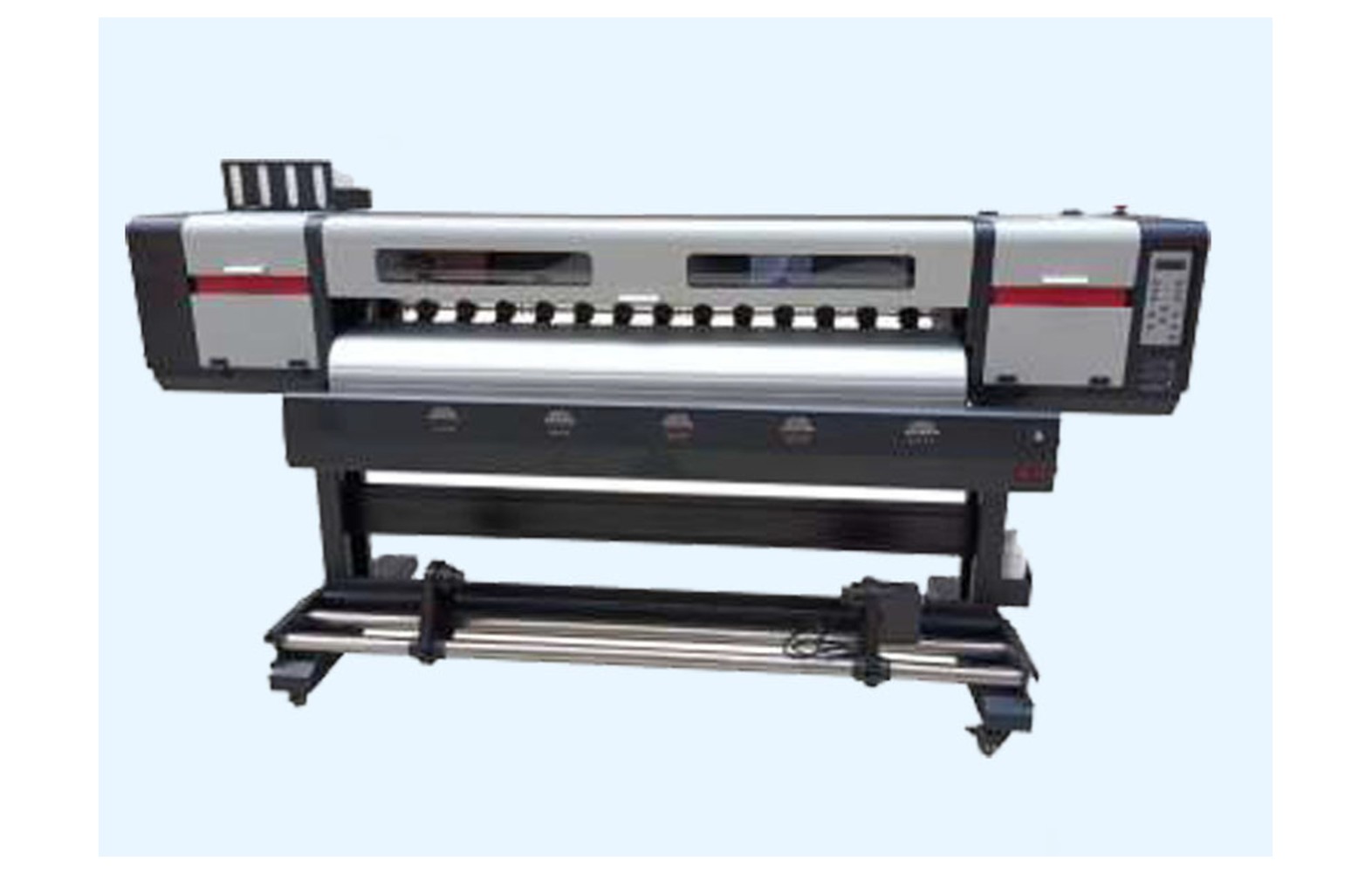
Direct answer: A capping station is part of the printhead maintenance system in some eco-solvent printers. Its function, approved cleaning and replacement procedure depend on the exact machine, head and ink. Confirm the manufacturer’s part number and diagnose the complete system before ordering. A missing nozzle or poor print alone does not prove the cap has failed.
Understand the installed maintenance system
An eco-solvent printer may use a cap, wiper, pump, waste path and other components during approved parking or maintenance operations. Not every machine uses the same arrangement. The manufacturer’s manual and diagram for the actual model are the proper sources for the installed system.
Record the printer model, serial number, revision, head variant, approved ink, software and any authorised modifications. A machine upgraded or converted since installation may not match its original parts catalogue. Ask the manufacturer or authorised service provider to identify the current station and part numbers.
This guide supports owner-level buying and service discussions. It is not a universal procedure for moving a carriage, cleaning a head, flushing ink or adjusting a cap. Those tasks require the exact manufacturer instructions and appropriately trained, authorised personnel.
What a capping station may do
In some systems, the printhead parks at a cap as part of the manufacturer’s operating, maintenance or shutdown sequence. The cap may interact with a pump and other components. The precise function, contact and control requirements depend on the machine; do not assume a different model operates the same way.
Owners may hear terms such as cap top, capping assembly or maintenance station used interchangeably. Ask the supplier which exact component is being quoted and whether related seals, tubing or hardware are included. A part name alone is not a specification.
A capping component is one part of a system that includes ink delivery, head electronics, wiper, pump and software. Replacing a cap without diagnosing the full system may not resolve the original symptom.
Identify the correct part
Confirm the printer model and serial, maintenance-station revision, head variant, approved ink and manufacturer’s part number. Ask whether the offered number is an approved replacement or supersession for the installed configuration. A cap marketed for a familiar head family is not automatically suitable for every printer using that head.
Similar-looking components can differ in material, mounting, seals or related fittings. Ask the manufacturer or authorised service provider for written compatibility. A genuine part intended for another machine revision can still be incorrect.
Do not remove a guard or move the carriage by force to photograph the station. The supplier may identify it from machine records. If a physical inspection is needed, an authorised technician should use the model-specific stop, isolation and service procedure.
Eco-solvent ink and cleaning compatibility
Eco-solvent formulations are not automatically interchangeable. Materials in the cap, seals, tubes and related maintenance components must be compatible with the approved ink and maintenance fluids. A generic solvent-resistant or universal claim is not sufficient evidence for every machine and fluid.
Use only the manufacturer-approved ink and cleaning products. Do not mix fluids or improvise a flushing process. If an ink conversion is proposed, ask the manufacturer or authorised service provider to assess the complete system, warranty and site safety requirements.
Obtain current safety data sheets for the actual ink and cleaning products. Qualified professionals should assess ventilation, fire precautions, storage, protective equipment, spills and waste handling under applicable local rules. The word eco does not establish that no safety controls are needed.
Symptoms do not identify the cause
An operator may report missing lines, weak colour, an unusual maintenance cycle, a leak or a change after an idle period. These are observations, not proof that the cap failed. Ink delivery, pump, wiper, head, electronics, artwork, profile or media can also affect output.
Record the exact symptom, affected colour, printer configuration, ink, media, job, settings and last accepted output. Retain a sample marked with orientation. A manufacturer-approved nozzle pattern is useful evidence at that moment, but it does not by itself diagnose a cap or guarantee future head performance.
If there is a leak, smoke, burning smell, damaged cable or unsafe carriage movement, stop using the site’s procedure and notify the responsible supervisor. Do not continue a hazardous test or bypass a guard to meet a deadline.
Daily checks versus service work
The manufacturer may specify approved operator checks or cleaning for the exact model. Ask which tasks are permitted for trained operators, what tools and fluids are approved, and what findings require escalation. A schedule copied from another printer can be ineffective or unsafe.
Periodic adjustment, replacement, disassembly or work on an ink path may require authorised service. Do not assume a fixed replacement interval applies to every cap or ink. A dirty-looking component should be assessed under the model-specific procedure rather than replaced automatically.
Repeated aggressive cleaning is not necessarily a solution. It can waste ink or damage components. Follow the documented escalation limit and ask service to diagnose the system if the issue persists.
Diagnose the complete system
Provide the technician with machine configuration, service history, ink, maintenance products, error messages and before samples. Ask which approved checks distinguish the cap, wiper, pump, ink path, head and control system as possible contributors. The correct test sequence depends on the model.
Compare the source file and RIP preview with an approved reference where relevant. A defect in artwork or a profile mismatch may not require station service. Use controlled comparisons only where the manufacturer and site procedure permit them.
Request a written diagnosis, proposed parts, labour and acceptance plan. If the cause is uncertain, agree the next authorised test and its cost rather than replacing several components at random.
Genuine, compatible and refurbished offers
For a genuine cap, verify the exact number, condition and supply channel. Genuine status does not make the component suitable for every printer revision. Ask about warranty, approved installation and return terms.
For a compatible component, request the precise printer, head, ink and related parts supported. Check the printer manufacturer’s position on the proposed substitute and any warranty effect. Similar appearance or a generic claim is not proof of chemical or mechanical compatibility.
Used or refurbished maintenance parts can have uncertain wear, storage and prior ink exposure. Ask what was inspected or replaced and who supports a claim. A qualified technician should determine whether reuse is approved for the system.
Safe service and replacement
Only trained and authorised personnel should access guarded areas or service the ink and maintenance system. Follow the manufacturer’s stop, isolation, handling, installation and restart procedure. Do not force the carriage, bypass interlocks or apply an improvised lubricant or cleaning fluid.
The site procedure should cover the actual ink and chemical hazards, personal protection, spill response and waste. If a leak or another unsafe condition is present, stop and involve the responsible qualified team.
Agree who supplies the part and related fittings, who performs labour and what happens if a different fault is found. A component-only quotation may not include service, configuration or acceptance testing.
Acceptance after service
- Record the baseline: symptom, printer configuration, ink, settings and reference sample.
- Verify the part: exact cap or assembly number, condition and compatibility.
- Perform authorised work: use the model-specific isolation and service procedure.
- Restore safety: confirm guards and protective systems under the service process.
- Run approved checks: follow the manufacturer’s documented maintenance and test sequence.
- Print representative work: use the intended ink, media and customer-quality mode.
- Document release: retain the technician’s report, sample and any limitation.
A short successful test demonstrates performance under those conditions; it does not guarantee future head or cap life. If a problem appeared only after a long print or idle period, agree safe follow-up with the service provider.
Plan for idle periods
Ask the manufacturer how the exact printer and ink should be left during the expected idle interval. Some systems have specific power, parking or maintenance-cycle requirements. Do not infer them from a different model or switch off equipment using an improvised method.
Record the last accepted test and any unresolved issue before shutdown. On restart, follow the documented sequence and compare authorised checks with the reference. A change after idle time is evidence for investigation, not automatic proof that the cap is defective.
For longer shutdowns, seek written model-specific guidance. An unapproved flush or fluid can damage components or create a safety hazard. Only qualified personnel should perform the required work.
Customer-quality checks
Eco-solvent shops may produce close-viewed decals, stickers, signs or vehicle graphics. Test the intended file, media and quality mode rather than relying only on a small generic demonstration. Inspect critical colours, gradients and details under the customer’s agreed conditions.
After a repair, compare any replacement panel or decal with the accepted proof for colour, scale and finishing. Technical service sign-off and customer approval of a finished job are separate decisions. Document any accepted variation and revised delivery.
If an intermittent fault returns during a long run, preserve the sample and settings and contact the service provider. Do not repeatedly clean or replace the cap without an updated diagnosis. Use an approved backup plan for urgent work.
Supplier, cost and stock checks
Ask for the exact component number, machine revision, approved ink, part condition, related fittings, authorised labour, freight, tax, test, warranty and return terms. Compare like-for-like written scopes. A cap-only price may exclude the work needed to restore the maintenance system.
For a hypothetical example, a component costs Rs 1,000, freight Rs 200 and authorised service Rs 800. The illustrative subtotal is Rs 2,000 before taxes and other expenses. These figures are invented, not market prices. Use current quotations for the actual printer.
Store approved spares under supplier instructions, protected from contamination and identified by machine and part number. Review shelf-life guidance where supplied and update stock after an authorised ink or station change. Inventory does not replace diagnosis.
Questions for the provider
- What exact cap or assembly is installed on this printer and head?
- Which inks, maintenance fluids and related parts are approved?
- What evidence supports the proposed diagnosis?
- Which checks may trained operators perform and which require service?
- What warranty, storage and return conditions apply?
- How will the original symptom be tested after work?
For the broader topic see the eco-solvent spare-parts buyer guide. For ink-delivery context read printer ink delivery systems and follow the exact machine manual.
Common mistakes
Ordering by head family alone: confirm printer revision, part number and approved ink.
Assuming a nozzle issue proves cap failure: diagnose the complete system.
Using an unapproved cleaning fluid: follow manufacturer instructions and safety data sheets.
Forcing the carriage or bypassing a guard: stop and use authorised service.
Assuming a universal replacement interval: follow model-specific guidance and qualified condition assessment.
Skipping acceptance: compare representative output and retain the service report.
Conclusion
Choose and maintain an eco-solvent capping station as part of the exact printer, head and ink system. Verify the part, use approved procedures and qualified diagnosis, and document the representative test before returning to customer work.
Distinguish a cap from the whole station
Before comparing quotes, ask whether the vendor is supplying a cap top, a larger maintenance assembly or a kit with related parts. The exact terms vary. Request the manufacturer’s part numbers and a list of included items for the installed printer, rather than assuming two differently named offers have the same scope.
The cap can interact with a wiper, pump, waste path and control sequence depending on the design. If a technician recommends more than one component, ask which evidence supports the scope and whether the manufacturer specifies related service. Record any uncertainty and the agreed acceptance test.
A new cap cannot correct an unrelated file, feed, ink-supply or head fault. Compare the original symptom and the full service report after installation. If the issue remains, ask for the next authorised diagnostic step instead of ordering another part by appearance.
Review an ink conversion or used printer
If the machine has been converted or purchased used, request its ink and service history. Caps, seals, tubing and maintenance products can have material-compatibility requirements. The original printer model name may not describe the installed configuration after a modification.
Ask the manufacturer or authorised service provider to assess the complete system and identify approved components. Do not mix fluids or flush the station to imitate another printer’s conversion procedure. Review the safety data sheets, warranty and site controls for the actual products.
After any approved change, update the machine record, operator instructions and spare inventory. Keep uncertain stock separate until its compatibility is confirmed. A spare intended for the former ink may not be suitable for the revised system.
Plan a service handover
Before service, agree the exact symptom, part number, authorised work, cost and acceptance test. If the problem is intermittent, record the job and operating stage in which it appears. Do not reproduce a hazardous leak or movement to provide a demonstration.
After service, obtain the technician’s report, approved settings, test result and any remaining limitation. Confirm that guards and protective systems are restored under the service process. Give each shift a clear escalation contact rather than an undocumented workaround.
If a customer order was interrupted, compare any replacement output with the approved proof for colour and dimensions. Record the customer approval and revised delivery separately from the technical service sign-off.
Review the approved daily record
Keep the current manual, approved maintenance materials and service contact available to each trained shift. Record the last accepted output, any manufacturer-required test and unresolved alarms. A written handover helps staff report a change without naming a failed component before diagnosis.
If an issue appears after a service visit, provide the technician with the report and the new sample. Do not repeatedly clean or replace parts without a documented plan. A symptom can have several causes, and an authorised comparison should use the same job and approved settings where feasible.
Review the routine when the manufacturer updates instructions or the machine configuration changes. Remove obsolete steps and train operators on the approved procedure. A checklist supports consistent work but cannot guarantee a fixed head or cap lifetime.
Frequently Asked Questions
What does an eco-solvent capping station do?
In some printers it forms part of the approved head-parking or maintenance process. Its exact function depends on the model.
Does a missing nozzle prove the cap failed?
No. Ink delivery, head, wiper, pump, settings and other factors can contribute. Use model-specific diagnosis.
Are all cap tops interchangeable?
No. Confirm the exact printer revision, head, ink and manufacturer part number; similar appearance is insufficient.
Can any eco-solvent cleaning fluid be used on a cap?
No. Follow the exact manufacturer’s approved products and procedures and the relevant safety data sheets.
How often should a cap be replaced?
There is no universal interval. Follow model-specific service guidance and a qualified condition assessment.
Can an operator force the carriage away from the station?
No. Use the manufacturer’s approved controls and stop procedure. Guarded or mechanical service belongs to authorised personnel.
How is a replacement accepted?
Run approved machine checks and a representative print, restore safety systems and retain the technician’s report and limitations.
