

Direct answer: In the i3200 vs Ricoh Gen6 comparison for UV printing, the Epson i3200-U1 has more nozzles (3,200 against 1,280) and smaller drops, so it gives very fine detail and high output per rupee, and the head itself costs less (around ₹92,000 against roughly ₹1.65–1.75 lakh for a Gen6). The Ricoh Gen6 (MH5320/MH5340) has a wider 54.1 mm swath, a stainless steel body, an integrated heater, larger grayscale drops up to 15 pl and up to 50 kHz jetting. In practice it tolerates a higher print gap and textured or uneven surfaces better and is built for long industrial duty. Choose the i3200-U1 for detailed work on flat media, UV roll-to-roll, UV DTF and cost-sensitive flatbeds. Choose the Gen6 for heavy daily flatbed production, doors, wood, textured boards and dense white ink.
Both heads appear in UV flatbed, hybrid and roll-to-roll printers sold in India, often in the same machine model with different price tags. This guide explains what you actually gain with each head so you can choose the right machine or replacement.
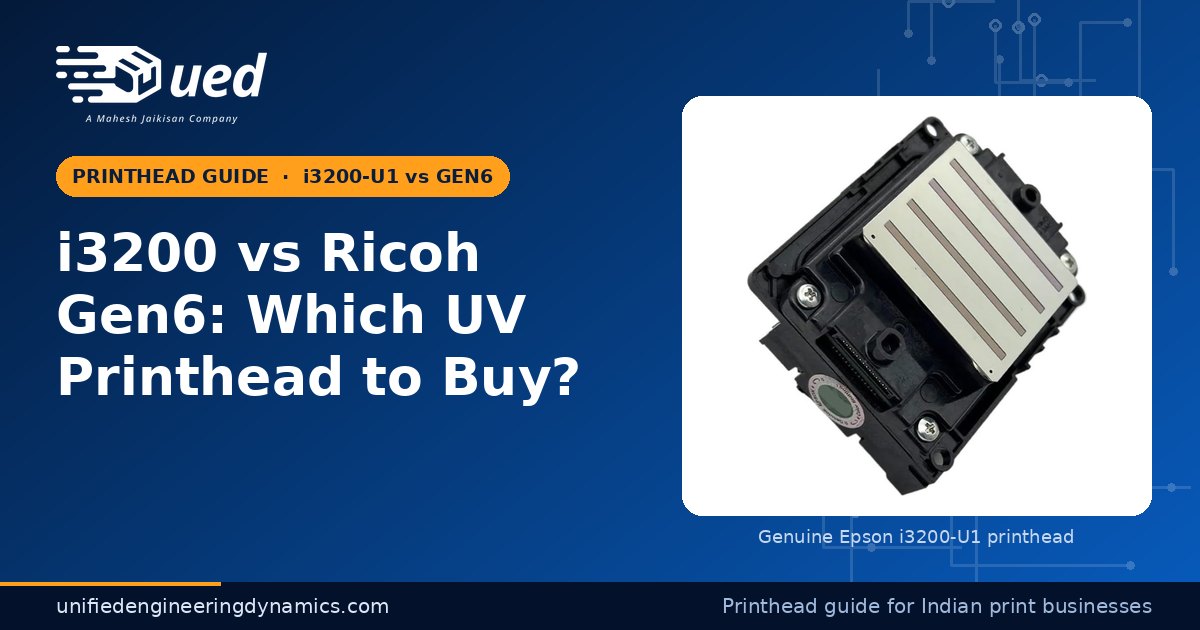
Table of Contents
The Two Heads in Brief
The Epson i3200-U1 is the UV version of Epson’s PrecisionCore i3200 head. It shares its body with the water-based A1 and eco-solvent E1 versions but uses materials that tolerate UV-curable ink. Our guide to i3200 A1 vs U1 vs E1 explains those versions.
The Ricoh Gen6 is the market name for the Ricoh MH5320 and MH5340. Ricoh describes them as industrial printheads with a piston pusher and metallic diaphragm, a stainless steel housing and compatibility with UV, solvent and aqueous inks. The MH5320 handles up to two colours and the MH5340 up to four. A Type A version of the MH5320 has no ink port, so the exact model must be confirmed before ordering.
i3200 vs Ricoh Gen6: Specification Comparison
| Specification | Epson i3200-U1 | Ricoh Gen6 (MH5320/MH5340) |
|---|---|---|
| Nozzles | 3,200 (8 rows × 400) | 1,280 (4 rows × 320, staggered) |
| Native resolution | 300 npi per row, 600 npi over 2 rows | 150 npi per row, 600 dpi over 4 rows |
| Print width per head | 33.8 mm | 54.1 mm |
| Colours per head | Up to 4 | MH5320: 2; MH5340: 4 |
| Binary drop | 5 pl at 43.2 kHz | 5 pl |
| Grayscale drops | About 3.8, 6.2 and 9.3 pl (4-level) | 5–15 pl (4 levels) |
| Jetting frequency | 43.2 kHz binary | 50 kHz (3 levels), 40 kHz (4 levels) |
| Ink viscosity | About 5–7 mPa·s | 10–12 mPa·s |
| Heater in head | No; ink warmed in the ink path | Integrated heater and thermistor |
| Body | Compact PrecisionCore module | Stainless steel, 89 × 66.3 × 24.51 mm, 228 g with cable |
| Typical price in India | About ₹92,000 (UED store) | About ₹1.65–1.75 lakh (Indian listings) |
Ricoh figures come from Ricoh’s official MH5320/MH5340 specification page. i3200-U1 figures follow Epson’s published datasheet values that we used in our i3200 series.
What the Numbers Mean in Real Printing
Nozzle count and detail
The i3200-U1 packs 3,200 nozzles into a 33.8 mm swath. That density, combined with small drops around 3.8 pl in grayscale mode, gives smooth gradients, sharp small text and fine lines. For photo-quality acrylic prints, small labels, phone covers, gifting items and UV DTF stickers, the i3200 delivers excellent detail.
Swath width and drop size
The Gen6 covers 54.1 mm per pass with fewer, larger nozzles. Its grayscale range of 5–15 pl lays down more ink per drop, which suits solid colours, dense white underbase and high-opacity coverage on wood, metal and boards. Per head, the Gen6 produces more ink volume per pass, and its larger drops hide minor surface irregularities.
Jetting frequency
Ricoh lists 50 kHz with three grayscale levels and 40 kHz with four. The i3200 runs at 43.2 kHz in binary mode. Real machine speed depends far more on the number of heads, pass mode, carriage speed and lamp power than on frequency alone.
Print Gap and Uneven Surfaces
This is the biggest practical difference for many Indian UV flatbed buyers. Ricoh heads are widely used on door, almirah, plywood and textured board printers because their heavier drops and heated, higher-viscosity ink keep placement accurate at a larger head-to-media gap. Fine-drop heads like the i3200 give the best detail at a low print gap; as the gap rises, small drops are more affected by air movement and carriage speed, leading to soft edges and overspray.
| Surface | i3200-U1 | Ricoh Gen6 |
|---|---|---|
| Flat acrylic, ACP, glass | Excellent detail at low gap | Very good |
| Phone covers, pens, small gifts | Excellent | Good; detail slightly softer |
| Doors with grooves, embossed panels | Possible with care; quality drops at higher gap | Strong choice |
| Rough plywood, MDF, stone | Fair | Strong choice |
| Flexible roll media (vinyl, flex, film) | Excellent | Very good |
Correct head height protects either head from strikes. Our guide to printhead height and head strike explains safe settings.
White Ink and Varnish
UV printers run white and often varnish alongside CMYK. White ink is heavy and settles, so both heads need white circulation and stirring. The Gen6’s larger drops build an opaque white layer in fewer passes, which suits dark woods, coloured acrylic and metal. The i3200-U1 produces a fine, even white and is popular for UV DTF and layered acrylic work, but very dense white may need extra passes. Our guides to UV white ink circulation and UV printer white ink RIP settings cover both hardware and software.
Durability and Head Life
Ricoh builds the Gen6 for industrial duty, with a stainless steel housing and a design aimed at long service. The i3200-U1 is also an industrial PrecisionCore head and is far more durable than the older XP600 or TX800, but in heavy UV flatbed duty it is generally treated as the more consumable of the two. Head life for both depends mostly on ink quality, filtration, lamp shielding, capping and daily maintenance.
| Factor | i3200-U1 | Ricoh Gen6 |
|---|---|---|
| Build | Compact PrecisionCore module | Stainless steel industrial body |
| Sensitivity to UV reflection | Sensitive; needs good lamp shielding | Also needs shielding, but often more forgiving in practice |
| Ink filtration needs | High; fine nozzles | High |
| Replacement cost when it fails | Lower | Higher |
For practical lifespan and cost planning, see our guide to printhead running cost and lifespan in India.
Electronics: Boards Are Not Interchangeable
You cannot swap an i3200-U1 for a Gen6 by changing the head alone. Each head needs its own head board, driver board, cables, voltage settings, waveform files and carriage mounting. Hoson, BYHX and Senyang supply separate kits for Epson and Ricoh heads. Converting a machine from one to the other is a major rebuild that usually costs a large share of a new machine. Our guides to UV flatbed board compatibility and i3200-U1 head voltage explain the electronics.
i3200 vs Ricoh Gen6: Price in India
| Item | Price seen | Source |
|---|---|---|
| Epson i3200-U1 printhead | ₹92,000 | UED store listing |
| Ricoh Gen6 (MH5320/MH5340) | ₹1,65,000–₹1,70,000 excluding taxes | Dpi International, IndiaMART |
| Ricoh MH5320 Gen6 | ₹1,75,000 | Silverstone Technologies, TradeIndia; Lisco Systems |
Prices change with exchange rates and stock, so get a quotation before buying. For a 4-head white-and-colour UV machine, the difference in head cost alone can run into several lakh rupees, both at purchase and at replacement. Check current pricing on the Epson i3200-U1 printhead page and our UV printer price in India guide.
Machine Examples From the UED Range
The same machine class is often offered with either head, which makes the cost difference easy to see. Prices below are UED store listings at the time of writing and may change.
| Machine | Head configuration | Listed price |
|---|---|---|
| OMAJIC UV2513Pro flatbed | 4 × i3200-U1 | ₹14,50,000 |
| OMAJIC UV2513 G5/G6 flatbed | 2–8 × Ricoh | From ₹18,00,000 |
| eRICK UV2513 U1 flatbed | Epson i3200-U1 | ₹18,00,000 |
| eRICK UV2513 flatbed | Ricoh G5/G6 | ₹20,00,000 |
| OMAJIC UV3220 flatbed | 3–8 × Ricoh G5/G6 | From ₹22,00,000 |
Exact configurations, head counts and prices vary, so request a quotation for the build you need.
Running Cost and Ink
Ricoh heads use higher-viscosity UV ink (10–12 mPa·s) designed for heated heads, while the i3200-U1 uses lower-viscosity UV ink. The inks are not interchangeable, so always use ink approved for your head. Ink cost per litre is often similar, but the Gen6’s larger drops can lay more ink on solid areas. The i3200’s smaller drops can use less ink for the same visual result on detailed images. Good ink limits in the RIP keep consumption under control on both; see our RIP ink limit settings guide.
Maintenance Differences
- Daily nozzle check: essential for both.
- Heating: the Gen6 has its own heater and thermistor; set temperature correctly and check the thermistor reading. The i3200 depends on a heated ink path or controlled room temperature.
- Capping and wiping: both need clean, well-sealed caps and gentle wiping; never rub the nozzle plate hard.
- UV shielding: both need shielding to stop reflected light curing ink on the nozzle plate.
- Filters: change ink filters on schedule; fine nozzles clog quickly with contaminated ink.
Our i3200 printhead cleaning guide covers safe cleaning methods that also apply in principle to Ricoh heads.
Which Head for Which Business?
| Business type | Better fit | Why |
|---|---|---|
| Gifting, phone covers, small items | i3200-U1 | Fine detail, lower head cost |
| UV DTF stickers | i3200-U1 | Detail and good speed on film |
| Acrylic signage and photo prints | i3200-U1, or Gen6 for high volume | Both strong; i3200 sharper, Gen6 more robust |
| Doors, almirahs, plywood, laminates | Ricoh Gen6 | Handles higher gap and textured surfaces |
| Heavy daily flatbed production | Ricoh Gen6 | Industrial body, wide swath |
| UV roll-to-roll signage | i3200-U1 | Fast and cost-effective on flexible media |
| Budget start-up | i3200-U1 | Lower machine and head replacement cost |
For a wider view, see our Ricoh vs Epson UV printhead comparison and Konica vs Ricoh vs Epson.
Gen6 vs Gen5 and Gen5i
Many Indian machines still use the Ricoh Gen5 (MH5420/MH5440), which has the same 1,280-nozzle, 54.1 mm format but a 7 pl minimum drop and lower frequency than the Gen6. The Gen6 is faster and finer, but it is not automatically interchangeable with Gen5 because boards and waveforms differ. The Gen5i (TH5241) is a different, higher-resolution head again. If your quote says “Ricoh”, ask which generation and model. Our guide to Ricoh Gen5 to Gen6 upgrades explains the differences.
Head Count and Productivity
Machine output depends on how many heads are fitted and how channels are shared. Because one i3200-U1 carries up to four colours over 33.8 mm, and one MH5340 carries up to four colours over 54.1 mm, a Gen6 head covers more width per pass. Machine makers balance this by fitting more i3200 heads or by assigning heads differently.
| Configuration | Typical use |
|---|---|
| 2 × i3200-U1 (CMYK + white/varnish) | Entry flatbed or roll-to-roll |
| 3–4 × i3200-U1 | Faster flatbeds, UV DTF, hybrid machines |
| 2–3 × Ricoh Gen6 | Mid-range industrial flatbed with white |
| 4–8 × Ricoh Gen6 | High-volume industrial flatbeds and hybrids |
When comparing quotes, ask for the real production speed in square metres per hour for your usual pass mode, with white ink on, not only the fastest draft figure.
Buying Genuine Heads
Both heads are copied, refurbished and relabelled in the grey market. Fake or used heads sold as new fail early and are rarely covered by warranty. Buy from established suppliers, check labels and serial numbers, and ask for a nozzle test after installation. Our guide to buying genuine printheads in India lists the warning signs.
Spares to Keep in Stock
- Ink filters and dampers matched to the head type.
- Capping station parts and wiper blades.
- Cleaning fluid approved for your UV ink.
- Spare head cables, which fail more often than people expect.
- For Ricoh machines, a spare thermistor or heater connection if your supplier offers one.
Questions to Ask Before Buying
- Which exact head model is fitted: i3200-U1, MH5320, MH5340 or Gen5?
- How many heads, and how are colour, white and varnish assigned?
- Which board system (Hoson, BYHX, Senyang) runs the heads?
- What is the maximum recommended print gap for your materials?
- What is the head warranty, and what voids it?
- What does a replacement head cost today, and is stock available locally?
- Can you see sample prints on your own materials, such as grooved doors or dark wood?
Common Mistakes
- Choosing the cheaper i3200 machine for door and plywood work, then struggling with high-gap quality.
- Choosing a Ricoh machine for small gifting items where i3200 detail would be better and cheaper.
- Assuming any “Ricoh” head is a Gen6.
- Using ink not approved for the head type.
- Ignoring lamp shielding and losing heads to reflected UV light.
- Comparing machine prices without comparing replacement head costs.
Example Decision
A Lucknow shop prints acrylic name plates, gifts and photo frames, and wants to add wooden door printing. For the gifting and acrylic work, an i3200-U1 flatbed gives sharp detail at lower cost. For grooved doors and laminated panels, a Ricoh Gen6 machine handles the higher gap and produces dense colour in fewer passes. If door work becomes a major share of the business, a Gen6 machine is the better long-term choice. If it stays occasional, careful head-height settings and test prints on an i3200 machine may be enough.
Further reading: Wikipedia’s article on inkjet printing explains piezoelectric drop-on-demand technology used by both heads.
Key Takeaways
- The i3200-U1 has 3,200 nozzles, small drops and lower head cost; best for detail and flat media.
- The Ricoh Gen6 has a 54.1 mm swath, 5–15 pl grayscale, an integrated heater and a stainless body; best for heavy duty and uneven surfaces.
- Heads, boards and inks are not interchangeable.
- Head prices in India: about ₹92,000 for i3200-U1 and ₹1.65–1.75 lakh for Gen6.
- Choose by the materials you print, daily volume and replacement budget.
Our Verdict
There is no single winner in the i3200 vs Ricoh Gen6 decision. The Epson i3200-U1 is the smart choice for detailed work on flat and flexible media, UV DTF and budget-conscious shops. The Ricoh Gen6 earns its higher price in heavy industrial flatbed work, doors, wood and textured surfaces where print gap and durability matter most. Match the head to your materials and volume, and ask for test prints before you buy.
If you are unsure, list the materials that make up most of your revenue and the largest print gap you need. Flat acrylic, film and gifting point to the i3200-U1; grooved doors, plywood and heavy daily flatbed volume point to the Ricoh Gen6. That simple check settles most decisions.
Frequently Asked Questions
Is the i3200-U1 better than the Ricoh Gen6?
It depends on the job. The i3200-U1 gives finer detail and costs less; the Ricoh Gen6 is better for high print gaps, textured surfaces and heavy industrial duty.
Can I replace a Ricoh Gen6 with an i3200-U1 in my printer?
Not directly. The heads need different boards, cables, waveforms, inks and mounting. Converting is a major rebuild.
What is the price of a Ricoh Gen6 printhead in India?
Indian listings show about ₹1.65–1.75 lakh. Prices change, so get a current quotation.
What is the difference between Ricoh MH5320 and MH5340?
The MH5320 supports up to two colours and the MH5340 up to four. Other key specifications are the same.
Which head is better for printing on wooden doors?
The Ricoh Gen6 is usually preferred because its heavier drops and heated head handle higher print gaps and grooved surfaces better.
Which head is better for UV DTF stickers?
The i3200-U1 is the common choice because of its fine detail, speed on film and lower replacement cost.
Can both heads use the same UV ink?
No. Ricoh heads use higher-viscosity UV ink designed for heated heads. Always use ink approved for your specific head.
